Protocol Settings
3-36
3
Using a TCP/IP Network
1
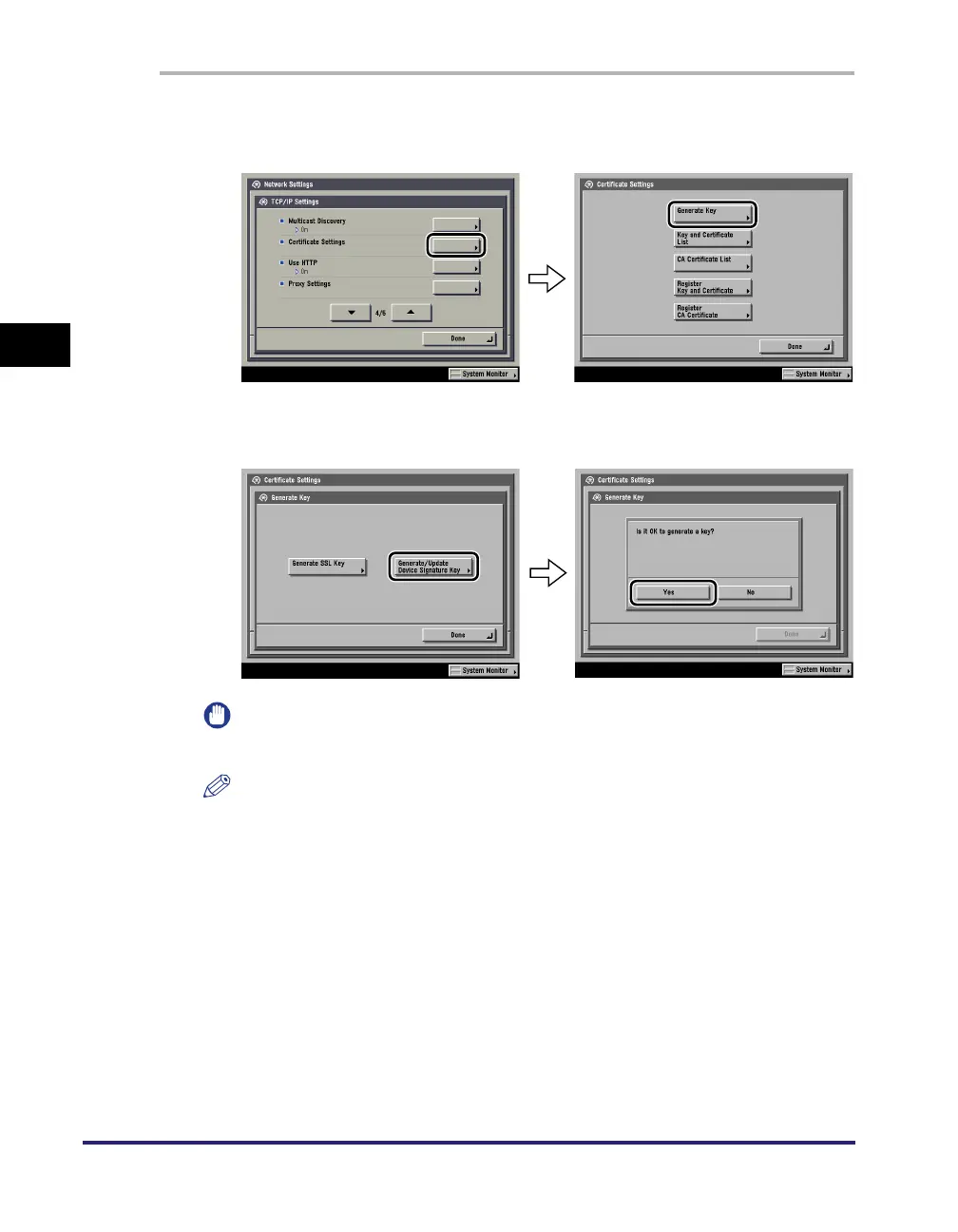
On the TCP/IP Settings screen, press [Certificate Settings] ➞
[Generate Key].
2
Press [Generate/Update Device Signature Key] ➞ [Yes].
IMPORTANT
You can register only one key pair.
NOTE
The name of the generated/updated key pair is set to 'Device Signature Key'.
To confirm a key pair and device certificate, see "Confirming a Key Pair and Device
Certificate," on p. 3-37.















 To Next Page