Protocol Settings
3-41
3
Using a TCP/IP Network
IMPORTANT
•
If the POP server does not support SSL encryption, data is not encrypted when
[On] is selected for <Allow SSL (POP)>.
•
In order to select [On] for <Allow SSL (POP)> to allow SSL transmission, it is
necessary to generate a key pair in advance. For instructions on how to generate a
key pair, see "Generating a Key Pair and Server Certificate," on p. 3-27.
3
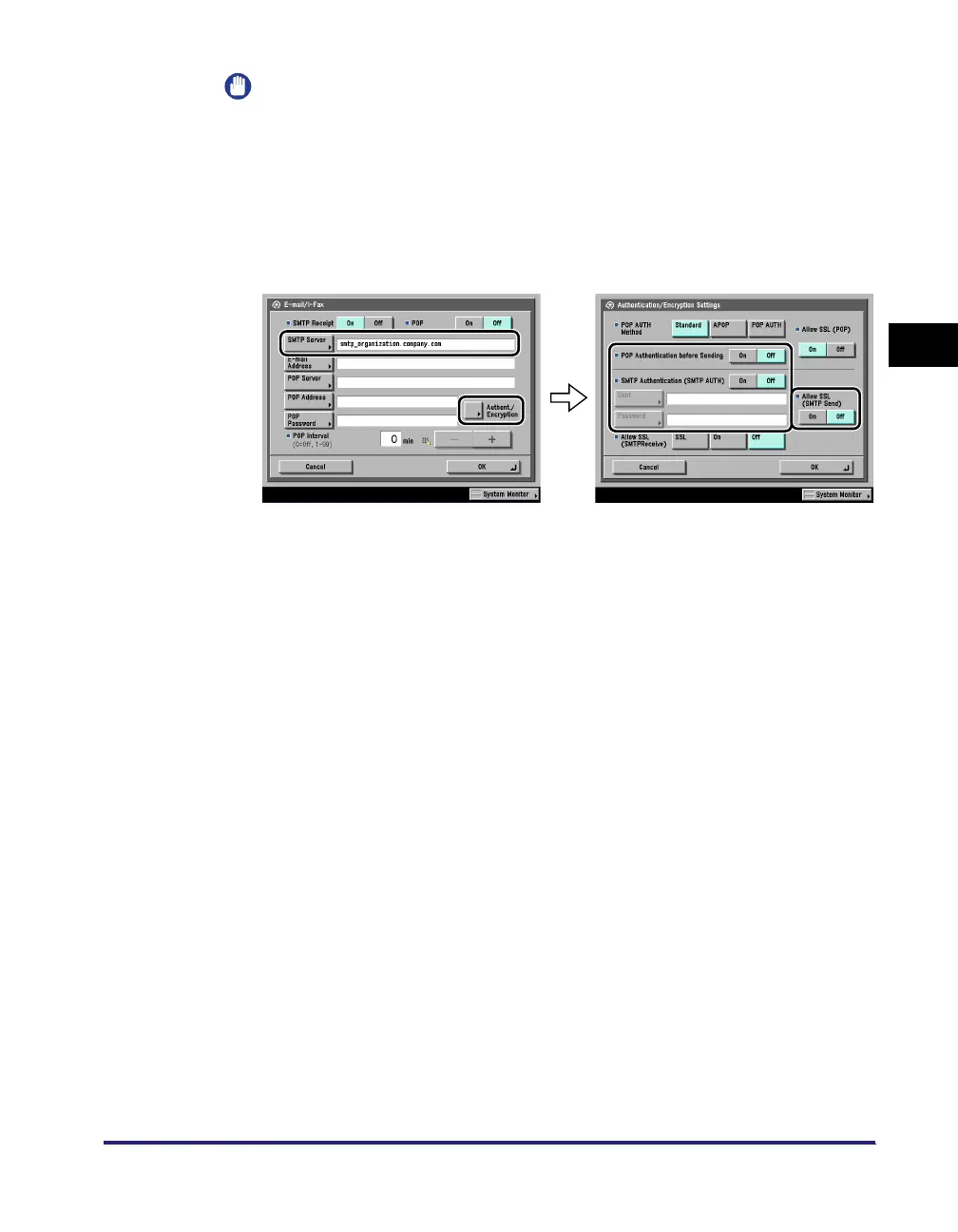
Specify the mail server for sending e-mail/I-faxes.
● If you are using an SMTP server that requires POP before SMTP
(method for authenticating users who have logged in the POP server
before sending e-mail):
❑
In [SMTP Server], enter the IP address or name of the SMTP server using the
keyboard on the touch panel display.
Press [On] for <POP Authentication before Sending> ➞ press [Off] for <SMTP
Authentication (SMTP AUTH)>.
● If you are using an SMTP server that requires SMTP Authentication
(method for authenticating users who have logged in the SMTP
server before sending e-mail):
❑
In [SMTP Server], enter the IP address or name of the SMTP server using the
keyboard on the touch panel display.
Press [On] for <SMTP Authentication (SMTP AUTH)> ➞ press [Off] for <POP
Authentication before Sending>.
In [User], enter the user name used for logging in to the SMTP server. If you
are using a Microsoft SMTP server, enter the user name in [User] using the
following format: user name@domain name.
In [Password], enter the password used for logging in to the SMTP server.
To encrypt data to be sent using SSL, select [On] for <Allow SSL (SMTP
Send)>.















 To Next Page