10-3
Maintenance
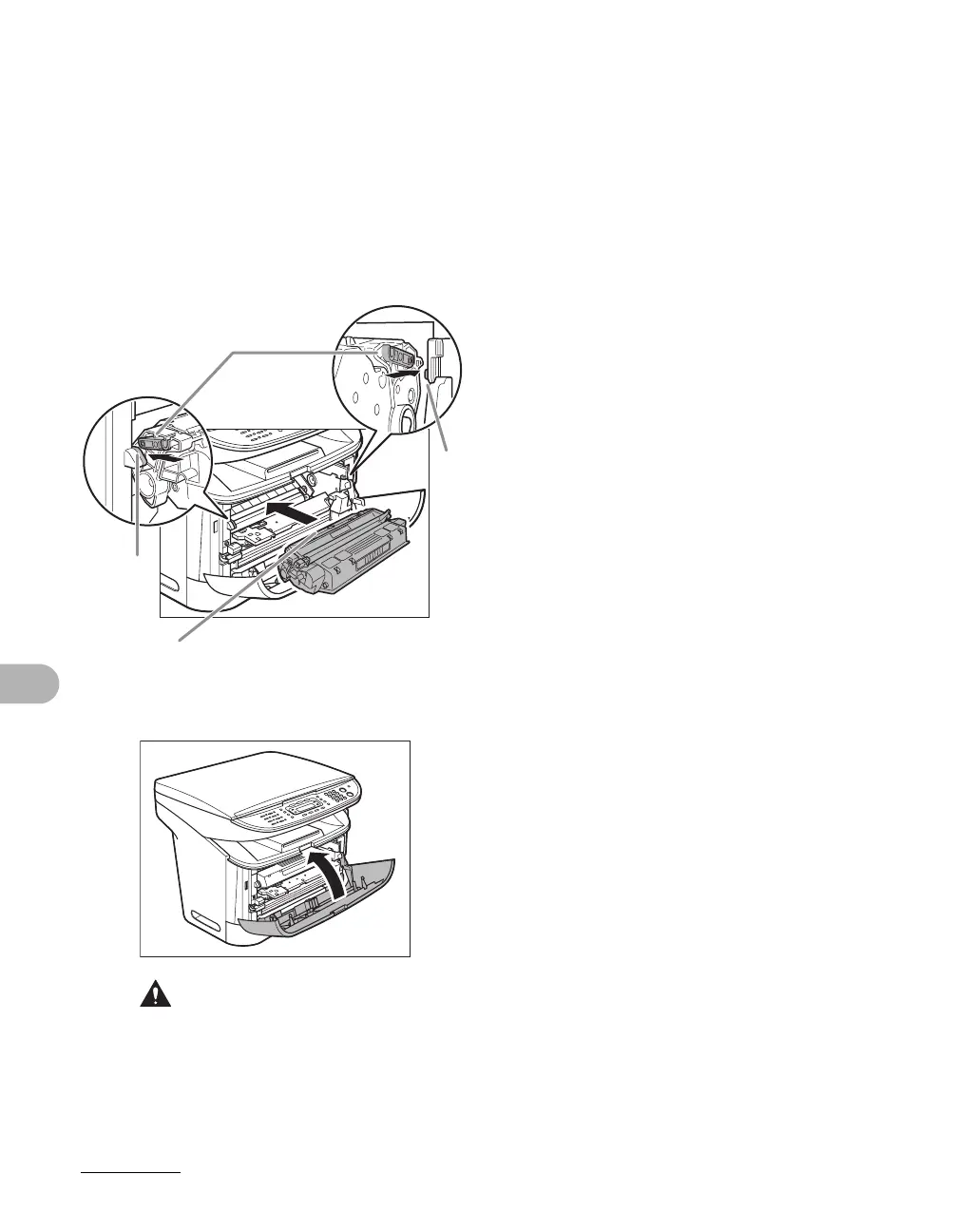
5 Insert the toner cartridge into
the machine as far as it will go.
Hold the toner cartridge and align the
protrusions (A) on both sides of the toner
cartridge to the guides (B) in the machine,
then gently slide the toner cartridge into the
machine as far as it will go.
Be sure to position the arrow mark (C) on
the toner cartridge towards the inside of
the machine.
6 Close the front cover.
CAUTION
Be careful not to get your fingers caught.
7 Reconnect the power cord.
A
B
B
C










 To Next Page