11-4
Troubleshooting
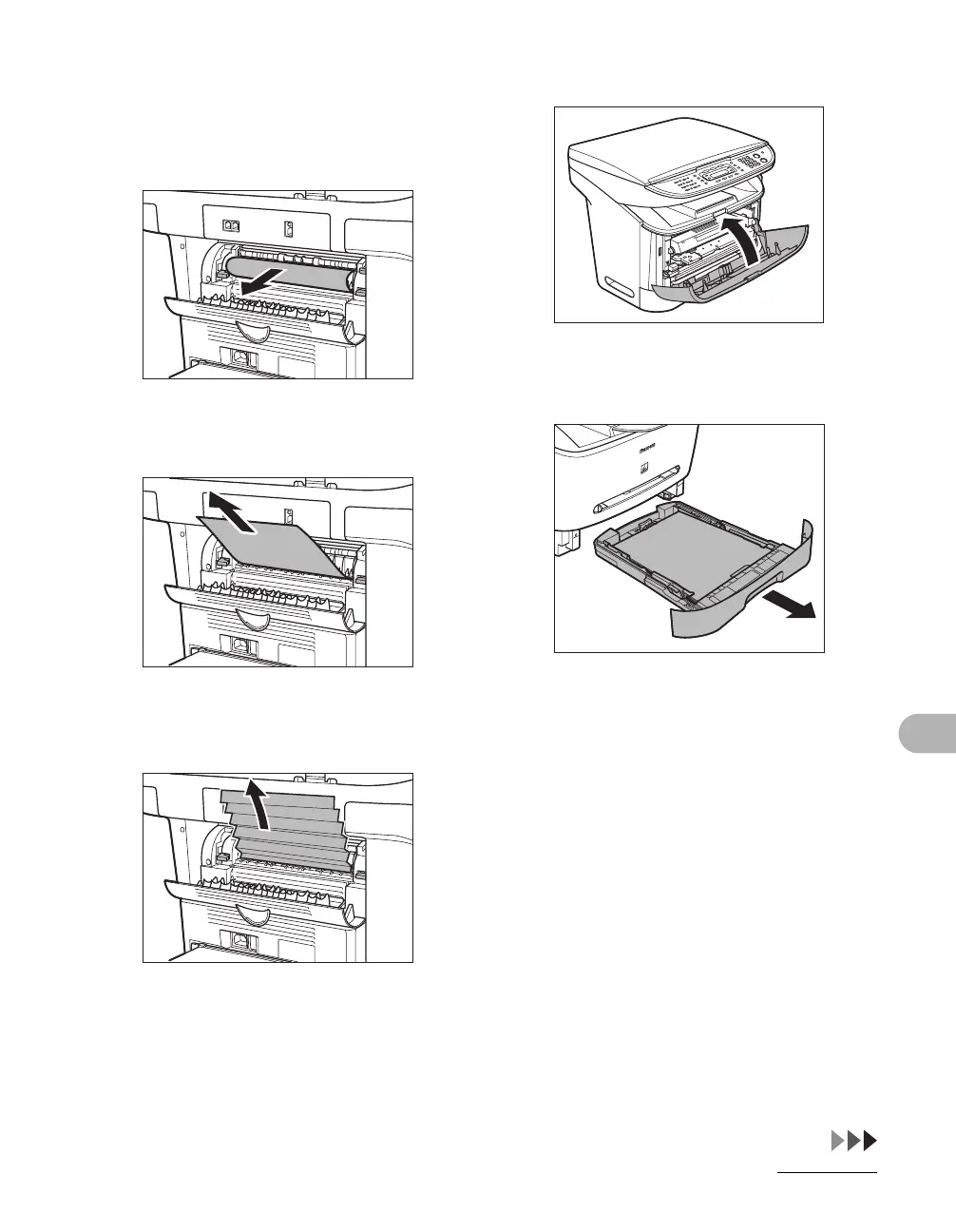
6 Gently pull the jammed paper
between the output rollers until
the leading edge emerges from
the machine.
7 Carefully pull the jammed paper
straight out through the rollers.
If the jammed paper is badly folded, similar
to the folds of an accordion, ease the
jammed paper loose and then pull it out of
the machine.
8 Close the front cover.
9 Pull out the paper cassette
completely.










 To Next Page