2-19
Document and Paper
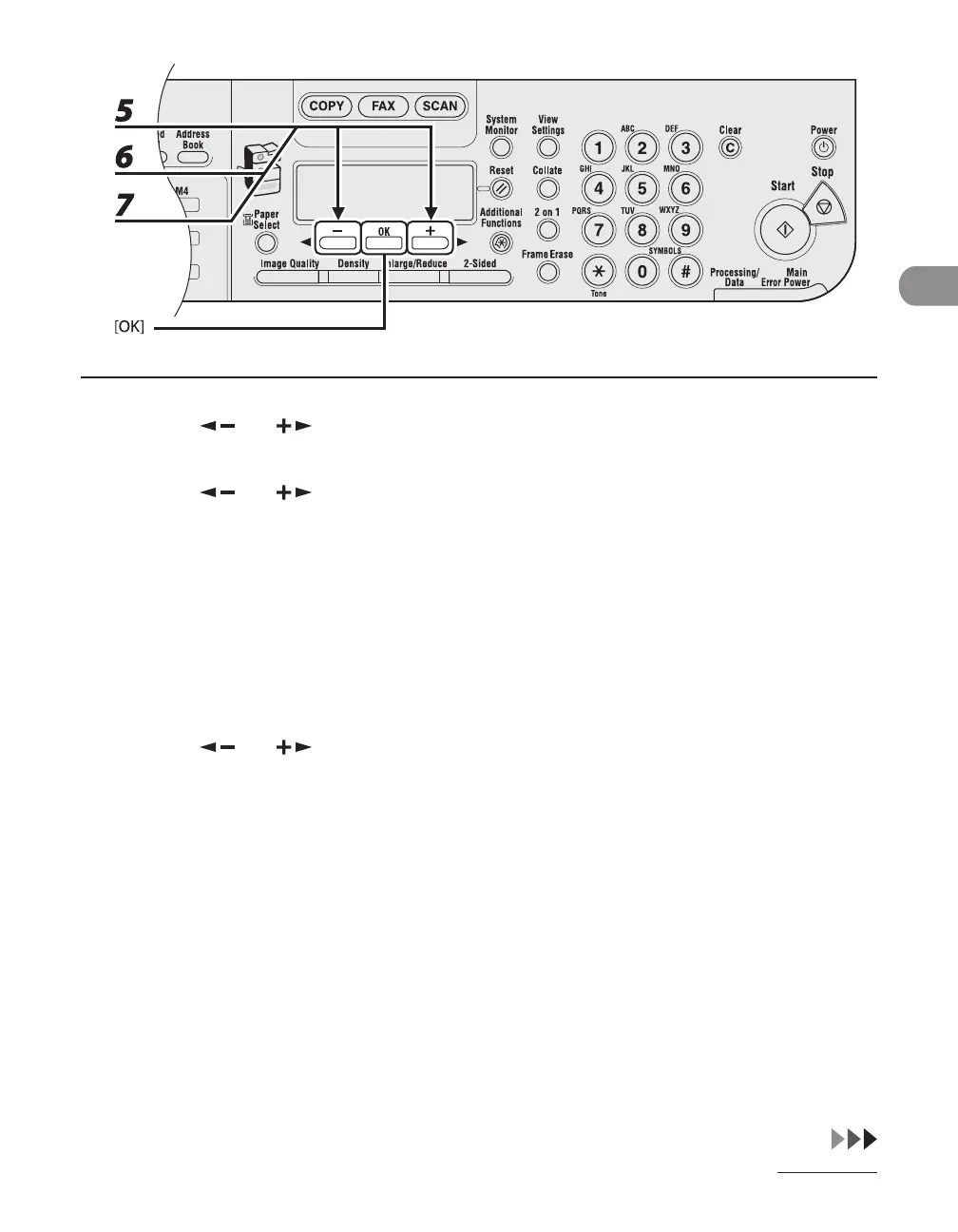
5 Press [ ] or [ ] to select <PAPER SIZE>, then press [OK].
6 Press [ ] or [ ] to select the paper size, then press [OK].
<LTR>, <STMTR>, <EXECUTIV>, <OFICIO>, <BRAZIL-OFICIO>, <MEXICO-OFICIO>, <FOLIO>, <G-LTR>,
<G-LGL>, <FLSP>, <COM10>*
1
, <MONARCH>*
1
, <DL>*
1
, <ISO-C5>*
1
, <ISO-B5>*
1
, <FREESIZE>*
2
, <A4>,
<B5>, <A5R>, <LGL>
*
1
For envelopes.
If you select this size, <ENVELOPE> is automatically selected for the paper type, and the display for
selecting the paper type does not appear. Skip to step 9.
*
2
For non-standard paper size.
If you select this size, enter the vertical size in <VERTICAL SIZE>, then press [OK].
Enter the horizontal size in <HORIZONTAL SIZE>, then press [OK].
7 Press [ ] or [ ] to select <SELECT PAPER TYPE>, then press [OK].










 To Next Page