14
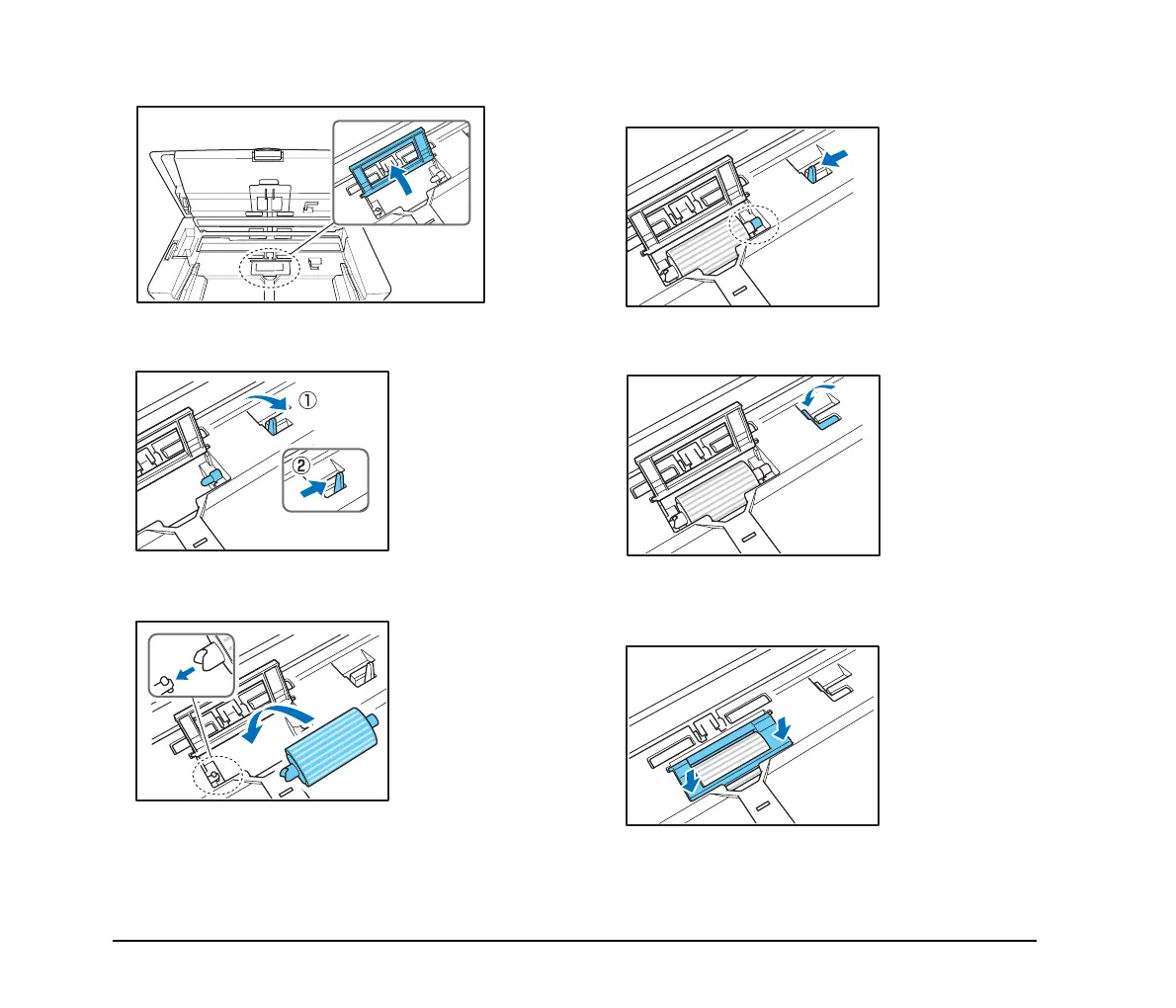
5.
Open the roller cover for the feed roller.
6. Lift up the roller lock lever a, and slide it in the
direction of the arrow b.
7. Align the notch in the shaft of the roller with the shaft
of the device, and place the feed roller into position.
8. Move the lock lever in the direction of the arrow, then
insert it into the hole in the feed roller.
9. Lower the roller lock lever to lock the feed roller into
position.
10.
Close the roller cover. Make sure you hear a click,
which indicates the cover has returned to its original
position.








 To Next Page