13
4. Removing the Packing Materials and Attaching the Feed Roller
Remove all of the packing materials protecting the device, and attach the feed roller.
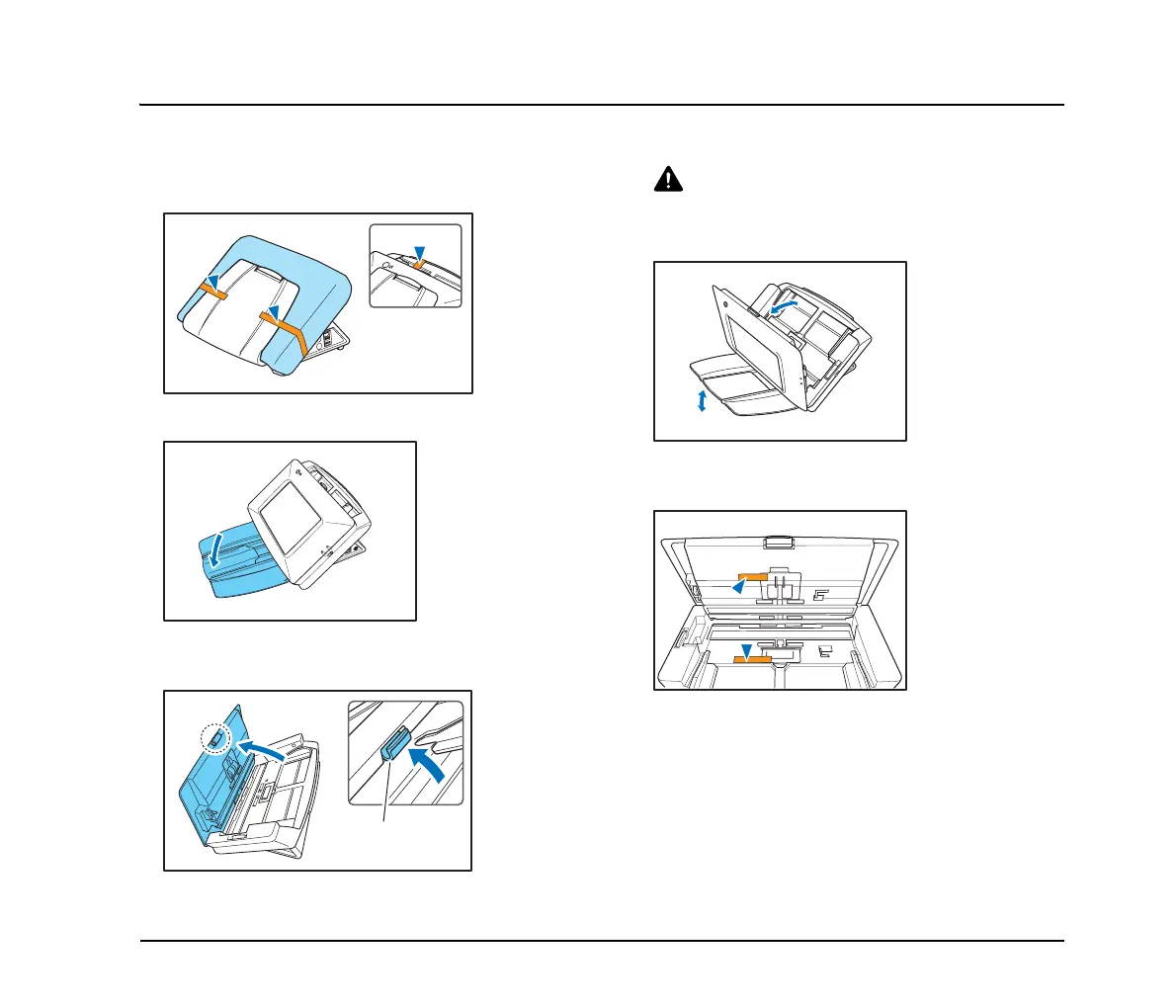
1. Remove the orange tape (3 pieces) securing the
outer case.
2. Gently open the document eject tray.
3. Pull the lock lever toward you and then fully open the
panel unit.
CAUTION
The open/close movement of the panel unit is linked to the up/
down movement of the document eject tray. Do not press on the
document eject tray when you open the panel unit.
4. Remove the orange tape (2 pieces) securing the
roller covers.
Lock lever








 To Next Page