16
5. Connecting the AC Adaptor and Connecting to a Network
Before setting up the device, you need to connect the AC adaptor and network cable.
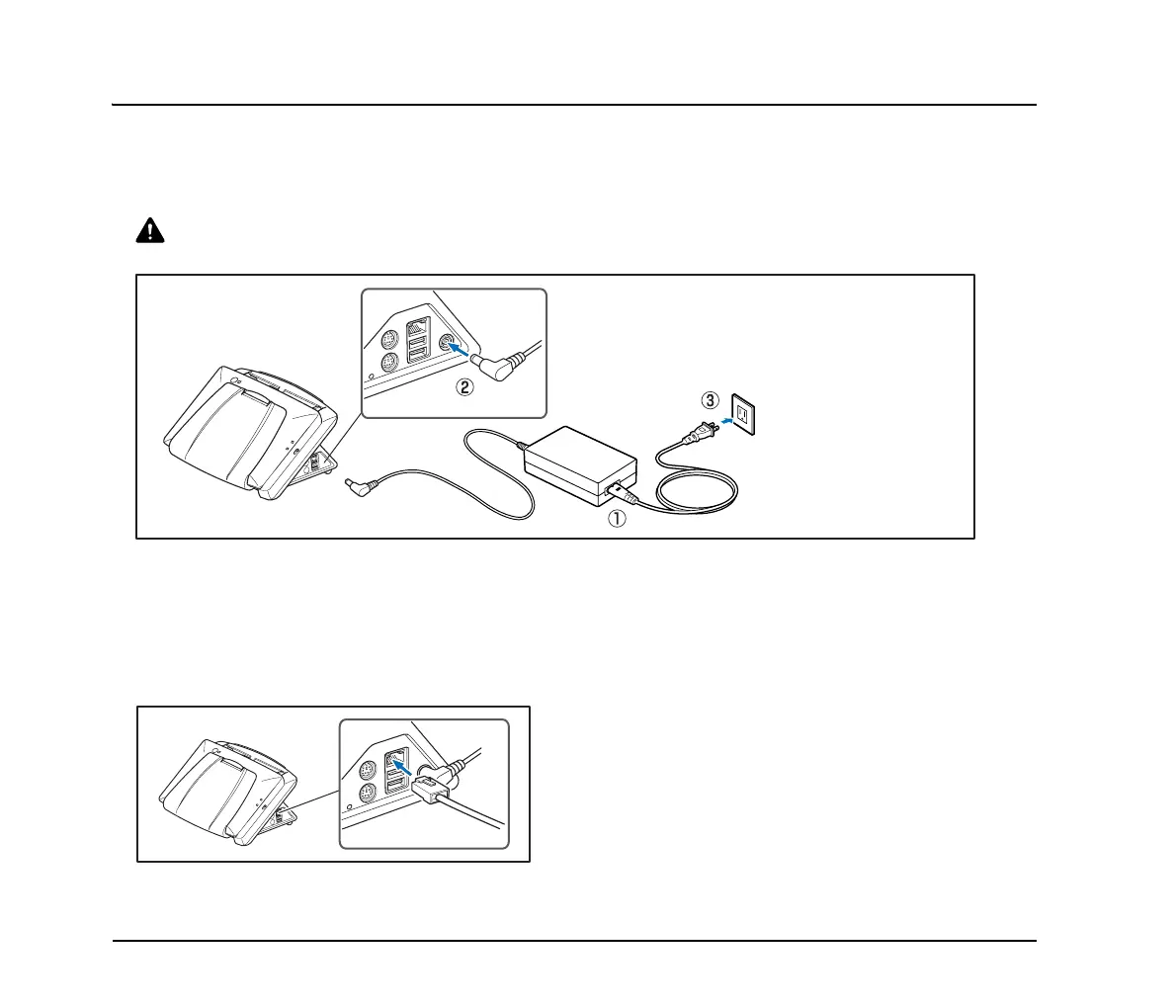
❏ Connecting the AC Adapter
Follow the procedure shown below to connect the AC adapter.
CAUTION
Make sure to use only the AC adapter and power cord included with the device.
a Connect the power cord and AC adapter.
b Insert the plug of the AC adapter into the power connector.
c Connect the power cord to the wall outlet.
❏ Connecting the Network Cable
Insert the network cable connector (RJ-45) into the LAN port.
The shape of the plug and
outlet shown may vary
depending on your country
or region.








 To Next Page