37
5.
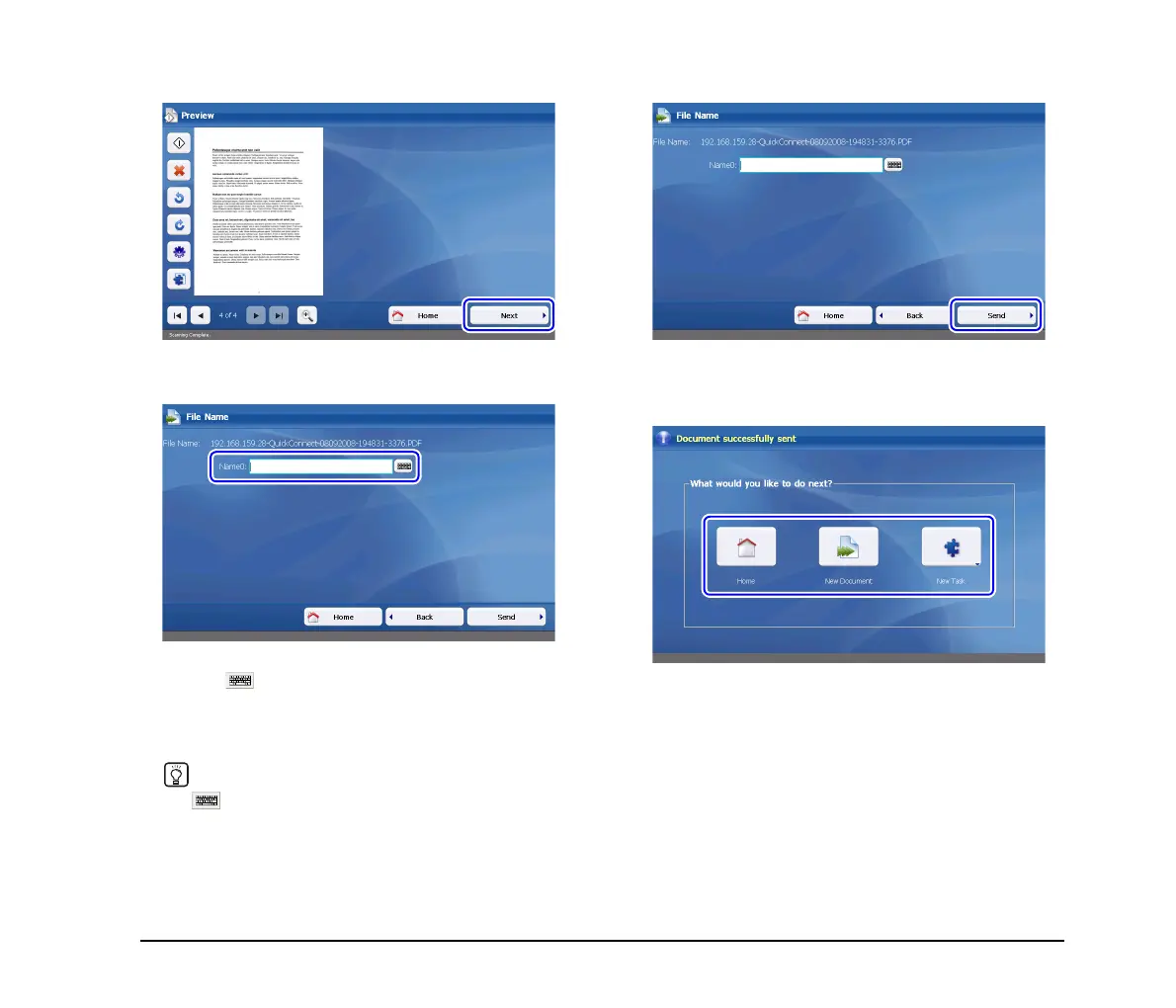
Press [Next].
The filename entry screen appears.
6. Enter a filename.
You can enter the filename for the scanned data by
pressing to display the on-screen keyboard. When an
actual keyboard is connected to the device, you can use
that keyboard for text entry. For details on the on-screen
keyboard, see “On-Screen Keyboard” on p. 38.
Hint
The button will not appear when a USB keyboard is
connected.
7. Press [Send].
The scanned data is sent. After the data is successfully
sent, a screen for selecting the next operation appears.
8. Select the next operation.
Press one of the following buttons.
Home: End scanning operations and return to
the Home screen.
New Document: Begin scanning a new document.
New Task: Send the scanned data to another
connector application.








 To Next Page