EasyManua.ls Logo

Canon IPF770 - Binding Settings Dialog Box

Canon IPF770
594 pages
Print Icon
To Next Page IconTo Next Page
To Previous Page IconTo Previous Page
Loading...
 
Specify Folded Size 
Fit Paper Size
Rotate Page 90 degrees (Con-
serve Paper)



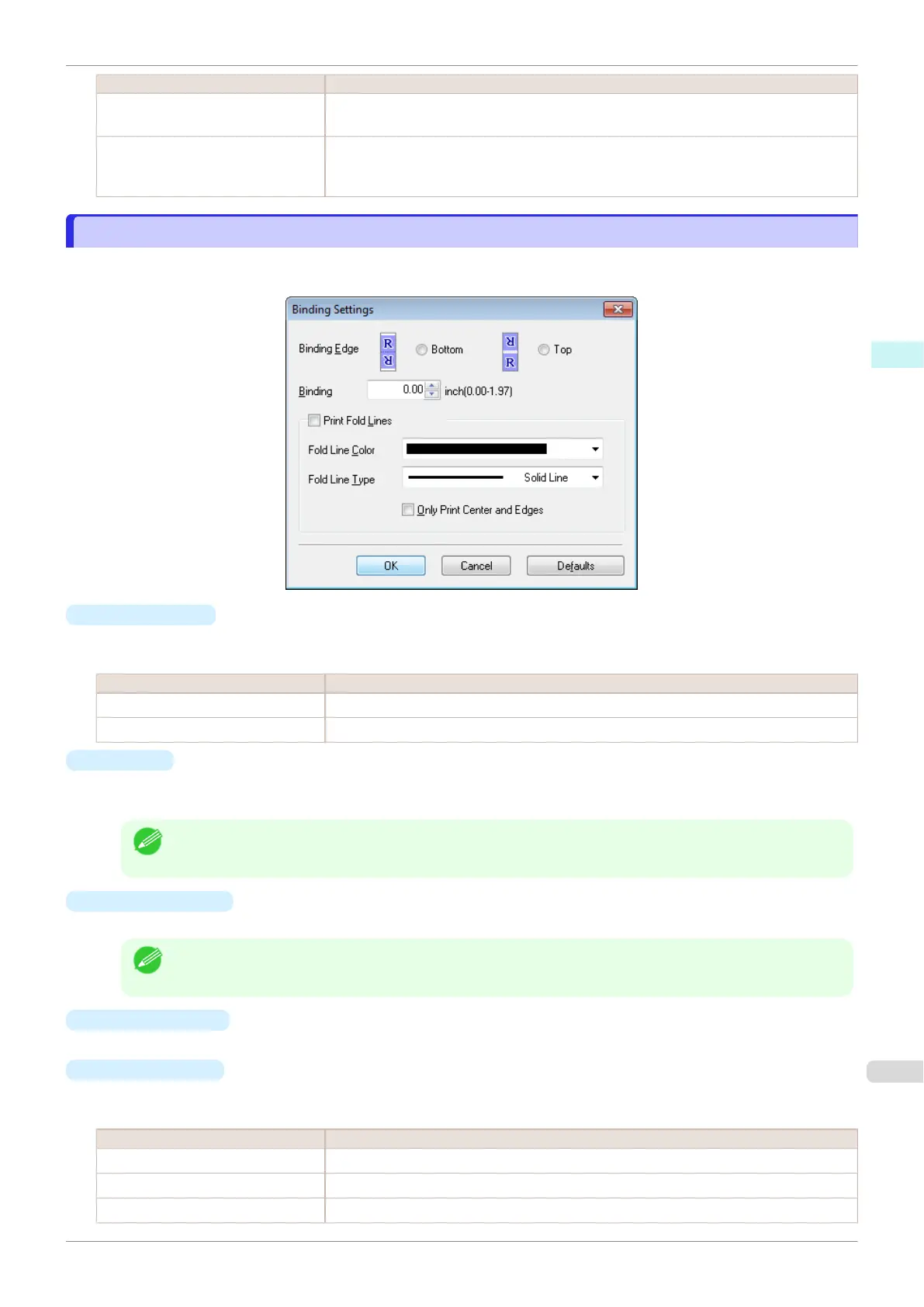
Binding Settings Dialog Box
Binding SettingsEdit

Binding Edge


 
Bottom 
Top 
Binding




Print Fold Lines


Print Fold Lines
Fold Line Color

Fold Line Type


 
Solid Line 
Dotted Line 
Dashed Line 
iPF770
Binding Settings Dialog Box
User's Guide
Windows Software Free Layout
199

Table of Contents

Related product manuals