EasyManua.ls Logo

Canon IPF770 - Configuring Binding (Excel)

Canon IPF770
594 pages
Print Icon
To Next Page IconTo Next Page
To Previous Page IconTo Previous Page
Loading...

No

5
Roll Paper Width
6

7

8
BindingBinding Settings
  Binding
9
Next
10
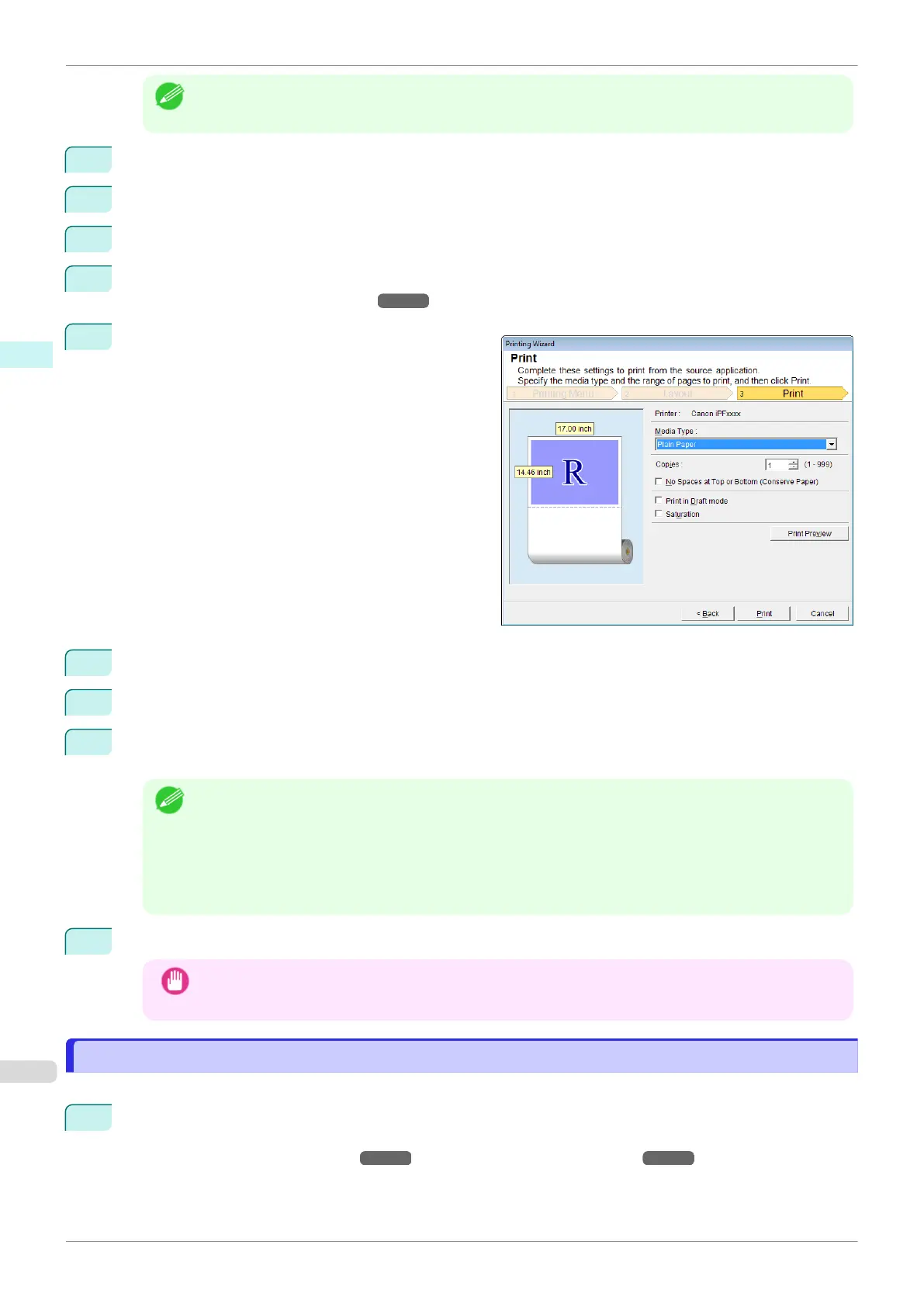
Media Type
11
Copies
12
No Spaces at Top or Bottom (Conserve Paper)
Print Preview

Print in Draft mode
Saturation
Print Preview


13
Print


PrintPrint Preview
Configuring Binding (Excel)
Binding
1
Layout SelectionLayoutPrint Entire SheetPrint Selec-
ted Area
    

Configuring Binding (Excel)
iPF770
User's Guide
Windows Software Print Plug-In for Office
244

Table of Contents

Related product manuals