Print Plug-In for Officefeatures ........................................................................................................................ 210
Steps to install ................................................................................................................................................ 210
Steps to uninstall ............................................................................................................................................ 213
When Print Plug-In for Office is not displayed ................................................................................................. 213
To start from Microsoft Word .......................................................................................................................... 216
Print Matching Roll Width(Word) ..................................................................................................................... 218
Borderless Printing(Word) ............................................................................................................................... 220
Multi-Page Printing(Word) ............................................................................................................................... 222
Register the settings (Word) ............................................................................................................................ 223
Print Using Registered Settings(Word) ............................................................................................................ 224
Portrait Orientation/Landscape Orientation(Word) ........................................................................................... 226
To start from Microsoft PowerPoint ................................................................................................................. 227
Print Matching Roll Width(PowerPoint) ............................................................................................................ 229
Borderless Printing(PowerPoint) ...................................................................................................................... 230
Multi-Page Printing(PowerPoint) ......................................................................................................................232
Register the settings (PowerPoint) .................................................................................................................. 234
Print Using Registered Settings(PowerPoint) ................................................................................................... 235
Portrait Orientation/Landscape Orientation(PowerPoint) ................................................................................. 236
To start from Microsoft Excel .......................................................................................................................... 238
Print Entire Sheet(Excel) .................................................................................................................................. 239
Print Selected Area(Excel) ............................................................................................................................... 242
Configuring Binding (Excel) ............................................................................................................................. 244
Configuring Special Settings ........................................................................................................................... 245
Print Plug-In for Officefeatures
Print Plug-In for Officefeatures
Print Plug-In for OfficeMicrosoft Office
•
•
•
Large-Format PrintingMicrosoft WordMicrosoft Power-
Point
•
Microsoft Excel
•
•
•
Print Plug-In for OfficeMicrosoft Officeimage-
PROGRAF Print Plug-In for Office ➔
•
Internet Explorer
•
•
imagePROGRAF Print Plug-InMicrosoft Office
Steps to install
Steps to install
Print Plug-In for Office
•
Print Plug-In for Officefeatures
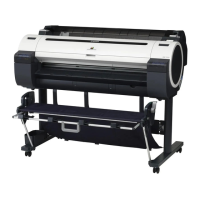
iPF770
User's Guide
Windows Software Print Plug-In for Office
210


 To Next Page
 Loading...









