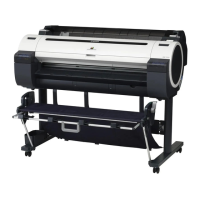
Control Panel
397
398
Control Panel ......................................................................................................................................................... 398
Control Panel Display ............................................................................................................................................. 400
How to View Instructions with Navigate .................................................................................................................. 404
Checking Instructions During Printer Operations .................................................................................................... 405
406
Printer Menu Operations ........................................................................................................................................ 406
Menu Operations ................................................................................................................................................... 407
Menu Structure ...................................................................................................................................................... 410
Menu Settings ........................................................................................................................................................ 416
Status Print ............................................................................................................................................................ 425
Printing Interface Setting Reports ........................................................................................................................... 428
Printer Parts
431
432
Front ...................................................................................................................................................................... 432
Side ....................................................................................................................................................................... 434
Top Cover (Inside) .................................................................................................................................................. 435
Roll Cover (Inside) .................................................................................................................................................. 436
Carriage ................................................................................................................................................................. 436
Ink Tank Cover (Inside) ........................................................................................................................................... 437
Stand ..................................................................................................................................................................... 438
439
Roll Holder Set ....................................................................................................................................................... 439
Network Setting
441
442
Network Environment ............................................................................................................................................. 442
444
Using RemoteUI ..................................................................................................................................................... 444
446
Configuring the IP Address on the Printer ............................................................................................................... 446
Configuring the IP Address Using the Printer Control Panel .............................................................................. 446
Configuring the IP Address Using ARP and PING Commands .......................................................................... 447
Configuring TCP/IPv6 Network Settings ................................................................................................................. 448
Configuring the Printer Driver Destination (Windows) .............................................................................................. 449
Configuring the Printer Driver Destination (Mac OS) ................................................................................................ 449
Configuring the Printer's TCP/IP Network Settings With RemoteUI ......................................................................... 450
453
Configuring the Destination in TCP/IP Networks .................................................................................................... 453
Configuring the Destination for Bonjour Network ................................................................................................... 453
454
Specifying Printer-Related Information .................................................................................................................... 454
Configuring the Communication Mode Manually ..................................................................................................... 455
Email Notification When Printing is Finished or Errors Occur ................................................................................... 456
Initializing the Network Settings .............................................................................................................................. 456
457
imagePROGRAF Device Setup Utility ..................................................................................................................... 457
Installing imagePROGRAF Device Setup Utility ....................................................................................................... 457
Configuring the IP Address Using imagePROGRAF Device Setup Utility ................................................................. 457
8


 To Next Page
 Loading...