Frequently Asked
Questions
Chapter 13 Frequently Asked Questions 13-5
HT1-2205-000-V.1.0 LSL User’s Guide
Paper Jams
On occasion, the document feeding into the machine Automatic
Document Feeder (ADF) or the paper in the paper cassette/the multi-
purpose tray may misfeed or jam. If this happens, you can usually fix the
problem using one of the following procedures.
You do not need to disconnect the power cord while clearing paper jams.
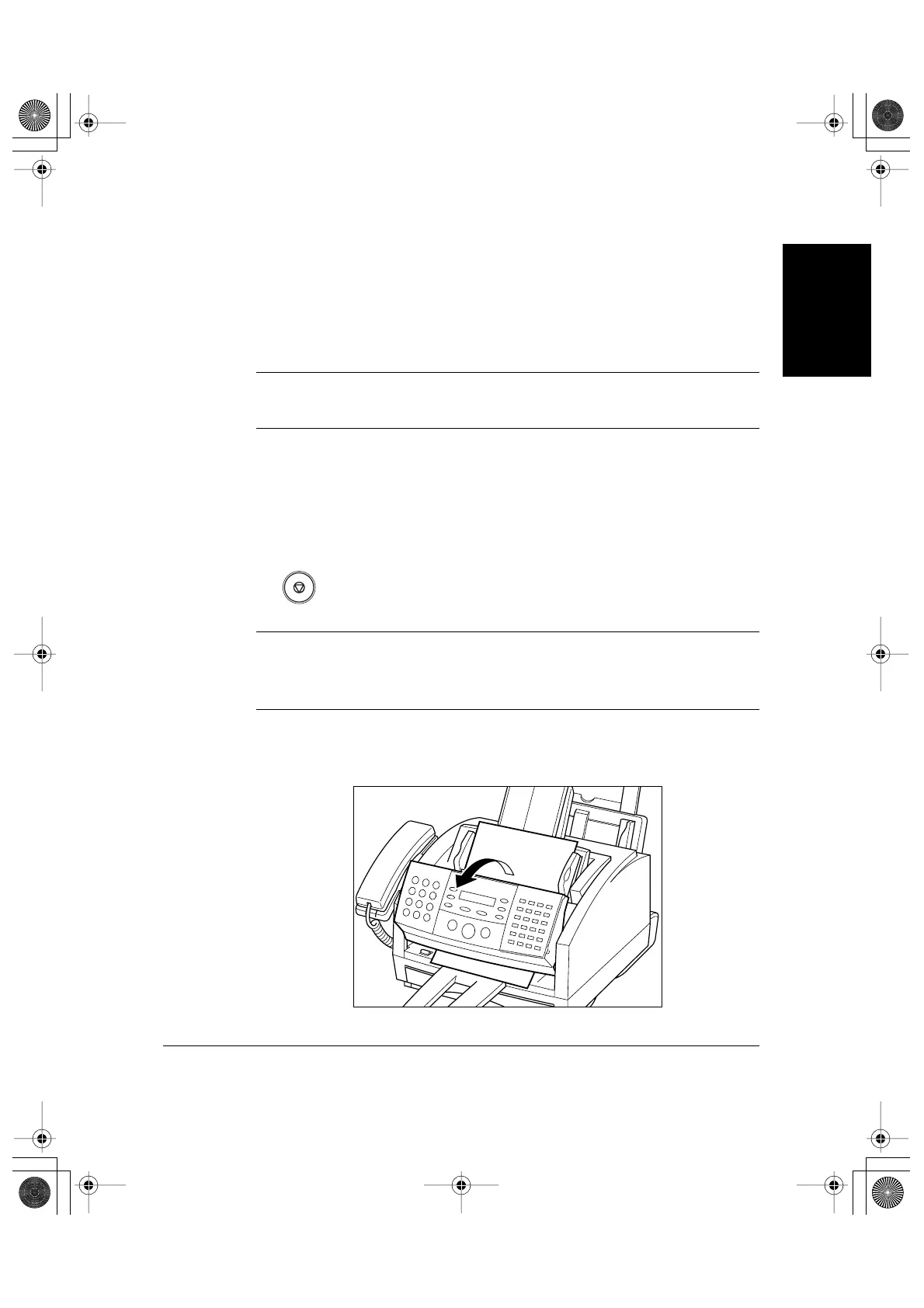
Jams in the Automatic Document Feeder (ADF)?
Use this procedure if the document in the machine’s Automatic
Document Feeder (ADF) jams or misfeeds. (If this occurs, the message
CHECK DOCUMENT appears in the display.)
1. Press Stop.
❏ Do not try to pull the document out without opening the operation
panel, or you may tear or smudge the document.
❏ If you have a multi-page document, remove the entire document
from the Automatic Document Feeder (ADF), and reload it.
2. Open the operation panel by gently pulling it toward you.
N
Stop
N
l-1100.book Page 5 Friday, December 13, 2002 5:07 PM









 To Next Page