EasyManua.ls Logo

Canon LV-WX320 - User Manual

Canon LV-WX320
80 pages
Print Icon
To Next Page IconTo Next Page
Loading...
ENGLISH
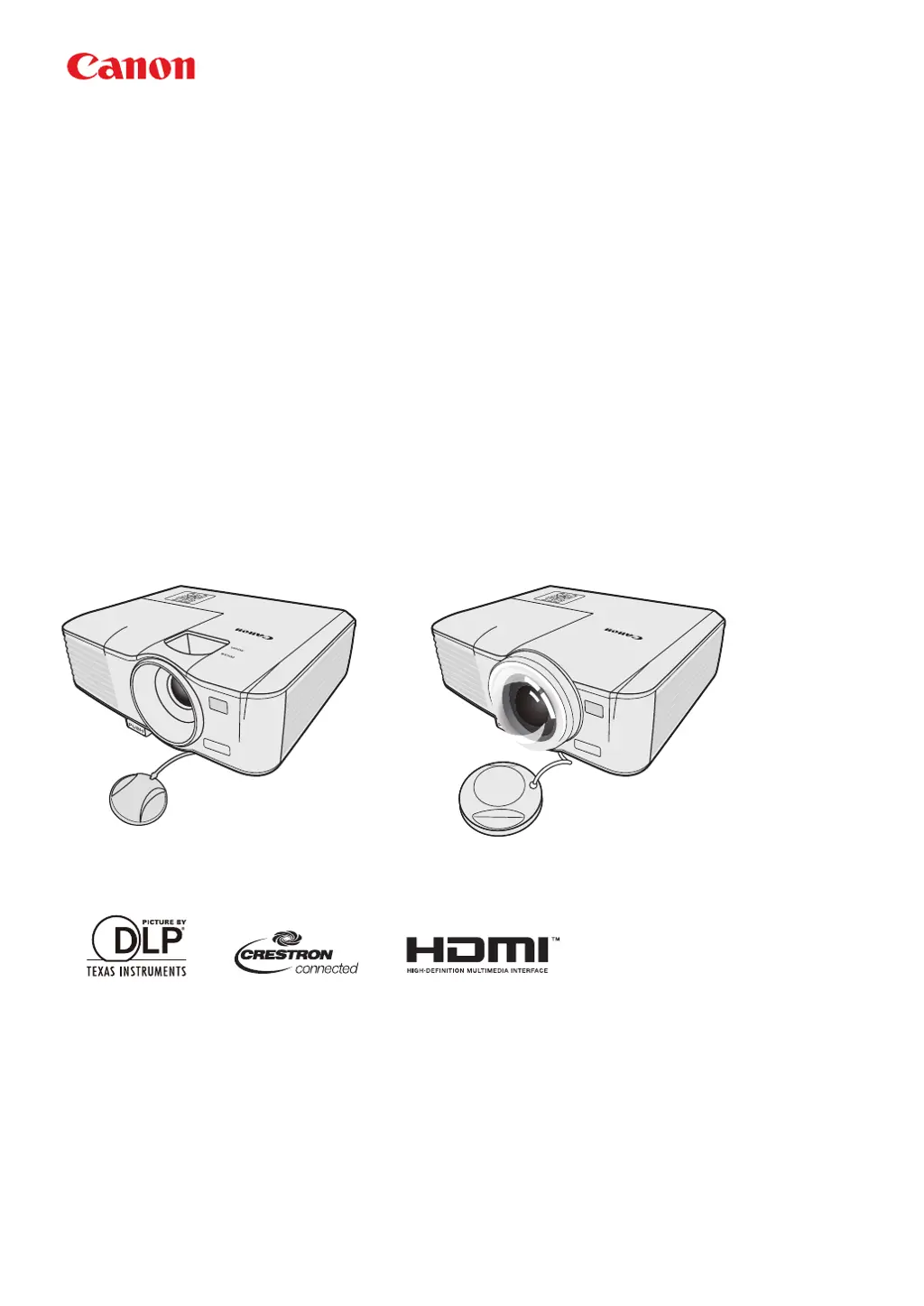
MULTIMEDIA PROJECTOR
LV-WX320/LV-X320/LV-WX310ST/LV-X310ST
Users Manual

Questions and Answers

  • N
    Nicholas NobleAug 6, 2025
    Why does my Canon LV-WX320 Projector show no picture?
    • J
      Jacqueline DavisAug 6, 2025
      There are several reasons why your Canon Projector might not be displaying a picture: * The video source might not be turned on or connected correctly. Ensure the video source is on and the signal cable is properly connected. * The projector might not be correctly connected to the input signal device. Check the connection to ensure it is secure. * The input signal might not be correctly selected. Use the SOURCE key on the projector or remote control to select the correct input signal. * The lens cover might be closed. Open the lens cover to allow the image to project.
  • J
    James McclureAug 11, 2025
    What to do if my Canon LV-WX320 Projector remote control does not work?
    • D
      Dana CollinsAug 11, 2025
      If your Canon Projector's remote control isn't working, consider these potential causes: * The battery might be out of power. Try replacing it with a new one. * There might be an obstacle between the remote control and the projector. Remove any obstructions. * You might be too far away from the projector. Ensure you are within 8 meters (26 feet) of the projector.
  • E
    Elizabeth WilsonAug 18, 2025
    How to fix a blurred image on my Canon LV-WX320?
    • O
      oconnorkarinaAug 18, 2025
      A blurred image on your Canon Projector can be caused by several factors: * The projection lens might not be correctly focused. Adjust the focus of the lens using the focus ring. * The projector and the screen might not be aligned properly. Adjust the projection angle and direction, as well as the height of the unit if necessary. * The lens cover might still be closed. Open the lens cover. * Depending on the video signal timing, the projector may need fine-tuning. Adjust the Phase in the IMAGE menu.
  • K
    Kenneth GreenAug 25, 2025
    What to do if my Canon LV-WX320 does not turn on?
    • M
      Mary BarkerAug 25, 2025
      If your Canon Projector isn't turning on, here are a couple of things to check: * Ensure the power cord is correctly plugged into the AC inlet on the projector and the power outlet. Also, check that the power outlet switch is on, if applicable. * If you've recently turned the projector off, it might be in the cooling process. Wait until the cooling down process has completed before attempting to turn it on again.
  • L
    Leslie BellAug 29, 2025
    Why can't I use the LAN function on my Canon Projector?
    • P
      psmithAug 29, 2025
      If you're having trouble with the LAN function on your Canon Projector, it could be due to: * Problematic LAN control settings or LAN cable connection. Verify the LAN control settings and ensure the LAN cables are properly connected. * The web page is not shown in the web browser or the web page is not responding. Reload the page to see the data after changing on the screen. If the page is not showing the modified data, check the IP address of projector and log-in again.

Summary

Safety Instructions

Copyright Notice

Legal notice regarding copyright protection for manual content.

About Trademarks

List of registered trademarks mentioned in the manual.

Safety Precautions

General Warnings for Use and Handling

Covers electrical safety, heat, ventilation, and general operational hazards.

AC Power Cord and Disposal Requirements

Power Cord Specifications

Details on the AC power cord for US and Canada, including grounding.

Socket Outlet Accessibility

Guidance on the proper installation of the power outlet.

Mercury Content and Disposal

Information about mercury in lamps and disposal regulations.

EU;EEA and California Disposal

Disposal guidelines for European Union, EEA, and California, USA.

Federal Communication Commission Notice

Safety Symbols in Manual

Explanation of warning and caution symbols used in the manual.

Precautions for Use

Power Cord Handling and Safety

Instructions for safe handling and use of the power cord.

Child Safety Precautions

Warning about small parts and potential choking hazards for children.

Precautions for Installation

Installation Location Warnings

Guidance on suitable and unsuitable installation locations.

Handling and Installation Safety

Safety measures during projector installation and handling.

Lamp Handling Precautions

General Lamp Handling and Maintenance

Safety advice for handling the projector lamp and its components.

Lamp Characteristics and Failure Modes

Information on lamp life, potential failures, and explosion risks.

Remote Control Battery and 3 D Viewing Precautions

Remote Control Battery Safety

Safety guidelines for handling and replacing the remote control battery.

3 D Content Viewing Cautions

Health and safety advice for viewing 3D content.

For Safe Use

Carrying and Transporting Guidelines

Instructions for safely carrying and transporting the projector.

Installation and Usage Guidelines

Guidelines for optimal installation and usage of the projector.

Contents of Package

Projector Exterior View

Front;Upper Side View

Identifies external features on the front and top of the projector.

Rear;Lower Side View

Identifies external features on the rear and bottom of the projector.

Controls and Functions

Projector Control Panel Overview

Description of buttons and indicators on the projector's control panel.

Remote Control Functions Overview

Explanation of buttons and features on the remote control.

Using the Remote Control

Remote Control Effective Range

Specifies the optimal distance and conditions for remote control operation.

Replacing the Remote Control Battery

Step-by-step guide for replacing the battery in the remote control.

Third Party Software Information

Software Support Details

Information on third-party software and support limitations.

Positioning Your Projector

Choosing an Installation Location

Guidance on selecting the best location for projector installation.

Obtaining Preferred Projected Image Size

Projector Positioning for Screen Size

Recommended Screen Size Determination

Projector Layout (LV-WX320;LV-X320)

Projector Layout (LV-WX310 ST;LV-X310 ST)

Connection

Connecting a Computer or Monitor

Instructions for connecting computers and monitors to the projector.

Connecting Video Source Devices

Connecting HDMI and MHL Devices

Connecting an HDMI Device

Steps for connecting HDMI-compatible devices to the projector.

Connecting MHL-Compatible Smart Device

Guide for connecting MHL-compatible smart devices via HDMI/MHL port.

Connecting a Component Video Source Device

Connecting an S-Video Source Device

Connecting a Composite Video Source Device

Operation

Starting Up the Projector

Instructions for powering on and starting the projector.

Using the Menus

Utilizing the Password Function

Setting a Password

Procedure for setting up a password for projector security.

Forgetting the Password

Information on what happens when the password is forgotten.

Resetting the Password Function

Steps to reset the projector's password function.

Switching Input Signal

Adjusting the Projected Image

Adjusting Projection Angle

How to adjust the projector's height and projection angle.

Auto-Adjusting the Image

Using the AUTO PC function to optimize image quality.

Fine-Tuning Image Size and Clarity

Adjusting zoom and focus for optimal image size and sharpness.

Correcting Keystone

Magnifying and Searching for Details

Selecting the Aspect Ratio

Changing the projected image's aspect ratio to match the source.

About the Aspect Ratio

Useful Functions During Presentation

Selecting an Image Mode

Choosing predefined or custom image modes for optimal display.

Setting User 1;User 2 Mode

Customizing and saving image quality settings.

Fine-Tuning Image Quality in User Modes

Adjusting brightness, contrast, color, tint, and sharpness in user modes.

Adjusting Tint

Adjusting Sharpness

Adjusting BrilliantColor

Selecting Color Temperature

6-axis Color Adjust

Using Screen Color Feature

Setting the Presentation Timer

Using the TIMER Key

Utilizing the multi-functional TIMER key for presentation timing.

Hiding the Image

Locking Control Keys

Freezing the Image

Adjusting the Sound

Muting the Sound

Instructions for temporarily turning off the projector's audio.

Adjusting Sound Level

How to control the volume output from the projector speaker.

Personalizing Menu Display

Customizing OSD menu settings like display time and position.

Shutting Down the Projector

Procedure for safely powering off the projector.

Direct Power Off

Watching 3 D Content

Supported 3 D Signals

List of 3D signal formats supported by the projector.

Cautions When Viewing 3 D Content

Health and safety guidelines for viewers of 3D content.

Supervising and Controlling by Computer

Configuring LAN Settings

Steps for setting up network (LAN) connections for computer control.

Remote Control via Web Browser (e-Control)

Remote Operation Page

Interface for controlling the projector through a web browser.

Tools Page Functionality

Accessing projector management and LAN control settings via web interface.

Controlling Projector using PJLink Application

About PJLink

Introduction to the PJLink™ protocol for projector control.

Utilizing PJLink Password Function

Setting up password security for PJLink™ application access.

PJLink Supported Commands

Network Function in Standby Mode

Glossary of Terms

Menu Operation

Menu System Overview

Summary of the projector's On-Screen Display (OSD) menu structure.

Description of Each Menu

Display Menu Functions

Detailed description of functions within the Display menu.

Picture Menu Functions

Input Menu Functions

System Setup (Basic) Menu Functions

System Setup (Advanced) Menu Functions

Information Menu Functions

Maintenance and Care

General Projector Cleaning

Guidelines for cleaning the projector's exterior case.

Lens Cleaning Procedure

Instructions for safely cleaning the projector lens.

Projector Case Cleaning

Method for removing dirt and stains from the projector case.

Storage and Transport Guidelines

Recommendations for storing and transporting the projector.

Lamp Information

Getting to Know Lamp Hour

How to check the projector's cumulative lamp operating time.

Extending Lamp Life

Settings and practices to maximize the projector lamp's lifespan.

Setting Lamp Mode to Economic

Enabling Economic mode to reduce power and extend lamp life.

Setting Auto Power Off Function

Configuring the projector to turn off automatically.

Timing of Replacing the Lamp

Replacing the Lamp

Resetting the Lamp Timer

Procedure to reset the lamp timer after replacing the lamp.

Indicators

Troubleshooting

Specifications

Projector Specifications Details

Technical specifications for the projector models.

Dimensions

Timing Chart

Supported Timing for PC Input

List of compatible PC input timings (resolution, refresh rate).

Supported Timing for HDMI (HDCP) Input

Supported MHL Timings

Supported Video Timings

Supported Component-YPbPr Input Timings

Supported Video and S-Video Input Timings

Control Commands

System Requirements for Control

Requirements for controlling the projector via CONTROL or LAN port.

Control Port Command Reference

List of commands and their parameters for the CONTROL port.

LAN Port Command Reference

List of commands and their parameters for the LAN port.

Image Mode Commands

Aspect Ratio Commands

Image Flip Commands

Auto Search Commands

Lamp Commands

Operation Commands

High Altitude Commands

Control Response Codes

Canon LV-WX320 Specifications

General IconGeneral
Matrix typeDMD
Native aspect ratio16:10
Projection distance2 - 6.6 m
Projection technologyDLP
Contrast ratio (typical)10000:1
Screen size compatibility- \
Projection distance (tele)2.2 - 6.6 m
Projection distance (wide)2 - 6 m
Projector native resolutionWXGA (1280x800)
Projector brightness (economic mode)2550 ANSI lumens
Zoom capabilityYes
Noise level38 dB
Noise level (economic mode)31 dB
RMS rated power10 W
Number of built-in speakers1
Product typeStandard throw projector
Product colorWhite
Market positioningPortable
Built-in display-
Power sourceAC
AC input voltage100 - 240 V
Power consumption (standby)3 W
Power consumption (typical)350 W
Power consumption (economy mode)240 W
Analog signal format systemNTSC, NTSC 4.43, PAL, PAL 60, PAL M, PAL N, SECAM
USB 2.0 ports quantityUSB 2.0 ports have a data transmission speed of 480 Mbps, and are backwards compatible with USB 1.1 ports. You can connect all kinds of peripheral devices to them.
Weight and Dimensions IconWeight and Dimensions
Weight2500 g
Package depth232 mm
Package width282 mm
Package height114.5 mm

Related product manuals