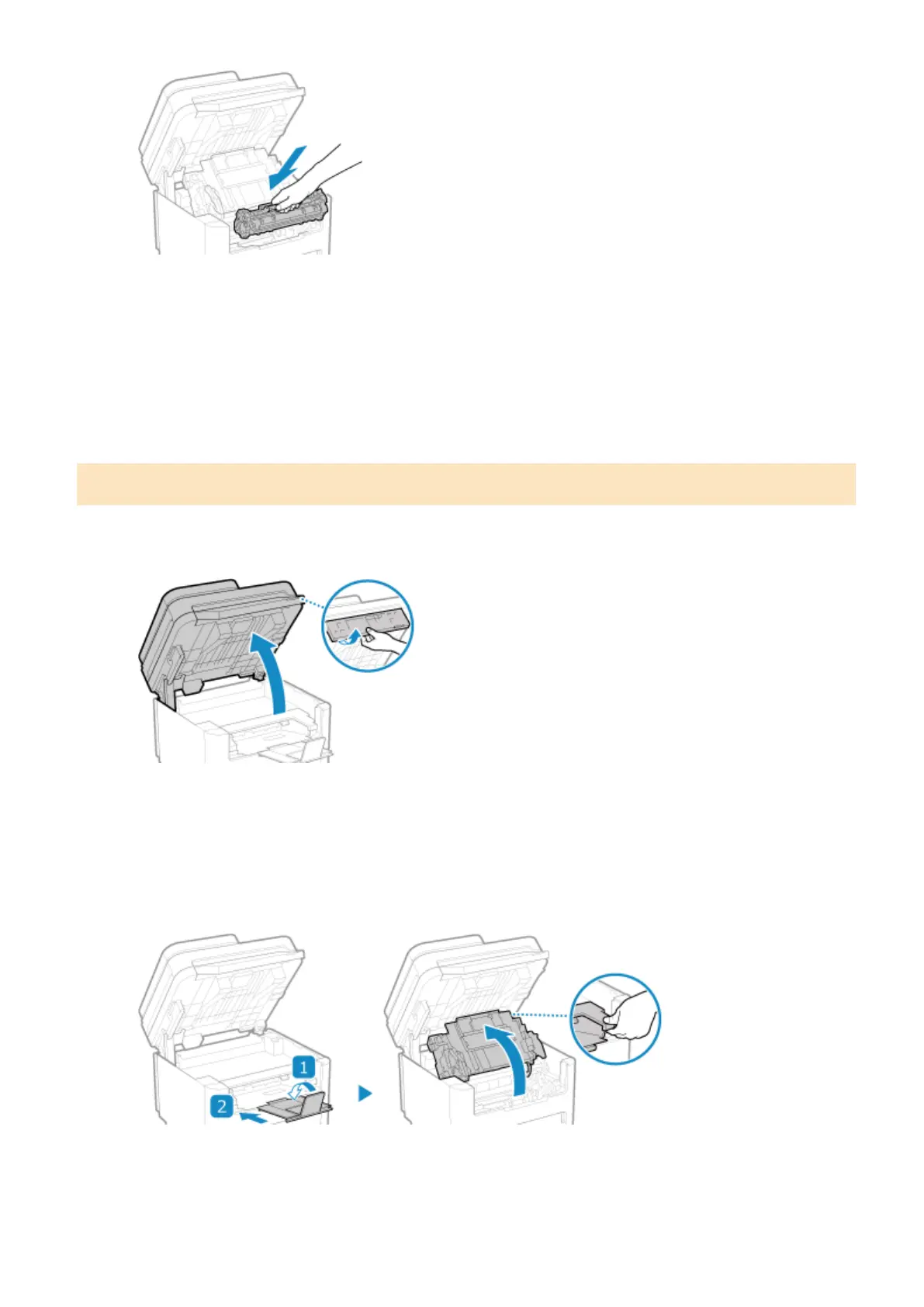
The bottom of the toner cartridge is unprotected. Be careful not to bump the bottom of the toner cartridge
against the slot fr
ame or other parts when installing.
6
Close the toner cover.
7
Lower the operation panel.
Replacing Toner Cartridge
1
Lift the operation panel.
Check the following before lifting up the operation panel:
● The feeder or platen glass cover is completely closed.
● There are no thick originals such as books placed on the platen glass.
* Using excessive force to raise the operation panel could cause a fault.
2
Close the paper stopper, and then open the toner cover.
3
Remove the toner cartridge.
Maintenance
472










 To Next Page