Printed Paper Is Blank
94WS-0EH
T
roubleshoot by checking the following steps:
Is Original Placed Correctly?
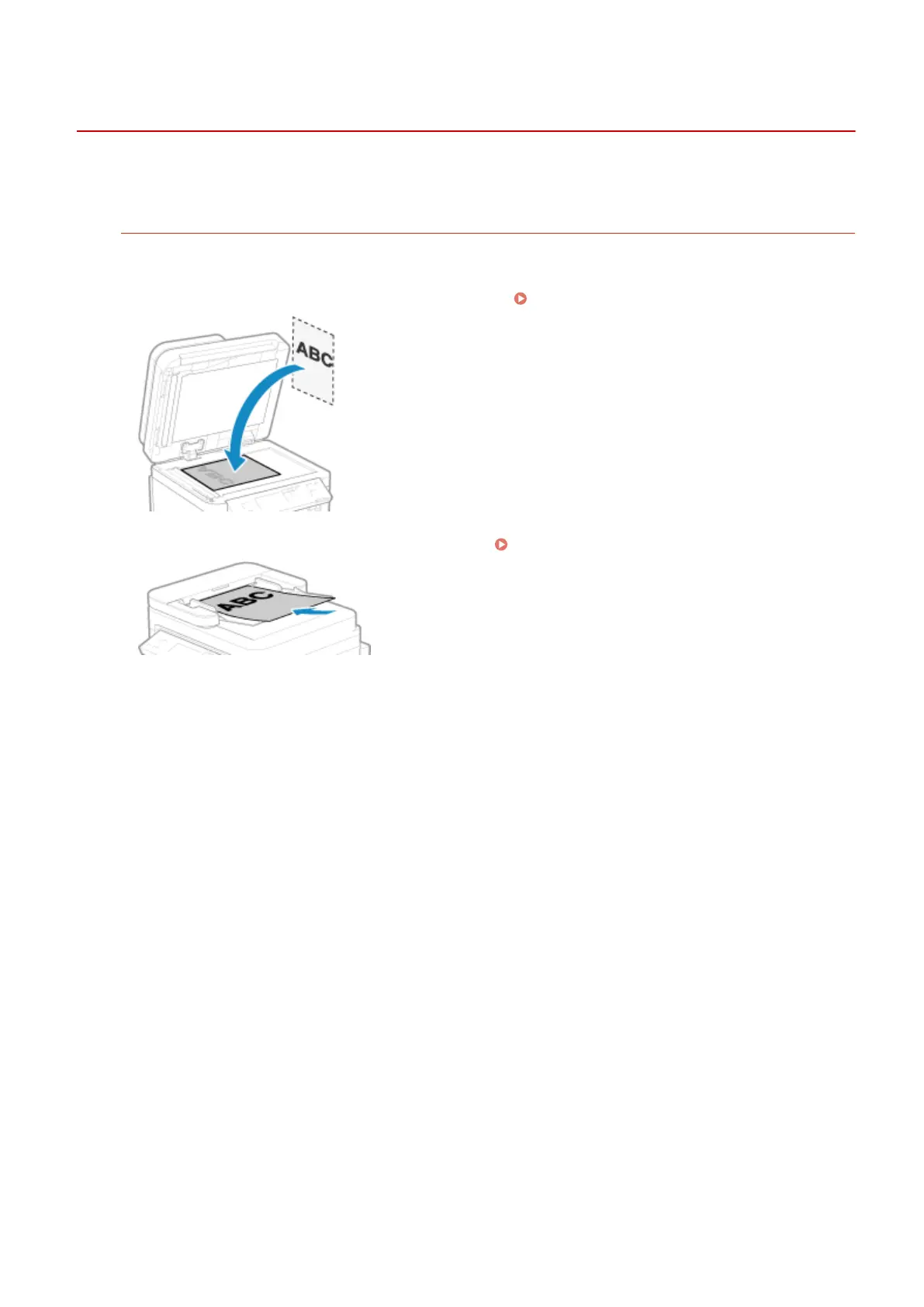
Place the original correctly while paying attention to the orientation of the side to be scanned.
When Placing It on the Platen Glass
Place the original with the side to be scanned face do
wn.
Placing Originals on the Platen Glass(P. 128)
When Placing Originals in the Feeder
Place the original with the side to be scanned face up. Placing Originals in the Feeder(P. 129)
Troubleshooting
502











 To Next Page