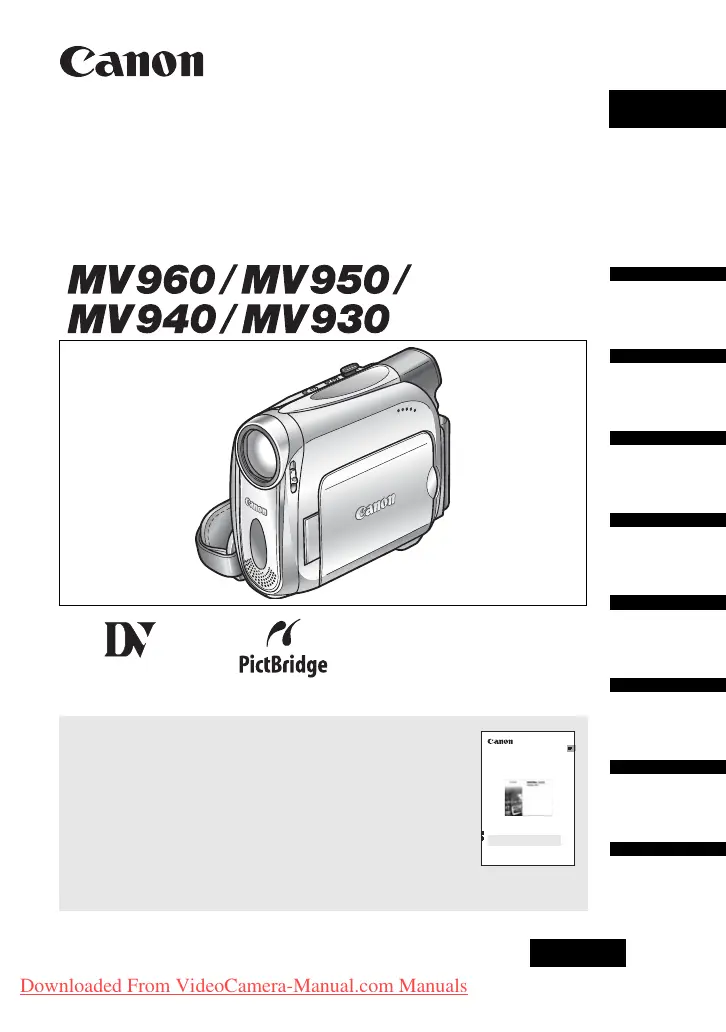
Why image cannot be erased from Canon MV930?
- PPeter HallSep 23, 2025
If an image cannot be erased on your Canon Camcorder, it might be protected, or the SD memory card is protected. Cancel the protection. Change the position of the protect switch.
Why image cannot be erased from Canon MV930?
If an image cannot be erased on your Canon Camcorder, it might be protected, or the SD memory card is protected. Cancel the protection. Change the position of the protect switch.
How to fix a Canon Camcorder that will not focus?
If your Canon Camcorder won't focus, it could be due to several reasons: autofocus may not work on the subject, the viewfinder might need adjustment, or the lens could be dirty. Try focusing manually, adjusting the viewfinder with the dioptric adjustment lever, or cleaning the lens.
What to do if pressing the start/stop button will not start recording on Canon Camcorder?
If pressing the start/stop button doesn't start recording on your Canon Camcorder, ensure that the camcorder is turned on and a cassette is loaded. Also, check if the tape has reached the end or if the cassette is protected. Rewind the tape or replace the cassette, or change the position of the protect switch.
Why is my Canon MV930 battery pack not charging?
If your Canon Camcorder battery pack isn't charging, it could be due to several reasons: the temperature may be outside the range of 0°C and 40°C, the battery pack might be too hot from recent use, or the battery pack could be damaged. Charge the battery pack in temperatures between 0°C and 40°C. Wait until the battery pack temperature is below 40°C and retry charging. Use a different battery pack.
How to fix blurred viewfinder picture on Canon Camcorder?
If the viewfinder picture on your Canon Camcorder is blurred, adjust the viewfinder with the dioptric adjustment lever.
Why memory card cannot be recorded on Canon Camcorder?
If your Canon Camcorder memory card cannot be recorded, it could be full, not initialized, not inserted, reached maximum file number, or is protected. Replace the memory card or erase images. Initialize the memory card. Insert a memory card. Set [FILE.NOS.] to [RESET] and insert a new memory card. Change the position of the protect switch.
Why pressing the playback button does not start playback on Canon MV930?
If pressing the playback button doesn't start playback on your Canon Camcorder, ensure the camcorder is turned on and set to the correct mode, the 'TAPE/CARD' switch is set to 'TAPE', and a cassette is loaded. Also, check if the tape has reached the end. Set the camcorder to mode. Set the TAPE/CARD switch to TAPE. Load a cassette. Rewind the tape.
Why memory card cannot be inserted into Canon MV930 Camcorder?
If a memory card cannot be inserted into your Canon Camcorder, it might not be facing the correct direction. Turn the memory card over and reinsert it.
How to fix Canon MV930 Camcorder cassette compartment stopped during loading/ unloading?
If the cassette compartment stopped during loading/ unloading on your Canon Camcorder, it might be due to an exhausted battery pack or a malfunction. Replace or charge the battery pack.
Why does 'REMOVE THE CASSETTE' appear on my Canon MV930 Camcorder screen?
The message 'REMOVE THE CASSETTE' appears on your Canon Camcorder screen because the camcorder stopped operating to protect the tape. Unload and reload the cassette.
Provides essential safety warnings and cautions for operating the camcorder.
Covers attaching battery, charging, and loading cassettes.
Step-by-step guide for recording video content onto a MiniDV cassette.
Instructions for playing back recorded video content from a cassette.
Guides on manually adjusting exposure and focus for desired image results.
Covers capturing still images and recording movies onto the memory card.
Provides solutions for common problems encountered with the camcorder.
Provides essential safety warnings and cautions for operating the camcorder.
Covers attaching battery, charging, and loading cassettes.
Step-by-step guide for recording video content onto a MiniDV cassette.
Instructions for playing back recorded video content from a cassette.
Guides on manually adjusting exposure and focus for desired image results.
Covers capturing still images and recording movies onto the memory card.
Provides solutions for common problems encountered with the camcorder.
| Digital zoom | 800 x |
|---|---|
| Optical zoom | 25 x |
| Interchangeable lens | No |
| Minimum aperture number | 1.8 |
| Sensor type | CCD |
| Total megapixels | 0.8 MP |
| Optical sensor size | 1/6 \ |
| I/O ports | USB IEEE 1394 (Firewire) DV AV |
| Resolution | 640 x 480 pixels |
| Expansion slots | Memory card |
| Built-in display | Yes |
| Display diagonal | 2.7 \ |
| Display resolution | 112000 pixels |
| Display aspect ratio | 16:9 |
| Camera shutter speed | 1/2000 ~ 1/6 s |
| Battery type | BP-2L5 |
| Battery life (max) | 4.30 h |
| Camcorder type | Handheld camcorder |
| Minimum illumination | 2 lx |
| Compatible memory cards | SD |
| Product color | Gray |
| USB 2.0 ports quantity | 1 |
| USB 3.2 Gen 1 (3.1 Gen 1) Type-A ports quantity | 0 |
| Depth | 92 mm |
|---|---|
| Width | 49 mm |
| Height | 115 mm |
| Weight | 445 g |
Loading...