EasyManua.ls Logo

Canon MV930 - User Manual

Canon MV930
129 pages
Print Icon
To Next Page IconTo Next Page
Loading...
English
English
PUB.DIE-252
PAL
Introduction
Basic
Functions
Advanced
Functions
Editing
Using a
Memory Card
Direct Printing
Transferring
Images
Additional
Information
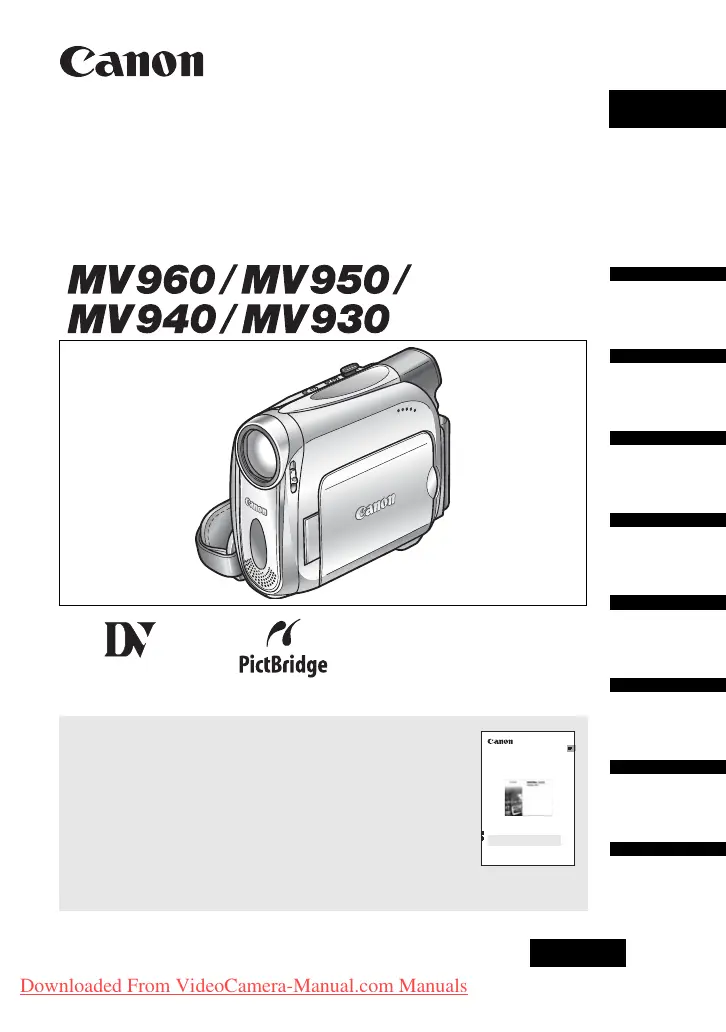
Digital Video Camcorder
Instruction Manual
Mini
Digital
Video
Cassette
Please read also the following instruction manual (electronic
version on PDF file). For further details refer to the
installation guide.
• Digital Video Software
Digital Video Software
Version 19
Instruction Manual
PUB. DIE-245
This instruction manual explains how to install the software, connect the
camcorder to a computer, and download still images from a disc or a
memory card to a computer.
If you are using Windows operating system, use the supplied
DIGITAL VIDEO SOLUTION DISK For Windows.
If you are using Macintosh operating system, use the supplied
DIGITAL VIDEO SOLUTION DISK For Macintosh.
E
Downloaded From VideoCamera-Manual.com Manuals


Table of Contents

Questions and Answers

  • T
    Tara GardnerSep 7, 2025
    How to resolve Canon MV930 wireless controller not working?
    • C
      Caitlin StephensSep 7, 2025
      If the wireless controller for your Canon Camcorder isn't working, check if '[WL.REMOTE]' is set to '[OFF]' or if the battery of the wireless controller is exhausted. Set '[WL.REMOTE]' to '[ON]'. Replace the battery.
  • E
    Elizabeth DawsonAug 22, 2025
    Why won't my Canon Camcorder turn on?
    • E
      Elizabeth CarpenterAug 22, 2025
      Your Canon Camcorder might not be turning on because the battery pack is exhausted or not correctly attached. Try replacing or charging the battery pack, or ensure it's correctly attached.
  • S
    Sandra MurphySep 5, 2025
    Why is my Canon Camcorder LCD/viewfinder switching on and off?
    • M
      Molly RobinsonSep 5, 2025
      If the LCD/viewfinder on your Canon Camcorder is switching on and off, it's likely due to an exhausted battery pack. Replace or charge the battery pack.
  • S
    Sandra CampbellSep 3, 2025
    Why does 'REMOVE THE CASSETTE' appear on my Canon MV930 Camcorder screen?
    • M
      mitchell30Sep 3, 2025
      The message 'REMOVE THE CASSETTE' appears on your Canon Camcorder screen because the camcorder stopped operating to protect the tape. Unload and reload the cassette.
  • F
    frank49Sep 2, 2025
    How to resolve Canon Camcorder cassette compartment not opening?
    • A
      Alexander WhiteSep 2, 2025
      If the cassette compartment on your Canon Camcorder won't open, it could be due to an exhausted battery pack or the cassette compartment cover not being fully open. Replace or charge the battery pack. Open the cassette compartment cover fully.
  • E
    Eric CalhounAug 31, 2025
    What to do if Canon MV930 Camcorder buttons will not work?
    • E
      Edward RichmondSep 1, 2025
      If the buttons on your Canon Camcorder aren't working, make sure the camcorder is turned on and a cassette is loaded. Turn on the camcorder, load a cassette.
  • B
    Brandon JonesAug 30, 2025
    What to do if my Canon MV930 switches off by itself?
    • L
      Lisa AndersonAug 30, 2025
      If your Canon Camcorder switches off by itself, it could be due to an exhausted battery pack or the activation of the power save function. Try replacing or charging the battery pack, or simply turn the camcorder back on.
  • A
    Amber HicksAug 29, 2025
    Why does the image not appear on my Canon MV930 Camcorder screen?
    • B
      Brett FoxAug 29, 2025
      If the image does not appear on your Canon Camcorder screen, the camcorder might not be set to the correct mode, the time zone, date, and time may not be set, or the backup battery could be exhausted or inserted incorrectly. Set the camcorder to the correct mode. Set the time zone, date, and time. Replace the backup battery and reset the time zone, date, and time. Insert the backup battery with the + side facing outward and set the time zone, date, and time.
  • C
    Christopher RobertsAug 27, 2025
    How to fix blurred viewfinder picture on Canon Camcorder?
    • J
      jsandovalAug 27, 2025
      If the viewfinder picture on your Canon Camcorder is blurred, adjust the viewfinder with the dioptric adjustment lever.
  • R
    Regina HarmonAug 27, 2025
    Why is my Canon MV930 battery pack not charging?
    • M
      Mrs. Theresa GibsonAug 27, 2025
      If your Canon Camcorder battery pack isn't charging, it could be due to several reasons: the temperature may be outside the range of 0°C and 40°C, the battery pack might be too hot from recent use, or the battery pack could be damaged. Charge the battery pack in temperatures between 0°C and 40°C. Wait until the battery pack temperature is below 40°C and retry charging. Use a different battery pack.

Summary

Introduction to the Camcorder

Important Usage Instructions

Provides essential safety warnings and cautions for operating the camcorder.

Basic Functions

Basic Preparations for Use

Covers attaching battery, charging, and loading cassettes.

Recording Movies onto Tape

Step-by-step guide for recording video content onto a MiniDV cassette.

Playback Operations from Tape

Instructions for playing back recorded video content from a cassette.

Advanced Functions

Manual Exposure and Focus Control

Guides on manually adjusting exposure and focus for desired image results.

Using a Memory Card

Recording Images and Movies to Memory Card

Covers capturing still images and recording movies onto the memory card.

Transferring Images

Additional Information

Troubleshooting Common Issues

Provides solutions for common problems encountered with the camcorder.

Canon MV930 Specifications

General IconGeneral
Digital zoom800 x
Optical zoom25 x
Interchangeable lensNo
Minimum aperture number1.8
Sensor typeCCD
Total megapixels0.8 MP
Optical sensor size1/6 \
I/O portsUSB IEEE 1394 (Firewire) DV AV
Resolution640 x 480 pixels
Expansion slotsMemory card
Built-in displayYes
Display diagonal2.7 \
Display resolution112000 pixels
Display aspect ratio16:9
Camera shutter speed1/2000 ~ 1/6 s
Battery typeBP-2L5
Battery life (max)4.30 h
Camcorder typeHandheld camcorder
Minimum illumination2 lx
Compatible memory cardsSD
Product colorGray
USB 2.0 ports quantity1
USB 3.2 Gen 1 (3.1 Gen 1) Type-A ports quantity0
Weight and Dimensions IconWeight and Dimensions
Depth92 mm
Width49 mm
Height115 mm
Weight445 g

Related product manuals