EasyManua.ls Logo

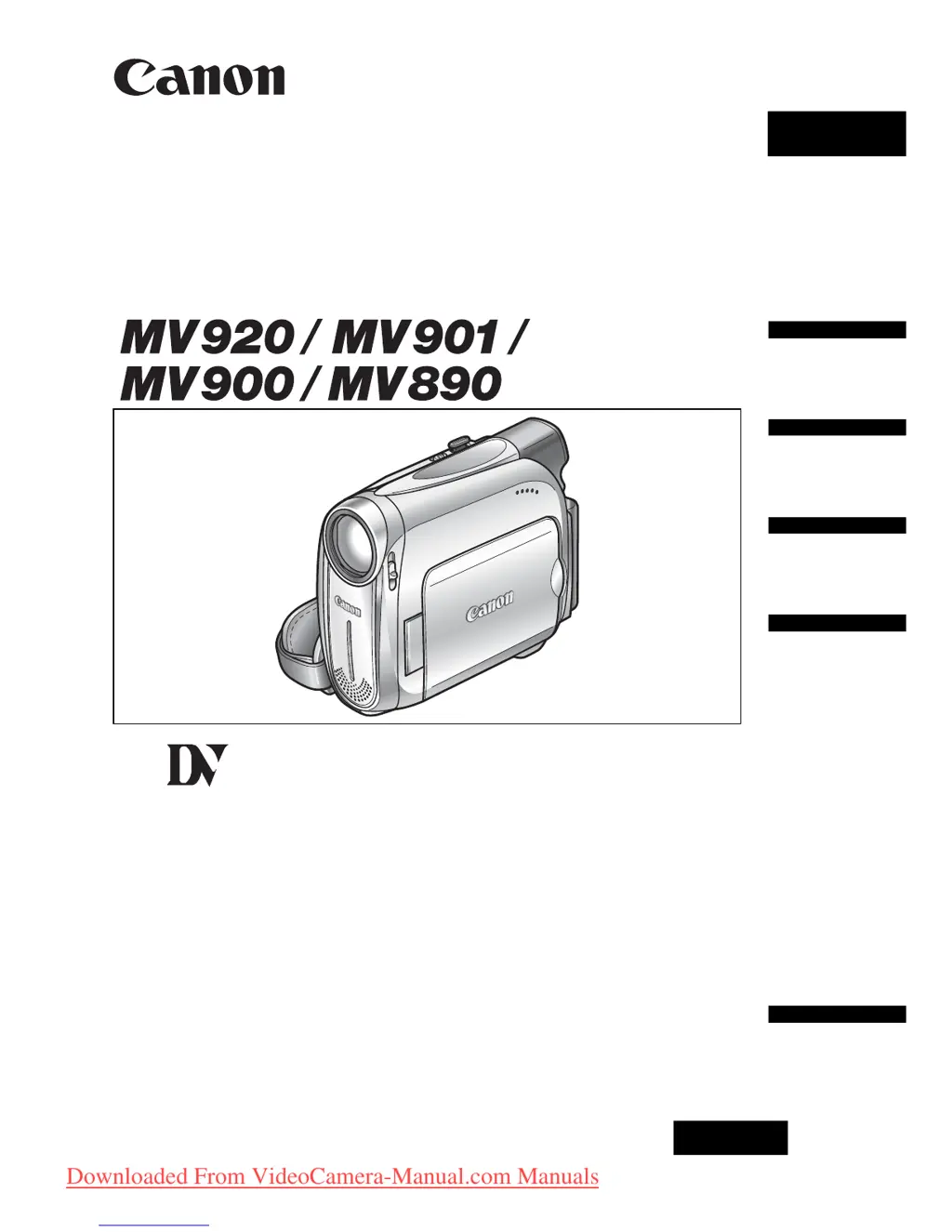
Canon MV901 - User Manual

Canon MV901
86 pages
Print Icon
To Next Page IconTo Next Page
Loading...
English
PUB.DIE-253
PAL
English
Introduction
Basic
Functions
Advanced
Functions
Editing
Additional
Information
Digital Video Camcorder
Instruction Manual
Mini
Digital
Video
Cassette
Downloaded From VideoCamera-Manual.com Manuals

Table of Contents

Questions and Answers

  • J
    Joshua SanchezAug 20, 2025
    Why does my Canon Camcorder battery pack will not charge?
    • B
      Bianca MorenoAug 20, 2025
      Your Canon Camcorder battery pack may not charge because the temperature is outside the range of 0°C and 40°C. Charge the battery pack in temperatures between 0°C and 40°C. Also, battery packs become hot with use and may not charge, so wait until the battery pack temperature is below 40°C and retry charging. Finally, the battery pack might be damaged; try using a different battery pack.
  • M
    maryromeroAug 22, 2025
    What to do if pressing the start/stop button will not start recording on my Canon MV901 Camcorder?
    • W
      william55Aug 22, 2025
      If pressing the start/stop button will not start recording on your Canon Camcorder, check the following: * Ensure the camcorder is turned on. * Verify that a cassette is loaded. * Rewind the tape or replace the cassette if the tape reached the end. * Change the position of the protect switch if the cassette is protected. * Set the camcorder to the correct mode.
  • R
    reednancyAug 25, 2025
    Why won't my Canon MV901 Camcorder turn on?
    • S
      Stacy LeeAug 25, 2025
      Your Canon Camcorder may not turn on because the battery pack is exhausted. Replace or charge the battery pack. Also, ensure that the battery pack is correctly attached.
  • J
    Jessica CortezAug 27, 2025
    How to fix Canon MV901 Camcorder if it will not focus?
    • S
      shortjefferyAug 27, 2025
      If your Canon Camcorder will not focus, try focusing manually as the autofocus may not work on that subject. Also, adjust the viewfinder with the dioptric adjustment lever. Finally, clean the lens if it is dirty.
  • C
    Charles MichaelAug 28, 2025
    What to do if my Canon Camcorder switches off by itself?
    • T
      tmillerAug 28, 2025
      If your Canon Camcorder switches off by itself, it could be due to an exhausted battery pack. Replace or charge the battery pack. It's also possible that the power save function has been activated; in this case, simply turn the camcorder back on.
  • R
    Robin SmithAug 30, 2025
    How to fix a blurred viewfinder picture on Canon Camcorder?
    • S
      Stephen HarperAug 30, 2025
      If the viewfinder picture is blurred on your Canon Camcorder, adjust the viewfinder with the dioptric adjustment lever.
  • P
    Philip Figueroa Jr.Aug 31, 2025
    What to do if LCD/viewfinder switches on and off on Canon MV901 Camcorder?
    • J
      John SmithAug 31, 2025
      If the LCD/viewfinder switches on and off on your Canon Camcorder, it is likely that the battery pack is exhausted. Replace or charge the battery pack.
  • V
    Vicki DaviesSep 2, 2025
    What to do if pressing the playback button does not start playback on Canon MV901 Camcorder?
    • T
      Thomas Newton PhDSep 2, 2025
      If pressing the playback button does not start playback on your Canon Camcorder, make sure that the camcorder is turned on and set to the correct mode. Also, ensure that a cassette is loaded. If the tape has reached the end, rewind it.
  • T
    Tammy MeyerSep 4, 2025
    How to fix Canon MV901 if buttons will not work?
    • W
      William HammondSep 4, 2025
      If the buttons on your Canon Camcorder will not work, first ensure that the camcorder is turned on. If it is on, check if a cassette is loaded into the camcorder, as this may be preventing the buttons from functioning.
  • K
    Kimberly MeyerSep 6, 2025
    What to do if “SET THE TIME ZONE, DATE AND TIME” appears on the screen of my Canon MV901 Camcorder?
    • P
      powersannaSep 6, 2025
      If “SET THE TIME ZONE, DATE AND TIME” appears on the screen of your Canon Camcorder, it means the time zone, date, and time are not set. Set the time zone, date, and time. Alternatively, the backup battery may be exhausted. Replace the backup battery and reset the time zone, date, and time. Another possibility is that the backup battery is inserted the wrong way. Insert the backup battery with the + side facing outward and set the time zone, date, and time.

Summary

Introduction

Using this Manual

Explains manual structure, symbols, and joystick guide.

Checking the Supplied Accessories

Lists items included with the camcorder.

Camcorder Setup and Basic Operations

Preparing the Power Supply

How to attach and charge the battery pack.

Preparing the Camcorder

Initial setup including viewfinder and grip belt adjustment.

Setting the Time Zone, Date and Time

Crucial for accurate recording and time stamping.

Recording Movies on a Tape

Step-by-step guide for recording video onto a cassette.

Playing Back a Tape

Standard playback operations and controls.

Advanced Features and Settings

Menus and Settings

Navigating camcorder menus and understanding settings.

Recording Programs

Selecting scene modes for optimal recording conditions.

Adjusting Exposure and Focus

Manual control over image parameters for precise shots.

Audio Recording

Managing audio modes and wind screen settings.

Using Digital Effects

Applying visual filters to enhance recordings.

Data Transfer, Maintenance, and Troubleshooting

Transferring Video Recordings to a Computer

Copying footage from camcorder to PC via DV cable.

Maintenance and Handling Precautions

General care, cleaning, and safe usage guidelines.

Troubleshooting

Resolving common camcorder issues and problems.

Specifications and Accessories

Optional Accessories

List and details of available add-ons for the camcorder.

Specifications

Technical details and features of the camcorder.

Canon MV901 Specifications

General IconGeneral
Image Sensor1/6" CCD
Minimum Illumination2 lux
LCD Screen Size2.5"
Recording TimeUp to 60 minutes (SP mode)
Image StabilizationElectronic
TypeMiniDV
Image Sensor Pixels800, 000 pixels
Effective Pixels (Video)400, 000 pixels
LCD Screen Pixels112, 000 pixels
ViewfinderColor
Recording MediaMiniDV
MicrophoneStereo
InterfaceIEEE 1394 (FireWire), A/V output

Related product manuals