EasyManua.ls Logo

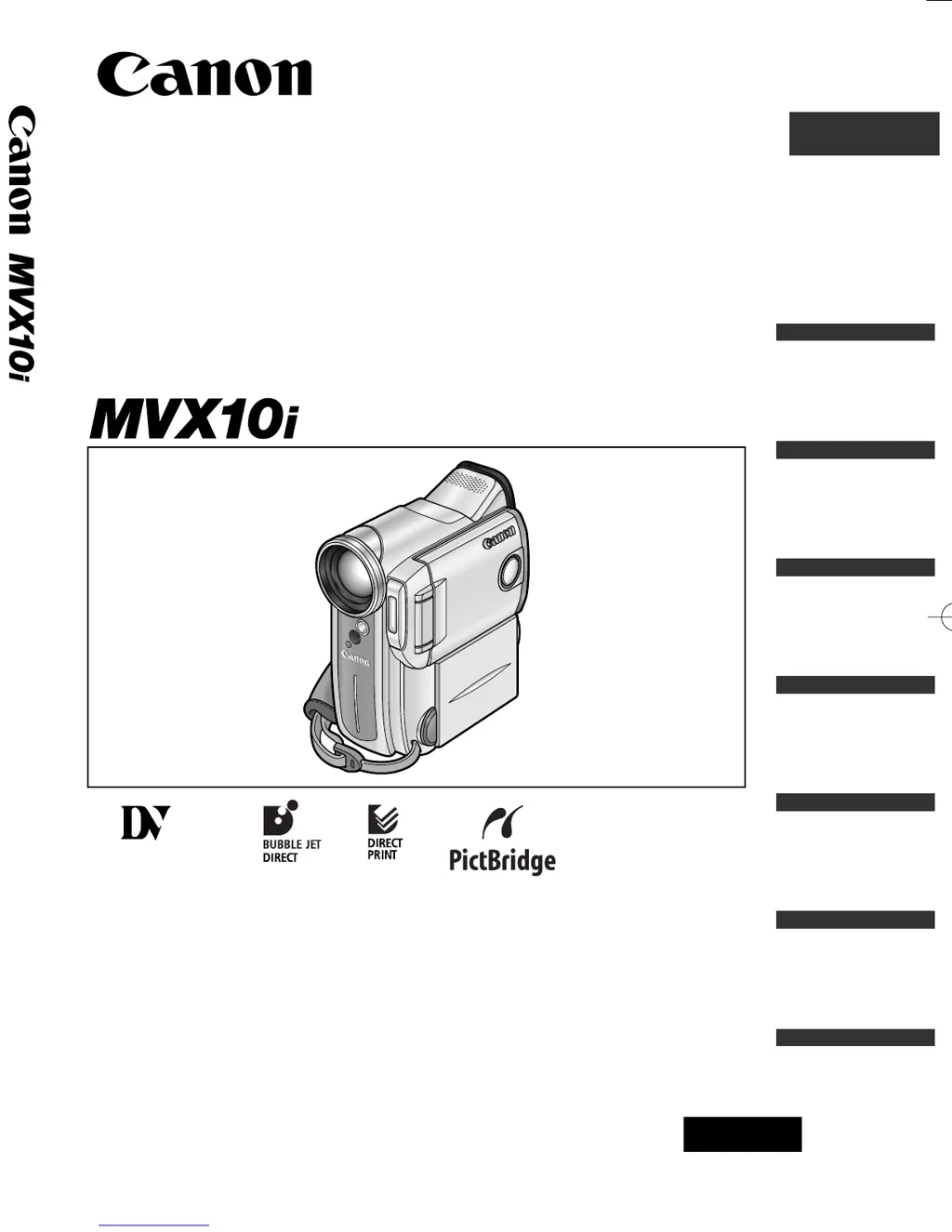
Canon MVX10 - User Manual

Canon MVX10
163 pages
Print Icon
To Next Page IconTo Next Page
Loading...
Digital Video Camcorder
Instruction Manual
English
PAL
CANON INC.
Canon Europa N.V.
P.O. Box 2262, 1180 EG Amstelveen, the Netherlands
Canon UK Ltd.
CCI Service Centre, Unit 130
Centennial Park, Borehamwood, Hertfordshire, WD6 3SE, England
Telephone 0870-241-2161
Canon Australia Pty. Ltd.
Info-Line: 131383
www.canon.com.au
Canon New Zealand Ltd.
Customer Care: (09) 489 0470
www.canon.co.nz
Canon Singapore Pte. Ltd
79 Anson Road #09-01/06, Singapore 079906
Telephone (65)-532-4400, Fax (65)-221-2939
Canon Hongkong Company Ltd
19/F., The Metropolis Tower, 10 Metropolis Drive, Hunghom, Kowloon, Hong Kong
Canon Latin America, Inc.
Sales & Enquiries: 703 Waterford Way Suite 400 Miami, FL 33126 USA
Printed on 100% reused paper.
PRINTED IN JAPAN
© CANON INC. 2003
DY8-9020-129-000
0037W672
PUB.DIE-196
0000Ni0.0
PUB.DIE-196
PUB.DIE-196
Introduction
Mastering
the Basics
Using the
Full Range
of Features
Editing
Using a
Memory Card
Direct
Printing
Additional
Information
Mini
Digital
Video
Cassette
0_D76PAL_E(cover) 26/06/03 11:16 Page 1

Table of Contents

Questions and Answers

  • K
    Kari BeardJul 30, 2025
    What to do if buttons will not work on Canon Camcorder?
    • E
      Elizabeth McdonaldJul 30, 2025
      If the buttons on your Canon Camcorder aren't working, here are a few things to check: * Ensure the camcorder is turned on. * Make sure a cassette is loaded. * Verify the battery pack is charged or replaced with a fresh one. * If the camcorder stopped to protect the tape, try unloading and reloading the cassette. * Check that the camcorder and wireless controller (if applicable) are set to the same remote sensor mode and that the wireless controller's batteries are not exhausted.
  • M
    Mary BarrettAug 4, 2025
    Why is my Canon MVX10 not displaying movies in CARD PLAY (VCR) mode?
    • P
      Phyllis BensonAug 4, 2025
      If your Canon Camcorder isn't displaying movies in CARD PLAY (VCR) mode, consider the following: * Ensure the memory card is inserted correctly. * Check if the memory card is full and replace it or erase images. * Make sure the memory card is formatted. * Verify that the camcorder is set to CARD PLAY (VCR) mode. * If the camcorder displays the still image playback mode, press the CARD STILL/MOVIE button to switch to MPEG-4 movie playback.
  • P
    Paul HensonAug 9, 2025
    What to do if pressing the playback button does not start playback on Canon Camcorder?
    • S
      Steven MichaelAug 9, 2025
      If pressing the playback button on your Canon Camcorder doesn't start playback, try the following: * Ensure the camcorder is turned on and set to PLAY (VCR) mode. * Make sure a cassette is loaded. * Rewind the tape if it has reached the end. * In the menu, set [AV/PHONES] to [AV] and [AV / DV OUT] to [OFF]. * Ensure the TV/VIDEO selector on the TV is set to VIDEO.
  • T
    Tara LevineAug 13, 2025
    How to fix Canon Camcorder when button will not start recording?
    • L
      Lori ClarkAug 13, 2025
      If the button on your Canon Camcorder won't start recording, consider these possibilities: * Ensure the camcorder is set to CAMERA mode. * Set the time zone, date, and time, or replace the backup battery and reset the date and time. * Make sure the camcorder is turned on and a cassette is loaded. * Rewind or replace the tape if it has reached the end, or change the position of the protect switch if the cassette is protected. * Focus manually if autofocus doesn't work, and clean the lens if it's dirty.
  • R
    reynoldsmeganAug 18, 2025
    Why the printer is not operating even though Canon Camcorder and printer are correctly connected?
    • D
      douglasdaltonAug 18, 2025
      If the printer is not operating even though your Canon Camcorder and printer are correctly connected, it may be because the camcorder is set to NETWORK mode. To resolve this: 1. Set the camcorder to CARD PLAY (VCR) mode. 2. Disconnect and reconnect the USB cable. 3. Turn off the printer and turn it back on.
  • G
    gina96Aug 25, 2025
    How to open cassette compartment on Canon Camcorder?
    • S
      Samuel BauerAug 25, 2025
      To open the cassette compartment on your Canon Camcorder, open the cassette compartment cover fully.

Summary

Introduction

Important Usage Instructions

Essential safety and operational guidelines for using the camcorder.

Mastering the Basics

Attaching and Charging the Battery Pack

Steps to attach, charge, and check the camcorder's battery.

Recording Movies on a Tape

Step-by-step guide to recording video onto a tape.

Playing Back a Tape

How to play recorded video from the tape using the camcorder.

Using the Full Range of Features

Editing

Recording to a VCR or Digital Video Device

Copying recordings to external devices like VCRs or digital video recorders.

Using a Memory Card

Inserting and Removing the Memory Card

Proper steps for inserting and taking out memory cards.

Recording Still Images on a Memory Card

How to capture still photos directly onto the memory card.

Recording MPEG-4 Movies on a Memory Card

Recording video clips in MPEG-4 format onto the memory card.

Playing Back a Memory Card

Viewing images and movies stored on the memory card.

Direct Printing

Additional Information

Troubleshooting

Common problems and their solutions for the camcorder's operation.

Canon MVX10 Specifications

General IconGeneral
BrandCanon
ModelMVX10
CategoryCamcorder
LanguageEnglish

Related product manuals