82
Using the Full Range
of Features
E
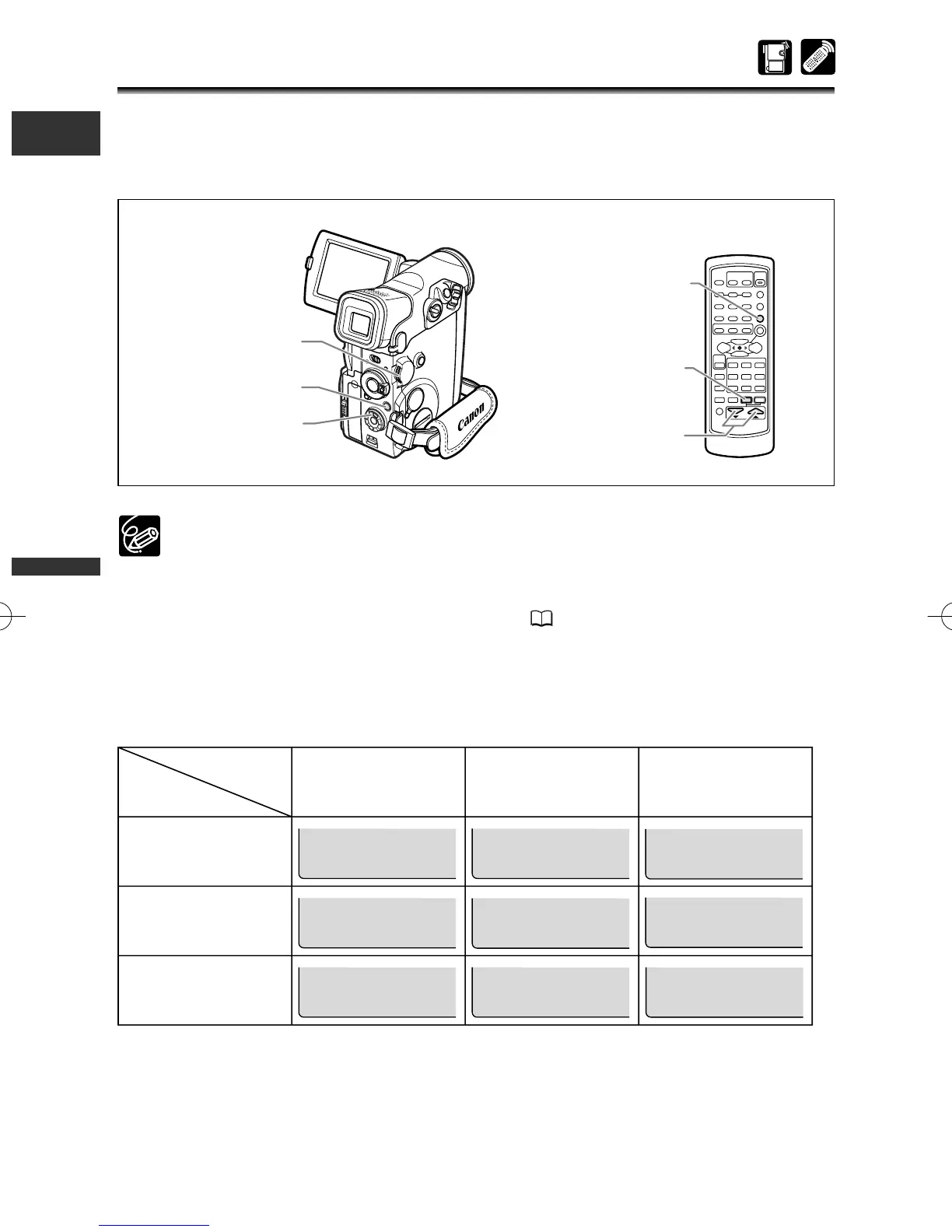
Displaying the Data Code
Once date and time are set, the camcorder maintains a data code containing
recording date and time and other camera data such as shutter speed and exposure
(f-stop). Only date and time appear when playing back a memory card.
❍ The data code display turns off when you turn the camcorder off.
❍ The data code may not be displayed if a recording made with this camcorder is
played back on a different digital camcorder.
❍ Camera data may not appear in some special playback modes.
❍ When the TV screen displays are hidden ( 143), the displays still appear on
the LCD screen. If you turn on the data code, displays other than the data
code will disappear from the LCD screen.
Available Data Code Combinations (in PLAY (VCR) mode):
Date/Time
Camera data
Time
Date & Time
Date
DATA CODE
(tape only)
D/TIME SEL.
F1.8
1/250
F1.8
1/250
1.JAN.2003
12:00:00 PM
12:00 PM
1.JAN.2003
F1.8
1/250
F1.8
1/250
1.JAN.2003
F1.8
1/250
12:00:00 PM
F1.8
1/250
12:00 PM
1.JAN.2003
Date/Time &
Camera data
DATA CODE
button
MENU button
Selector dial
Select buttons
MENU button
DATA CODE
button
3_D76PAL_E(41-85) 26/06/03 12:04 Page 82



 To Next Page