74
Using the Full Range
of Features
E
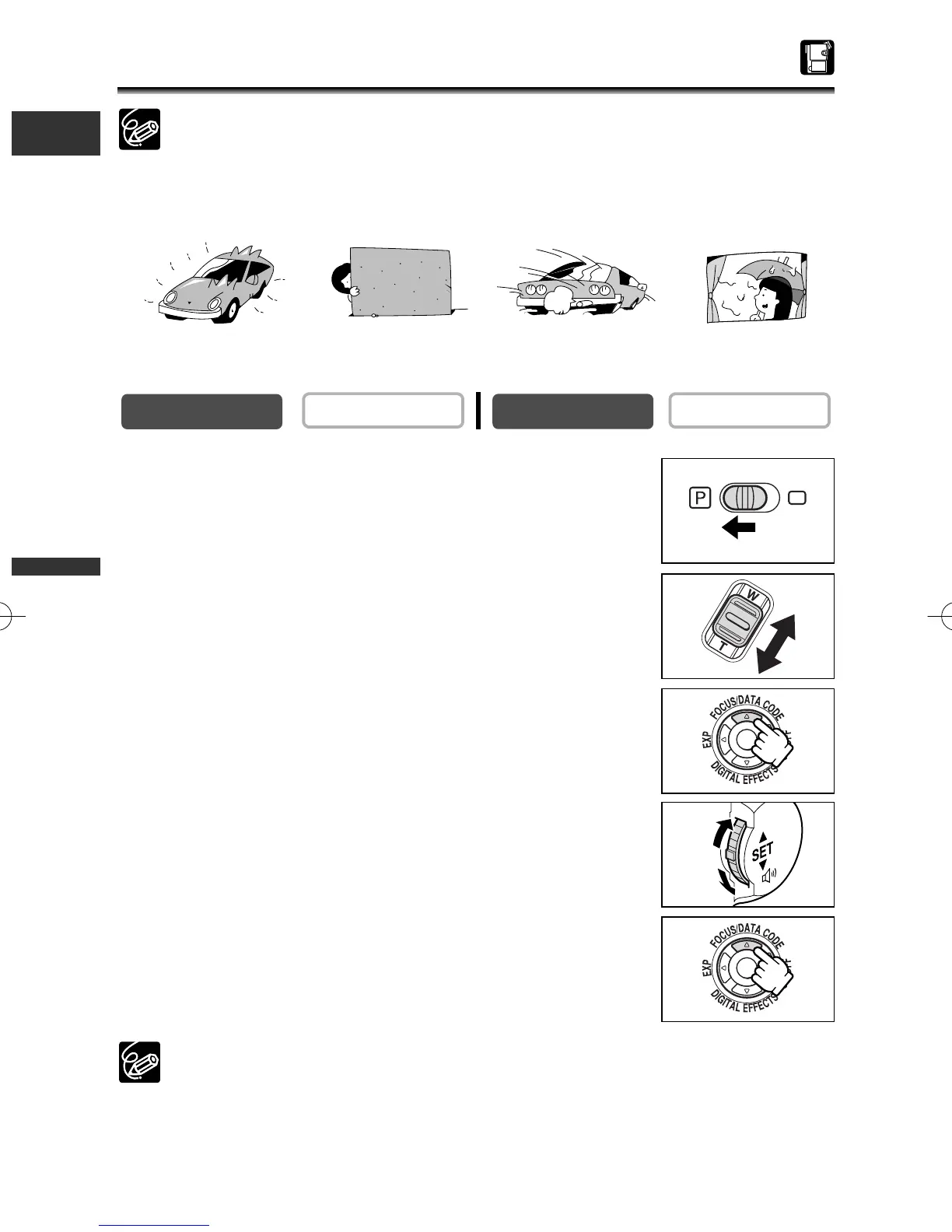
Adjusting the Focus Manually
Autofocus may not work well on the following subjects:
1. Set the program selector to Q.
2. Adjust the zoom.
When you operate the zoom after adjusting the focus, the
subject may not stay in focus. Adjust the zoom before the focus.
3. Press the FOCUS button.
“MF” appears.
4. Turn the selector dial to adjust the focus.
Turn the selector dial up or down until the image appears
focused.
5. Press the FOCUS button to return to autofocus.
The setting resets to autofocus when you switch the program selector to [.
PLAY (VCR)
CAMERA
Reflective surfaces
Subjects with low
contrast or without
vetical lines
Fast Moving Subjects
Through dirty or
wet windows
3_D76PAL_E(41-85) 26/06/03 12:04 Page 74



 To Next Page