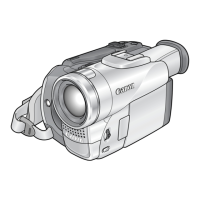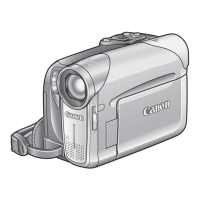
What to do if Canon MVX460 Camcorder cassette compartment stopped during loading/ unloading?
- JJill WeeksSep 6, 2025
If the Canon Camcorder cassette compartment stopped during loading/ unloading, replace or charge the battery pack.
What to do if Canon MVX460 Camcorder cassette compartment stopped during loading/ unloading?
If the Canon Camcorder cassette compartment stopped during loading/ unloading, replace or charge the battery pack.
How to fix Canon Camcorder will not focus?
If the Canon Camcorder will not focus, try these steps: First, autofocus may not work on the specific subject, so try focusing manually. Also, adjust the viewfinder using the dioptric adjustment lever. Lastly, ensure the lens is clean.
How to fix Canon MVX460 Camcorder memory card cannot be recorded?
If the Canon Camcorder is not recording to the memory card, make sure a memory card is inserted. If it is full, replace the memory card or erase images. You can also initialize the memory card. As a last resort, set [FILE NOS.] to [RESET] and insert a new memory card.
What to do if Canon MVX460 Camcorder cassette compartment will not open?
If the Canon Camcorder cassette compartment will not open, the battery pack may be exhausted. Try replacing or charging the battery pack. Also, ensure that you fully open the cassette compartment cover.
What to do if Canon Camcorder tape is running, but image will not appear on the TV screen?
If the tape is running, but the image will not appear on the TV screen of your Canon Camcorder, set the TV/VIDEO selector on the TV to VIDEO. Also, clean the video heads.
What to do if pressing the start/stop button will not start recording on Canon MVX460 Camcorder?
If pressing the start/stop button on your Canon Camcorder will not start recording, set the switch to CAMERA and load a cassette. If “END” is flashing on the screen, rewind the tape or replace the cassette. If the cassette is protected (“ ” flashes on the screen), change the position of the protect switch.
What to do if Canon Camcorder image will not appear on the screen?
If the Canon Camcorder image will not appear on the screen, set the switch to CAMERA and open the lens cover.
What to do if Canon MVX460 battery pack will not charge?
If the Canon Camcorder's battery pack will not charge, make sure you are charging the battery pack in temperatures between 0 °C and 40 °C. If the temperature is too high, wait until the battery pack temperature is below 40 °C and retry charging. You can also try using a different battery pack.
Why does my Canon MVX460 switch off by itself?
If your Canon Camcorder switches off by itself, the battery pack may be exhausted. Replace or charge the battery pack. You can also try to turn on the camcorder.
How to fix Canon MVX460 viewfinder picture is blurred?
If the viewfinder picture on your Canon Camcorder is blurred, adjust the viewfinder with the dioptric adjustment lever.
Crucial safety warnings and precautions for operating the camcorder.
Guidance on how to effectively read and understand the instruction manual.
Explanation of symbols and abbreviations used throughout the manual.
How to choose between different operational modes like camera and playback.
Lists and illustrates all items included with the camcorder package.
Identifies and labels external parts of the camcorder (left/right views).
Details on attaching battery packs and charging via AC adapter.
Step-by-step guide for inserting videocassettes and SD memory cards.
Adjusting viewfinder, grip belt, shoulder strap, and mounting wide attachment.
How to change display language and set the camcorder's time zone and date.
Step-by-step guide to record video footage onto a MiniDV cassette.
Instructions for capturing still photos and video clips onto an SD/MMC card.
How to use the optical and digital zoom and adjust zoom speed.
Enabling and using the widescreen recording feature for wider aspect ratio video.
Advice on holding the camcorder, stability, and optimal lighting for recording.
Procedures for playing back content from both tape and memory cards.
How to control sound levels and display playback on a TV screen.
Explains various scene modes and Program AE for automatic exposure control.
How to manually control exposure lock and focus for optimal shots.
Instructions for utilizing the LED light, self-timer, and external microphone.
Adjusting white balance, image effects, and digital effects for creative control.
How to access and change various camcorder settings using FUNC and Setup menus.
How to use or disable the wind screen feature for audio recording.
Procedures for transferring video to VCRs or digital video devices via DV/AV.
How to perform analog line-in recording and DV dubbing for video transfer.
Converting analog video/audio signals to digital via the DV terminal.
Adding or replacing audio tracks on recorded tapes and managing sound playback.
Information regarding copyright laws and protected content during recording/playback.
How to connect a PictBridge printer and perform basic image printing.
Customizing print settings like number of copies, paper, date, and image effects.
Selecting specific images for printing and managing print orders.
Instructions for erasing print orders and handling printing errors.
Connecting camcorder to PC via DV cable for video transfer and editing.
Connecting camcorder via USB to transfer still images from memory card.
Selecting transfer methods and managing transfer orders for PC connection.
Troubleshooting common problems related to power, buttons, and tape/card loading.
Solutions for issues like no image, distorted sound, or playback errors.
Troubleshooting common errors related to memory card usage and printer connectivity.
Guidance on condensation detection, prevention, and understanding error messages.
Guidelines for safe handling, usage in different environments, and battery care.
Best practices for handling memory cards and videocassettes to prevent damage.
Instructions for cleaning video heads, camcorder body, lens, screen, and viewfinder.
Visual overview of camcorder connectivity and list of compatible accessories.
Details on tele-converters, wide-converters, filters, and other optional items.
Detailed technical data including video system, sensor, lens, and memory card specs.
| Filter size | 27 mm |
|---|---|
| Digital zoom | 800 x |
| Optical zoom | 20 x |
| Focal length range | 43.7 - 878 mm |
| Total megapixels | 1.33 MP |
| Optical sensor size | 1/5 \ |
| Viewfinder resolution | 123000 pixels |
| Display diagonal | 2.7 \ |
| I/O ports | Analogue-in AV |
| Auto focus | Yes |
| Camcorder tape type | Mini-DV |
| Compatible memory cards | MMC, SD |
| Camera shutter speed | 1/2000 s |
| Minimum illumination | 2 lx |
| USB 2.0 ports quantity | 1 |
| Product color | Silver |
| Depth | 77 mm |
|---|---|
| Width | 57 mm |
| Height | 109 mm |
| Weight | 430 g |