1312
Cause
The paper loaded in the cassette (lower) is jammed.
Action
If the paper loaded in the cassette (lower) is jammed, remove the paper following the procedure below.
Important
The power cannot be turned off while the machine is sending or receiving a fax, or when the received
fax or the unsent fax are stored in the machine's memory.
Make sure if the machine completed sending or receiving all the faxes before disconnecting the power
cord.
If you unplug the power cord, all the faxes stored in the machine's memory are deleted.
Note
If you need to turn off the machine to remove jammed paper during printing, press the Stop button to
cancel print jobs before turning off the machine.
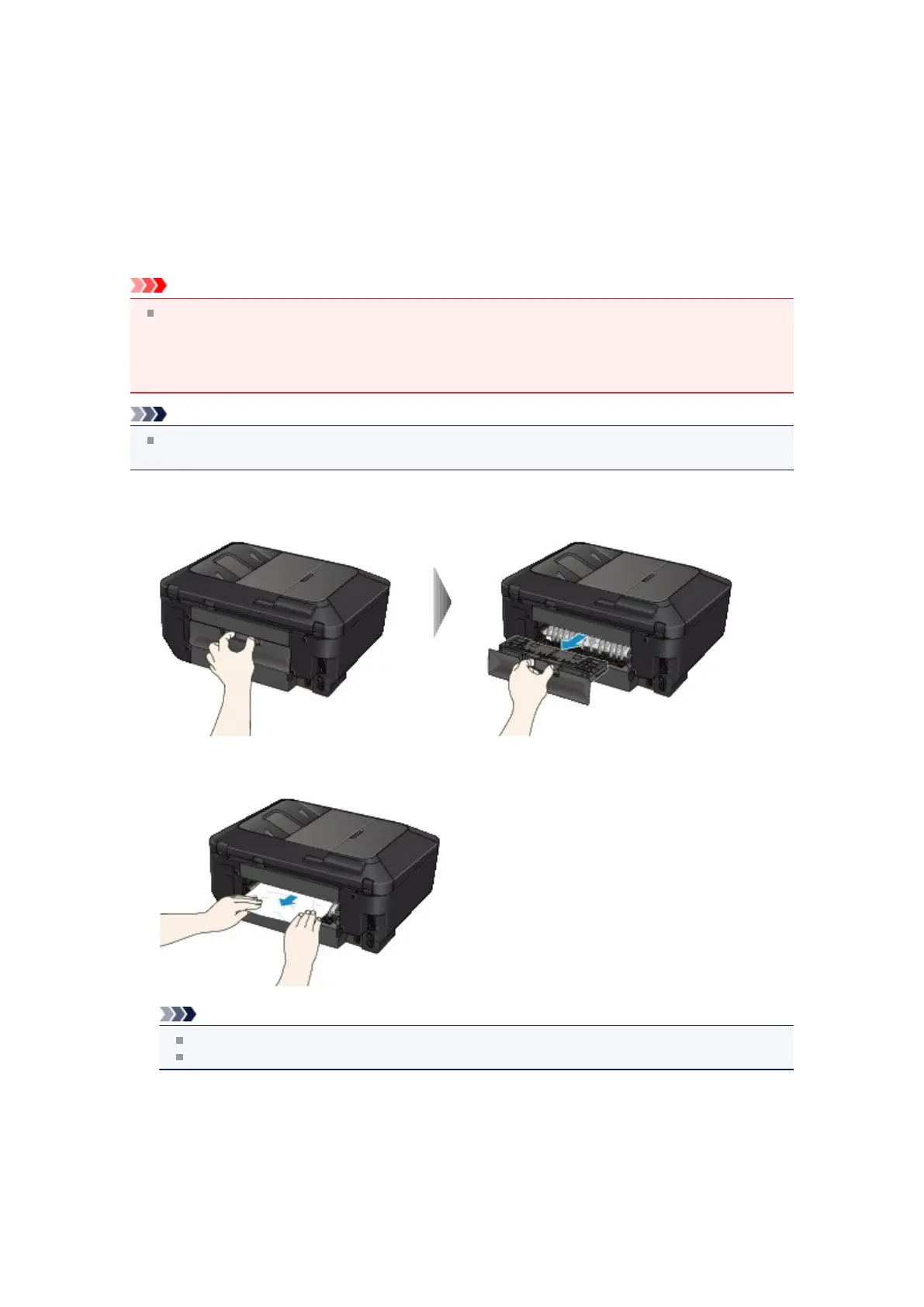
1. Detach the rear cover.
Pull out the rear cover.
2. Pull out the paper slowly.
Note
Do not touch the inner parts of the machine.
Open the paper output tray if you cannot pull out the paper.
3.
Attach the rear cover.
Insert the rear cover to the back of the machine.













 To Next Page