2803
Cause
The document is too long or is jammed in the ADF.
Action
Press the OK button to dismiss the error. Then make sure that the document you are loading meets the
machine's requirements before redoing the operation.
If the document is jammed, remove the jammed document following the procedure below.
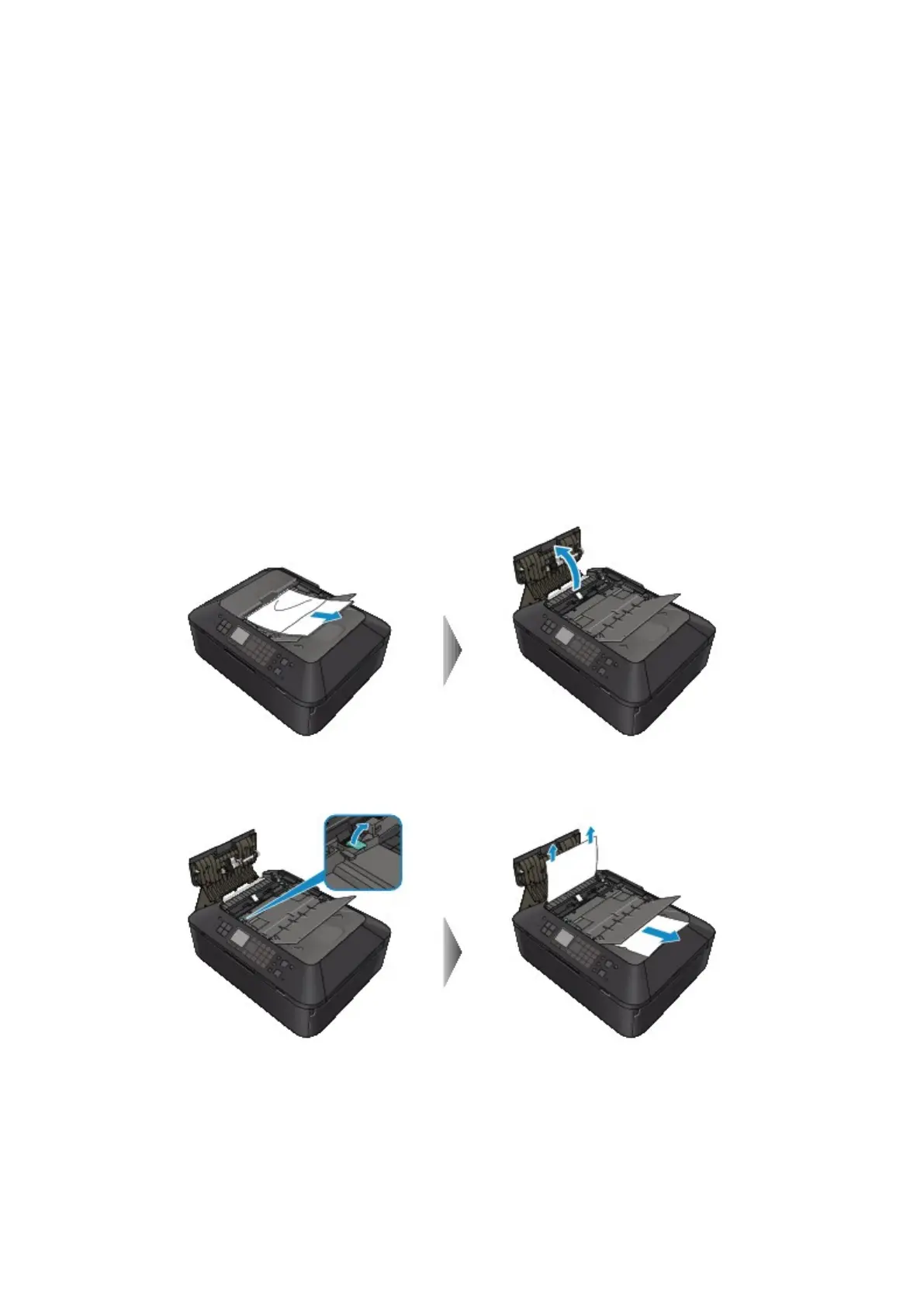
• If the original is jammed in the ADF:
Remove the document following the procedure below.
1.
If printing is in progress, press the Stop button.
2.
Turn off the machine.
3. If a multi-page document is loaded, remove any pages other than the jammed page from the ADF,
then open the document feeder cover.
4. Raise the paper release lever, then pull out the jammed page in the ADF, either from the
document tray or from the document output slot, whichever is easier.
If the document cannot be pulled out with ease, raise the document cover and pull out the jammed
page from the inner side of the document cover.













 To Next Page