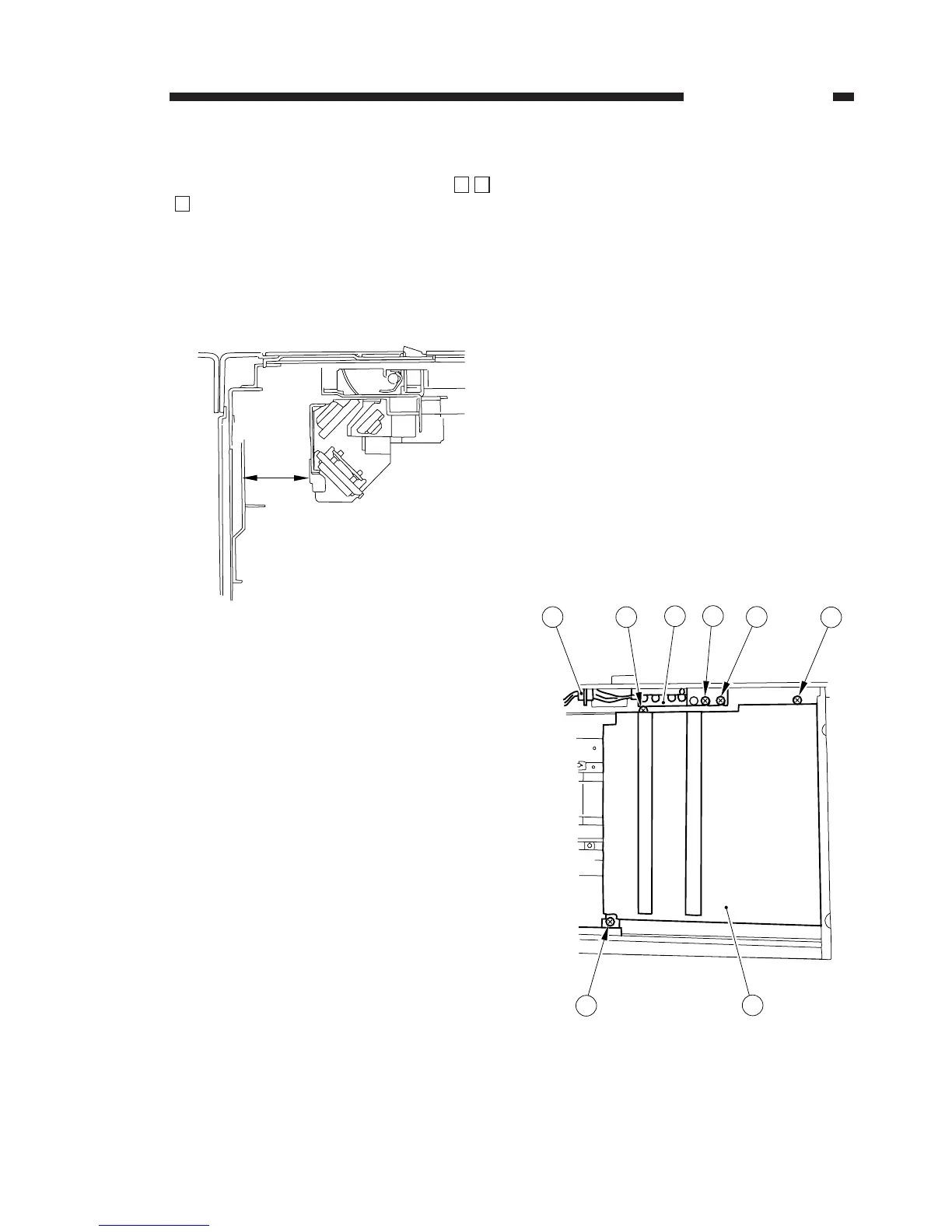
5. Adjusting Scanner Home Position
Select ‘BRAKE_SC’ in service mode (
).
Insert a ruler into the hole in which the C.F.F.
home position sensor is installed, and stop the
scanner at home position. Change the setting
using the numeric keypad so that the position is
37 ±2.5 mm from the left side plate; then, press
the OK key.
Figure 4-208
B. Lens Drive Assembly
Do not turn on the power while the lens metal
fixing of the lens stage is in place and do not
move the lens or the lens stage while the power
plug is connected; such can damage the gear of
the output shaft for the zoom lens and the lens
stage drive motor:
1) At time of installing the machine, be sure to
remove the lens metal fixing of the lens stage
before connecting the power plug.
2) Be sure to disconnect the power plug before
moving the lens stage or the zoom lens by
hand.
In addition, take care to move it slowly.
1. Removing the Lens Y Direction Drive Motor
1) Remove the copyboard glass.
2) Remove the two mounting screws q, and dis-
connect the connector w; then, remove the
original sensor unit e.
3) Remove the three mounting screws r, and
remove the lens cover t.
Figure 4-209
✽
3
✽
4. MECHANICAL SYSTEM
COPYRIGHT © 1996 CANON INC. CANON NP6085 REV.0 JULY 1996 PRINTED IN JAPAN (IMPRIME AU JAPON)
4-17



 To Next Page