VI. DEVELOPING
ASSEMBLY
A. Developing Assembly
The NP6085’s developing assembly is not
equipped with a developing cylinder protec-
tion cover. Take extra care whenever you
have removed the developing assembly so
as not to damage the developing cylinder.
1. Removing the Developing Assembly from
the Copier
1) Open the front doors, slide out the duplexing
unit, and release the releasing lever; then,
remove the process cover.
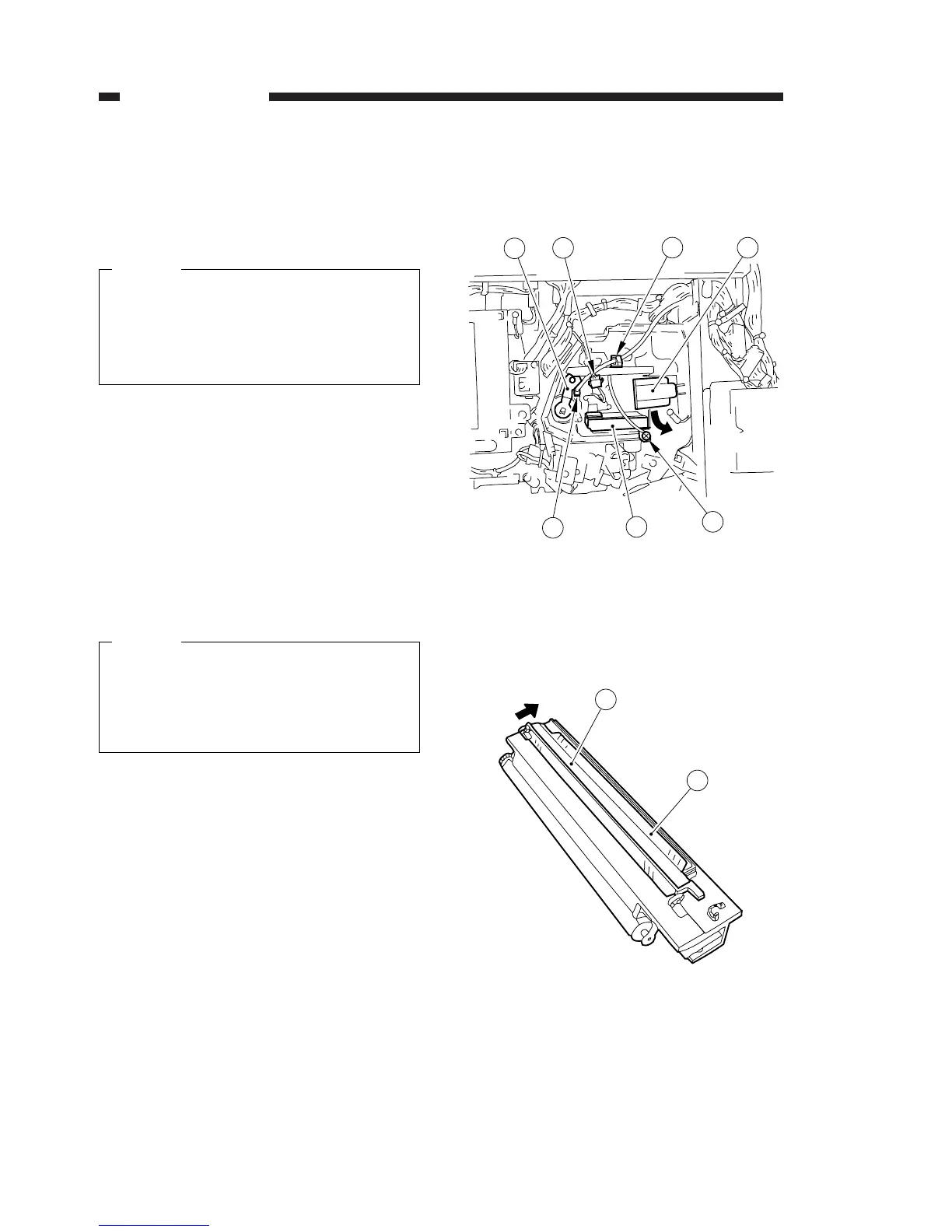
2) Disconnect the connector q of the developing
assembly toner level sensor, and remove the
developing bias cable from its wire saddle w;
then, remove the developing bias connector r
of the pole positioning plate e.
Be sure to hold the pole positioning plate
when removing the developing bias con-
nector r. (Otherwise, the pole positioning
plate may come off the developing cylinder
shaft.)
3) Remove the screw t (w/ washer) used to
keep the grounding wire in place; then, remove
the developing assembly stopper y.
4) Turn the developing assembly releasing lever
u counterclockwise; then, remove the devel-
oping assembly from the photosensitive drum
slowly.
Figure 4-601
5) Slide the dust-proofing shutter i used to keep
foreign matter out of the developing assembly
in the direction of the arrow to close the toner
supply mouth o.
Figure 4-602
4. MECHANICAL SYSTEM
COPYRIGHT © 1996 CANON INC. CANON NP6085 REV.0 JULY 1996 PRINTED IN JAPAN (IMPRIME AU JAPON)
4-76
Caution:
Caution:




 To Next Page