OMNERA® 1000-095-071-EN Rev. 1.1
Operator´s Manual
Page 68 2020-09-14
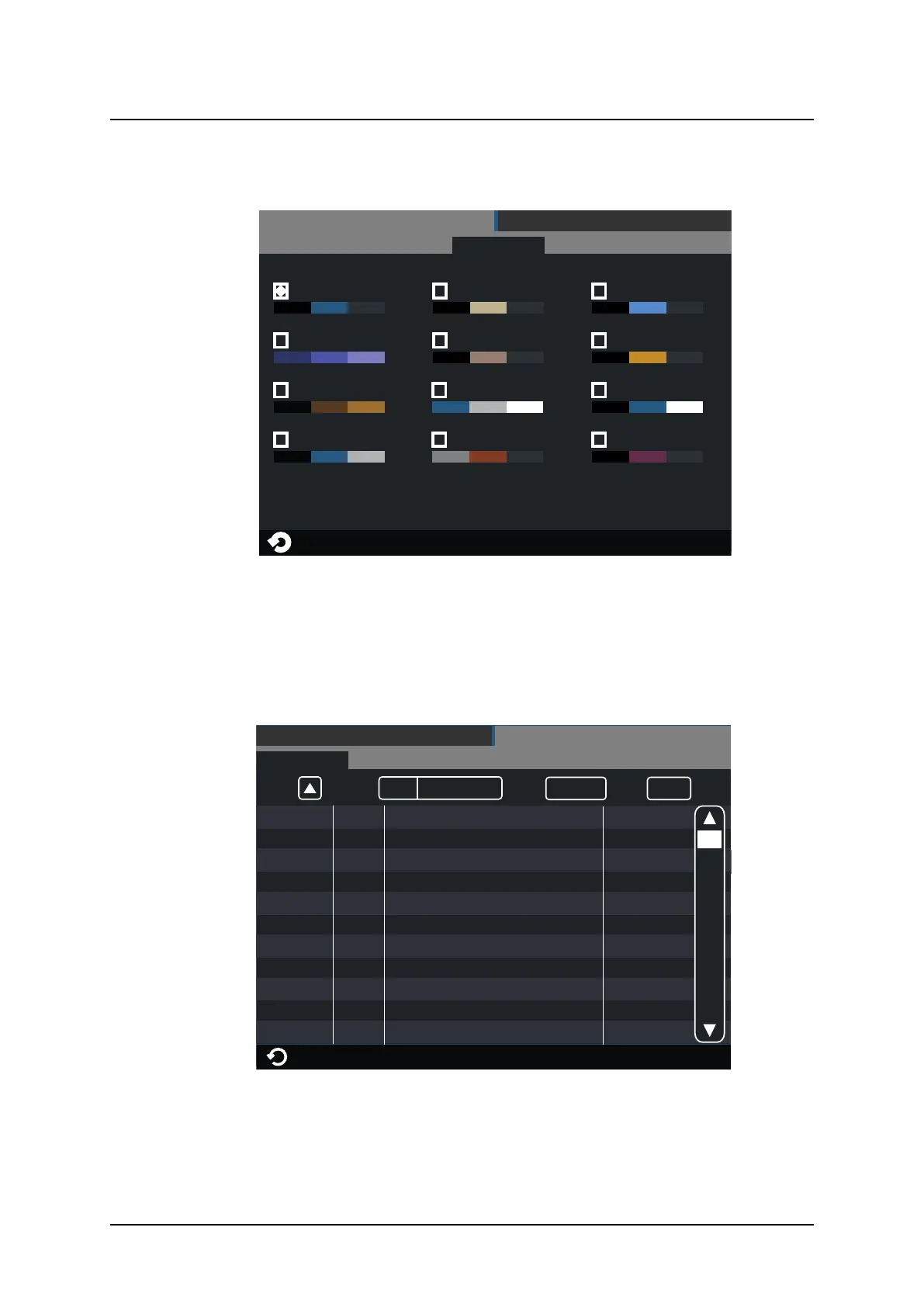
Themes
SETTINGS
DISPLAY
THEMES
SERVICEUSER SETTINGS
Arcoma Standard
Theme Name #1
Theme Name #2
Theme Name #3
Theme Name #4
Theme Name #5
Theme Name #6
Theme Name #7
Theme Name #8
Theme Name #9
Theme Name #10
Theme Name #11
Fig. 3-17 Themes
Select a pre-set theme.
3.2.6.2 Service
The Service tag is meant to be used by the service technician.
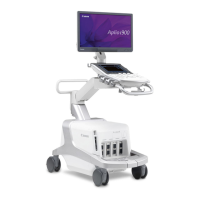
Log
All Warning&Errors Delete Log Refresh
Heading *Info 2
2013-07-30 10:16:31
Information
Heading *Info 1
2013-07-30 10:15:05
Information
Heading *Error 2
2013-07-30 10:14:03
Error
Heading *Warning 4
2013-07-30 10:17:41
Warning
Heading *Warning 3
2013-07-30 10:13:02
Warning
Heading *Error 1
2013-07-30 10:11:02
Error
Heading *Info 2
2013-07-30 10:16:31
Information
Heading *Info 1
2013-07-30 10:15:05
Information
Heading *Warning 4
2013-07-30 10:17:41
Warning
SETTINGS
LOG
DISPLAY
SERVICEUSER SETTINGS
Heading *Warning 1
2013-07-30 10:10:01
Warning
Heading *Warning 2
2013-07-30 10:12:03
Warning
Fig. 3-18 Log
The log file shows warnings, errors and events that have occurred in the system. The log file
can be filtered to show all information, or just warnings and errors. By selecting Information,
Warning or Error, more information concerning the current issue will be shown.
User Interface
Automatic Collimator Control



 To Next Page