Operator´s Manual
1000-095-071-EN Rev. 1.1 OMNERA®
2020-09-14 Page 69
The log file may be used for troubleshooting.
It is possible for service personnel to delete the log file which can be helpful when fault trac-
ing. The refresh button retrieves the latest events.
Delete log file
Note!
This procedure shall only be performed by service personnel.
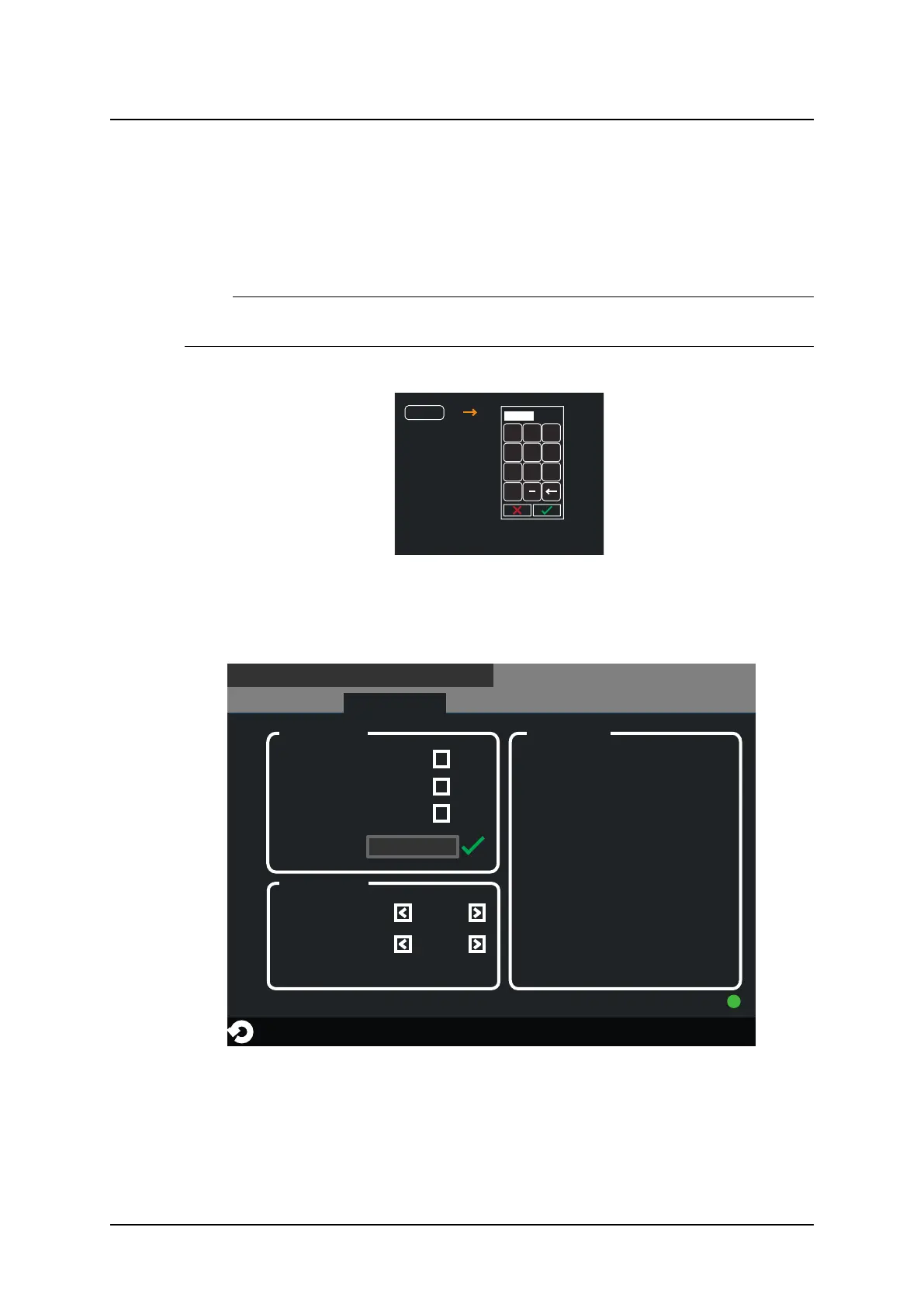
When selecting Delete Log a four digit access code is required before the log is deleted.
1 2 3
4 5 6
7 8 9
0
Delete Log
Fig. 3-19 Delete log file
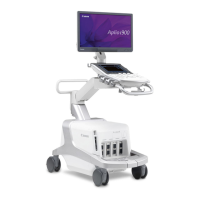
Service – Settings
The Service menu shows system set up and system software versions. A more detailed de-
scription can be found in the Service and installation manual.
4078
SETTINGS
LOG
DISPLAY
SERVICEUSER SETTINGS
Wallstand
CONNECTED
WS hand control
SYSTEM SETUP SW VERSIONS
Save setup
System Master
CAN Device
XX.XX.X
XX.XX.X
Master
Collimator
XX.XX.X
XX.XX.X
X
XX.XX.X
Y
XX.XX.X
A, B
XX.XX.X
UI
XX.XX.X
SI
XX.XX.X
Bucky
XX.XX.X
WS
XX.XX.X
EMD CIO
EMD XRAY
XX.XX.XXX
XX.XX.XXX
COLLIMATOR
Light Intensity
Light Time (0-60 s)
10
20
Table
SETTINGS
Fig. 3-20 Service – Settings
User Interface
Automatic Collimator Control



 To Next Page