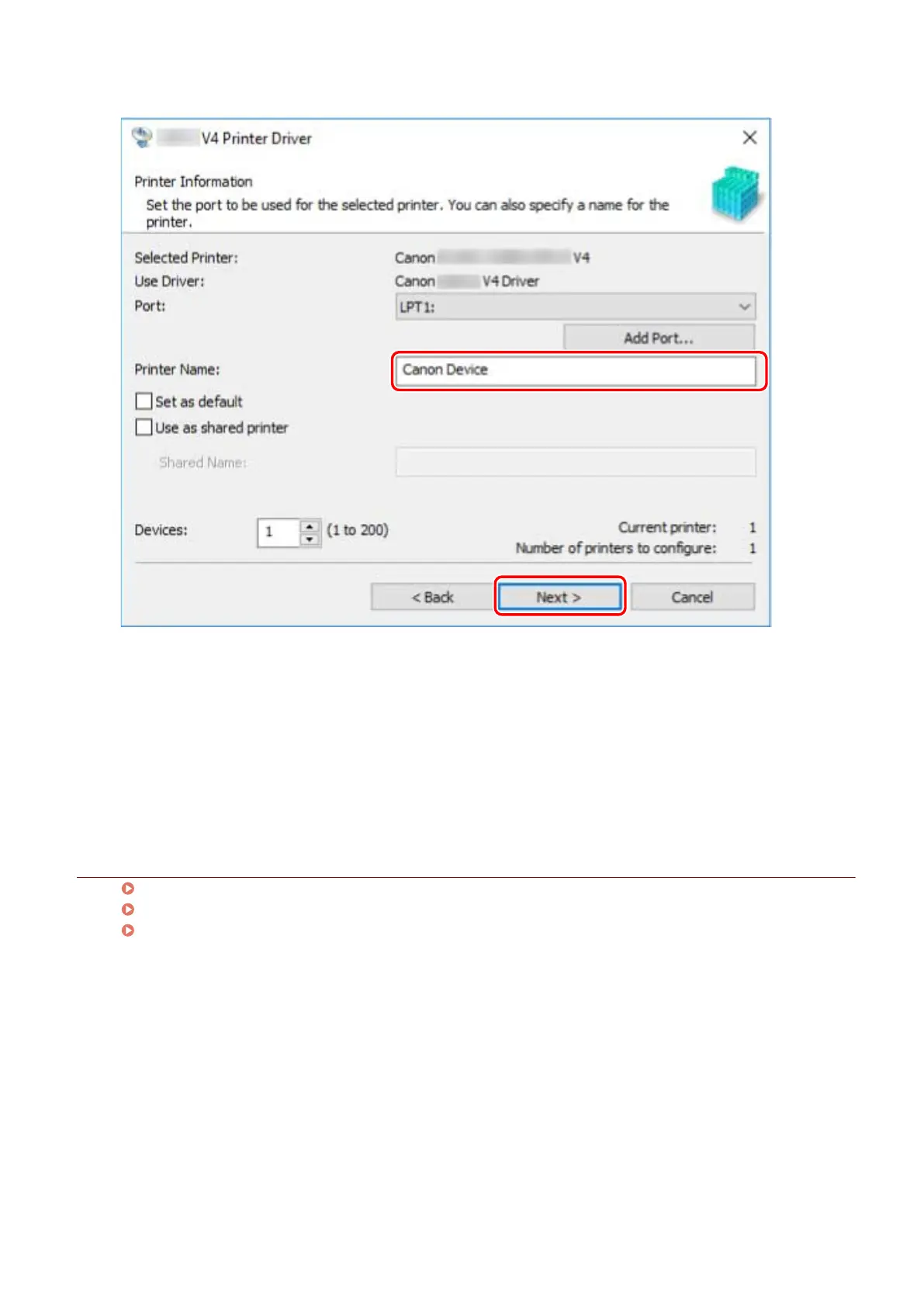
[Use as shared printer]: Select this if you want to share the device.
If you added or selected a network printer port, you cannot set [Printer Name] and [Use as shared printer].
9
Check [List of Printers for Installation] → click [Start].
Proceed with the installation according to the instructions on the screen.
10
Click [Exit].
Related Topics
Installing as a Print Server(P. 43)
Changing the Port(P. 48)
Updating the Driver(P. 35)
Installing the Driver
28



 To Next Page