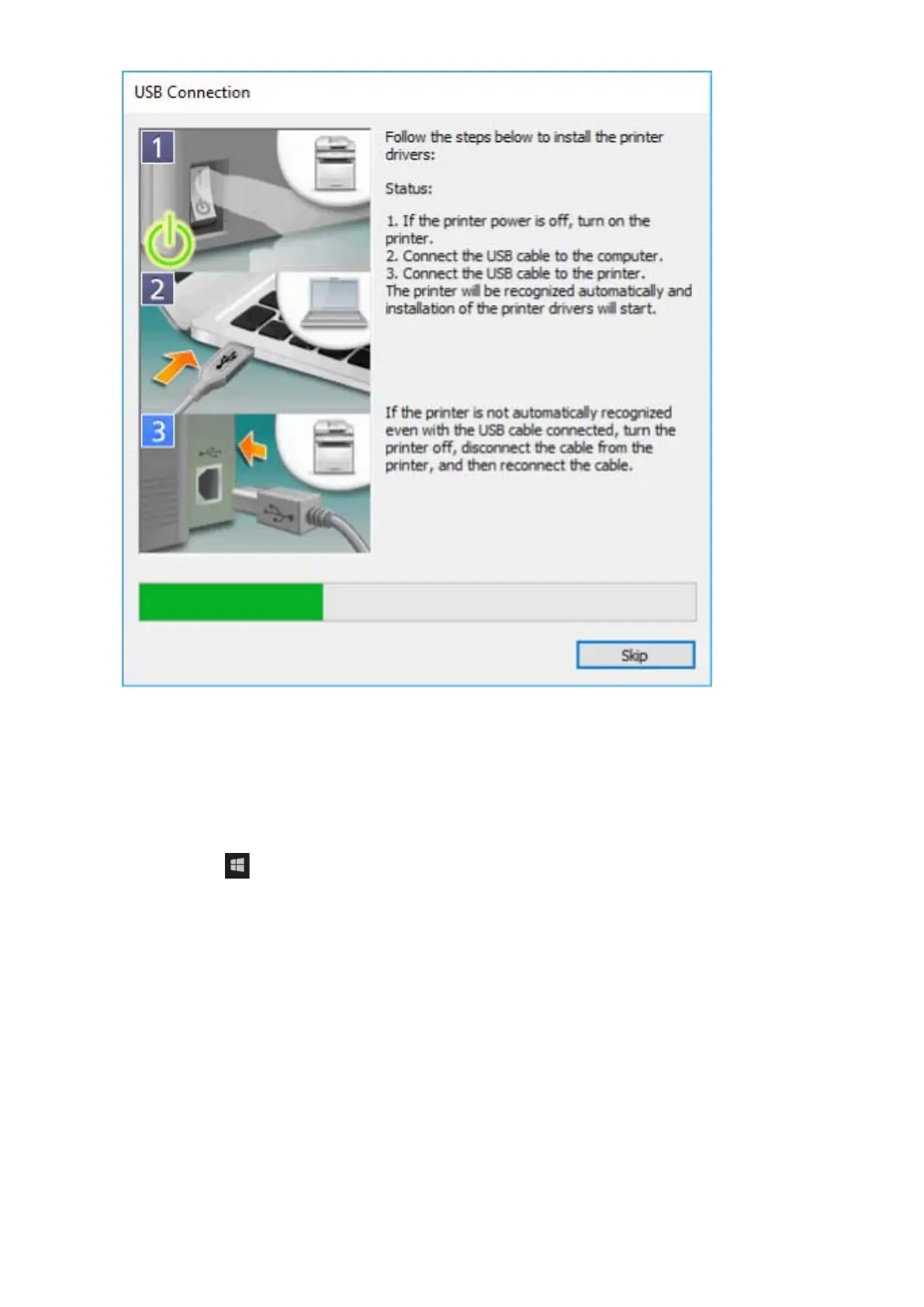
Proceed with the installation according to the instructions on the screen.
If installation fails in the above screen, click the subsequent "Open details" and perform the necessary
operations.
Reinstall the driver after performing the following procedure.
(1) Turn on the device → connect the device and computer with a USB cable.
(2) Display [Device Manager].
In Windows 10/Server 2016
Right-click [
] → click [Device Manager].
In Windows 8.1/Server 2012 R2
Display [Control Panel] > [Hardware and Sound] > [Device Manager].
(3) Right-click the device name of the target device from [Other devices] → click [Uninstall device] or [Uninstall].
(4) Conrm the device name.
Canon + <model name being used>
7
Click [Exit].
Installing the Driver
31



 To Next Page