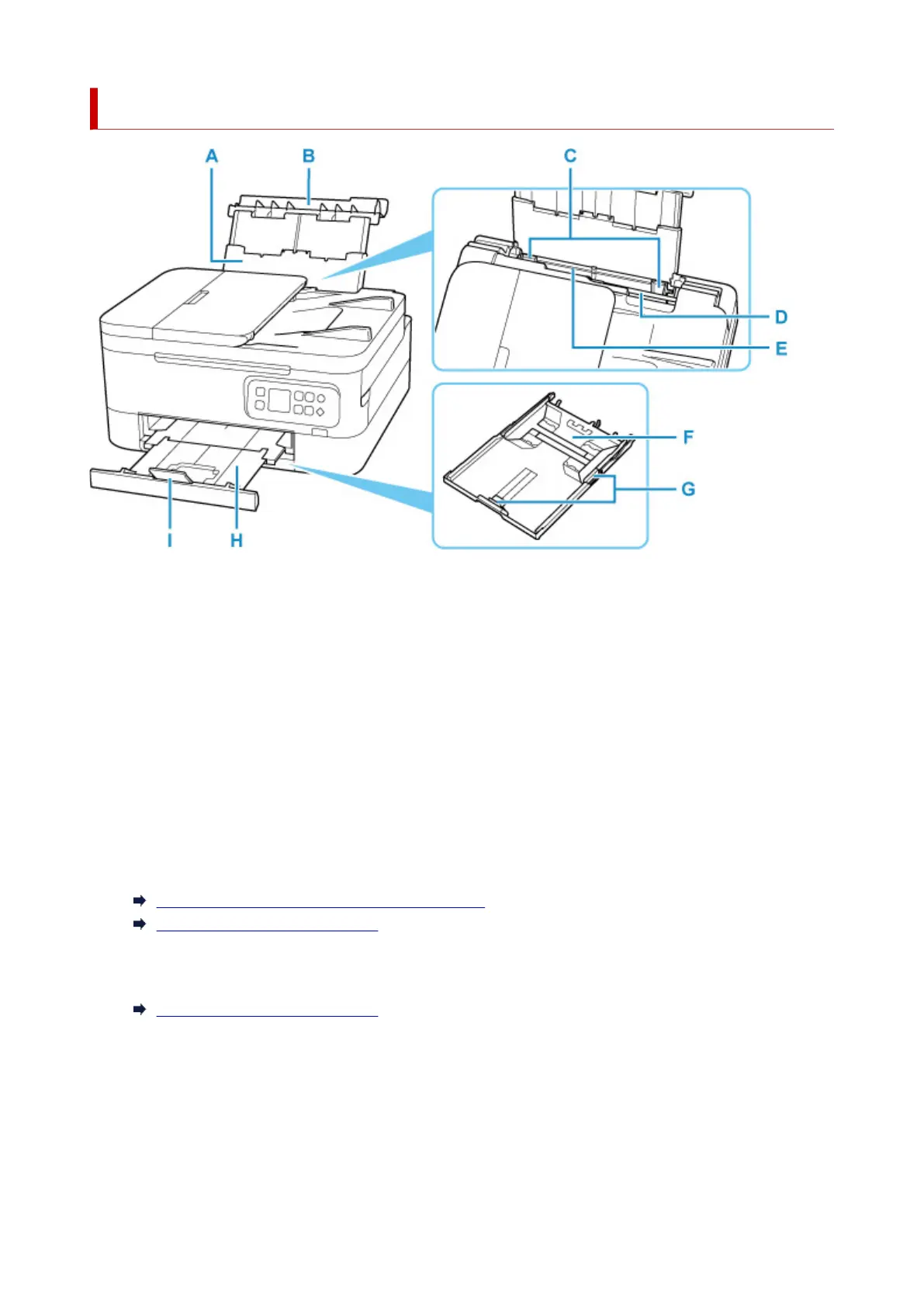
Front View
A: Paper Support
Extend to load paper in the rear tray.
B: Rear Tray Cover
Open to load paper in the rear tray.
C: Paper Guides
Align with both sides of the paper stack.
D: Feed Slot Cover
Prevents anything from falling into the feed slot.
Open it to slide the paper guides, and close it before printing.
E: Rear Tray
Load paper here. Two or more sheets of the same size and type of paper can be loaded at the same
time, and fed automatically one sheet at a time.
Loading Plain Paper / Photo Paper in Rear Tray
Loading Envelopes in Rear Tray
F: Cassette
Load A4, B5, A5, or Letter-sized plain paper into the cassette, and insert it into the printer.
Loading Plain Paper in Cassette
G: Paper Guides
Align with right/left/front sides of the paper stack.
H: Paper Output Tray
Printed paper is ejected. Pull out it before printing.
I: Paper Output Support
Open to support ejected paper.
142











 To Next Page