Paper Settings
By registering the paper size and the media type loaded on the rear tray or in the cassette, you can prevent
the printer from misprinting by displaying the message before printing starts when the paper size or the
media type of the loaded paper differs from the print settings.
Note
• The default display setting is different between, when you print from Smartphone/tablet, when you print
from Windows, and when you print from macOS.
Default Setting for Displaying the Message which Prevents Misprinting
After loading paper:
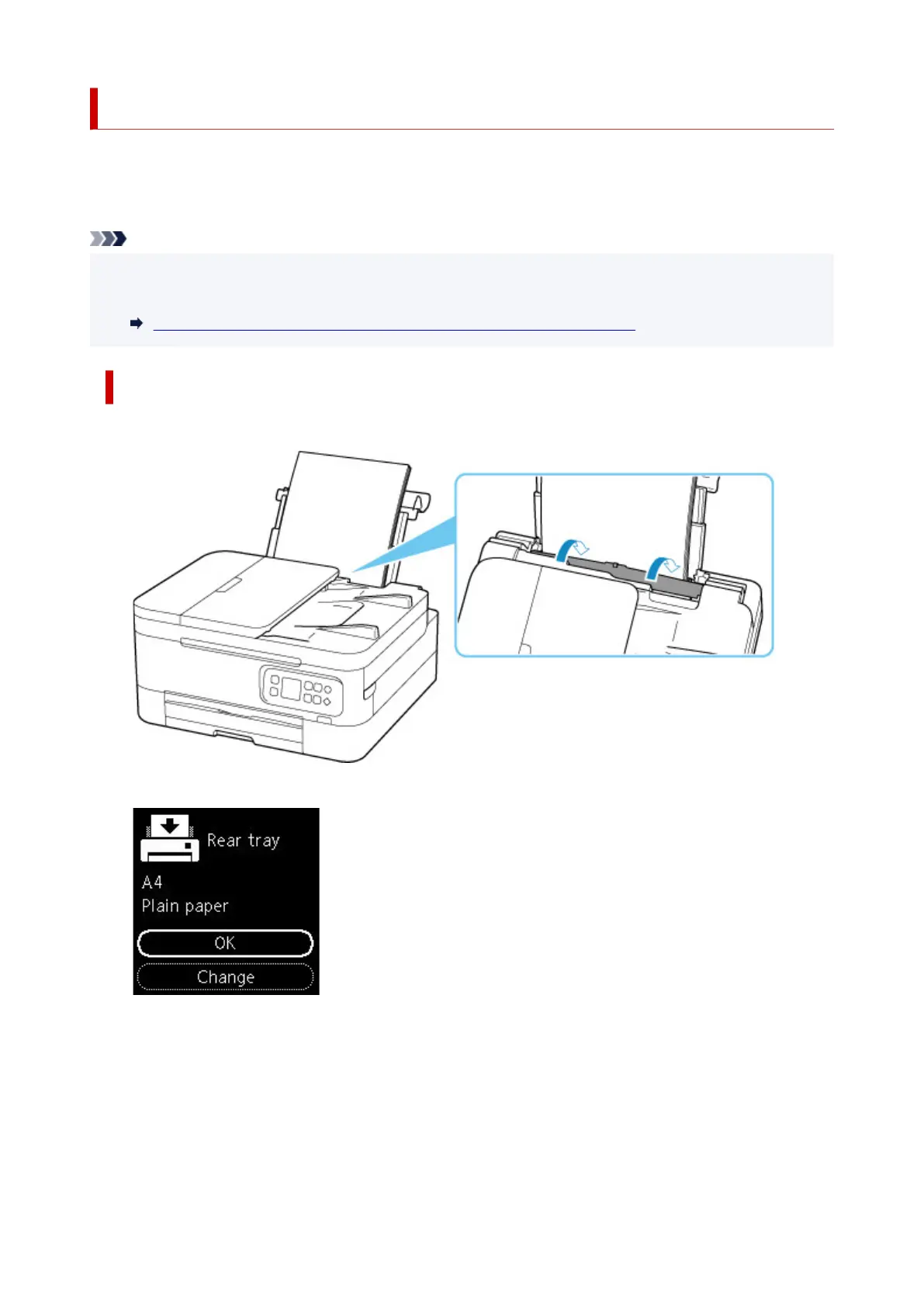
• When you close the feed slot cover:
The screen to register the rear tray paper information is displayed.
If the page size on the LCD matches the size of the paper loaded in the rear tray, select OK.
If not, select Change to change the setting in accordance with the size of the loaded paper.
211











 To Next Page