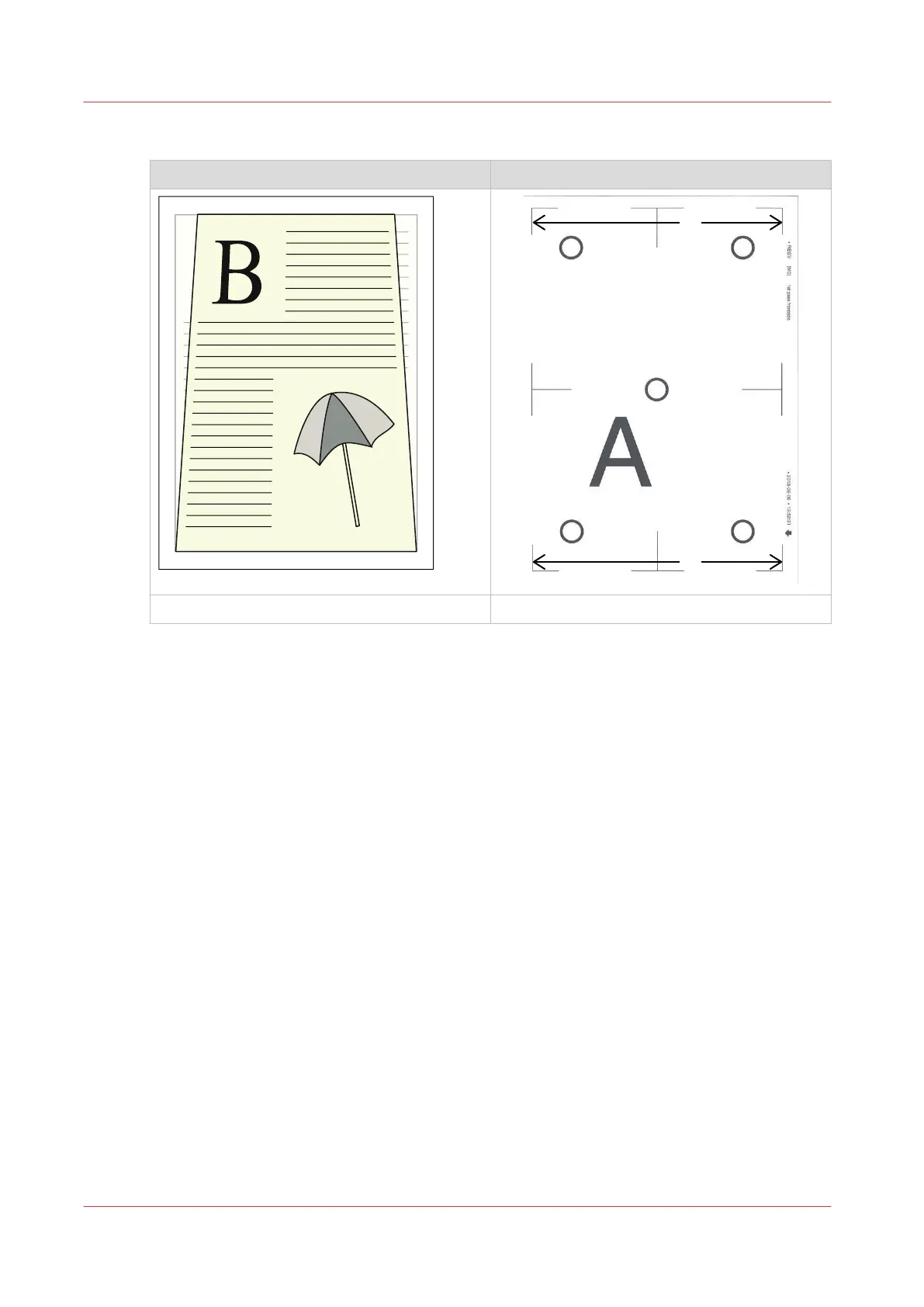
Procedure
Job Verification chart
<-- Feed direction
Media Registration
Procedure
1.
On the verification chart, determine if the image on the back side has a trapezoid image or the
image on the front side.
If the trapezoid image is on the back side, change the back side.
If the trapezoid image is on the front side, change the front side.
2.
On the verification chart, use an accurate ruler to measure the distance between the corners of
the image at the bottom of the sheet and at the top of the sheet.
• Measure the distance between the bottom-left corner and the bottom-right corner. b in the
figure above.
E.g. the distance between the corners is 190.8 mm (7.51").
• Measure the distance between the top-left corner and the top-right corner. a in the figure
above.
E.g. the distance between the corners is 191.3 mm (7.53").
• Determine the difference between the distance measured at the bottom and the distance
measured at the top. b - a.
In the example the measured difference is -0.5 mm (-0.02").
3.
Enter the measured difference according to the table below.
4.
Confirm the changed value.
5.
Print the verification chart again and verify if the media registration is optimal.
If the media registration is not optimal, change the value or use another setting depending on
how the registration looks.
Media Registration
336
Chapter 13 - Media Handling
Canon varioPRINT DP line










 To Next Page