4-60
Starting Up Admin Viewer
○○○○○○
To Start Up...
1. Click the “Admin Viewer” on the VBAdmin Startup Panel or double-click the
“Admin Viewer” icon on the desktop.
When the Admin Livescope window appears, click the File then the Connect. The “Camera
server address setting” dialog box appears. Enter the following items:
● Host Name (The IP address set on the VB-C50Fi, → P.3-6)
● User Name (root) ● Password (→ P.3-5)
Then click the “OK” button. The video will then be displayed.
Operating External Devices and Motion Detection
Setting Notification of Changes in External Device Input and Motion
Detection Status
A message box can be displayed in the event of a change in external device input and motion
detection status.
○○○○○○
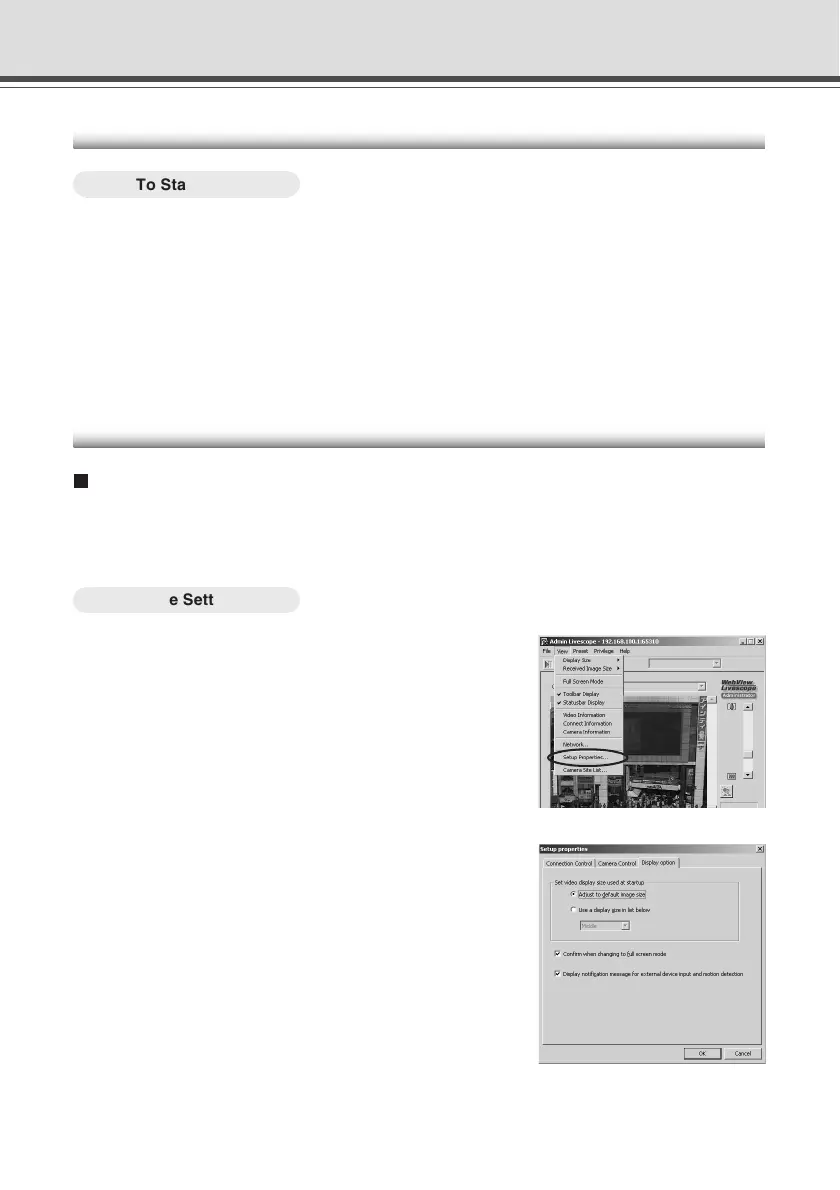
To Make Settings...
1. Choose Setup properties from the View
menu.
Admin Viewer
2. When the Setup properties dialog box
appears, click the “Display option” tab.
Check to be sure the “Display notification message
for external device input and motion detection” check
box is selected, then click “OK”.



 To Next Page