3-5
Basic Settings
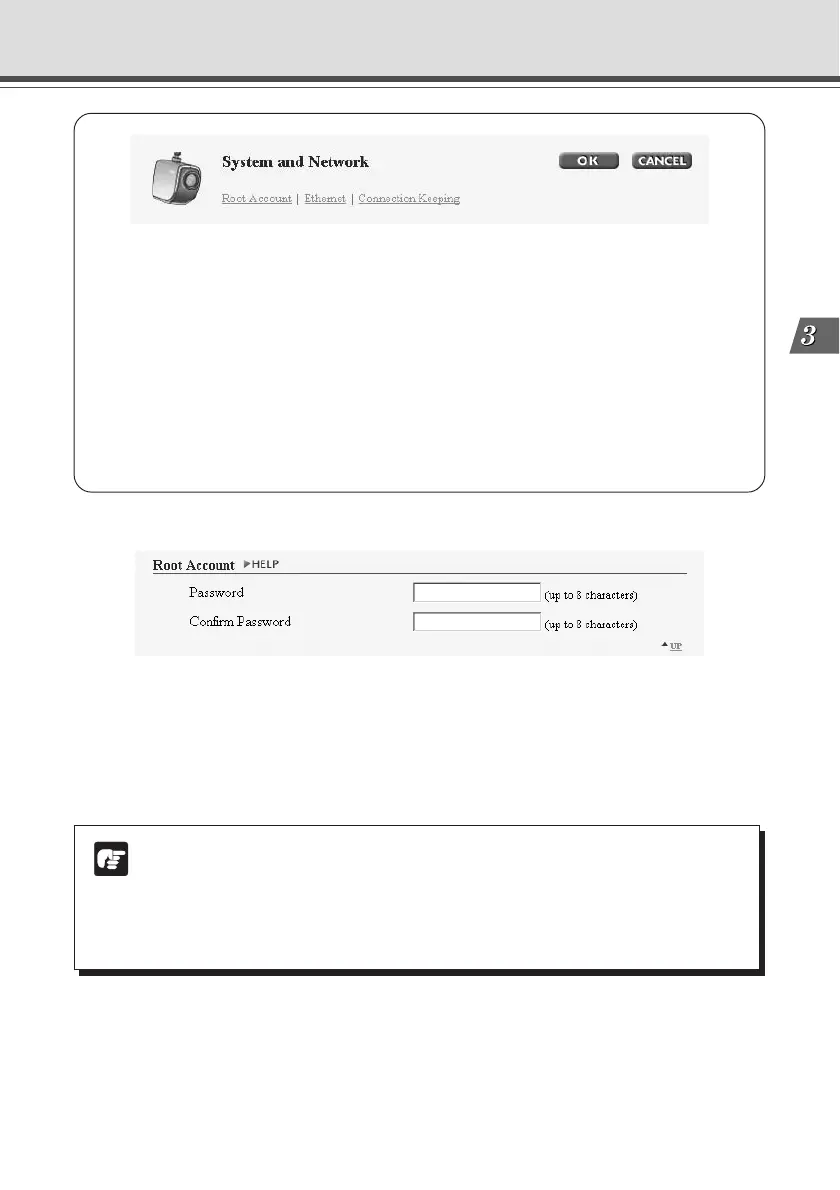
You can perform the following settings with System and Network.
● Root Account: For setting up passwords.
● Ethernet: For setting up IP addresses and other settings necessary for connection
to the network.
● Connection Keeping: For setting up the function whereby packets are periodically
transmitted and there is automatic dial-up by the router so that the connection with
the network is not broken.
When you have made changes to the settings, click the “OK” button to return to the
Settings Title Page. If you do not make any changes, click the “Cancel” button.
Setting Up the Administrator Password and Ethernet etc. (System and Network)
Root Account
1
2
Note
● For reasons of system security, You must change the administrator password.
However, be sure to remember the password (→ P.7-22) so that you do not forget it.
● If you have forgotten the password, press the Reset switch and restore the factory
default settings (→ P.7-21). However, note that all settings are returned to the
factory default settings.
1 “Password”
Sets the password. Up to 8 ASCII characters can be used (spaces or printable characters).
The default setting is “VB-C50i”.
2 “Confirm Password”
Confirms the password in the field above.



 To Next Page