6-13
Using the Picture Recording Function
Note
Downloaded images are not deleted when a server is deleted. To delete downloaded
images, first follow the procedure in “Deleting Images” (→ P.6-25) and then delete
the server.
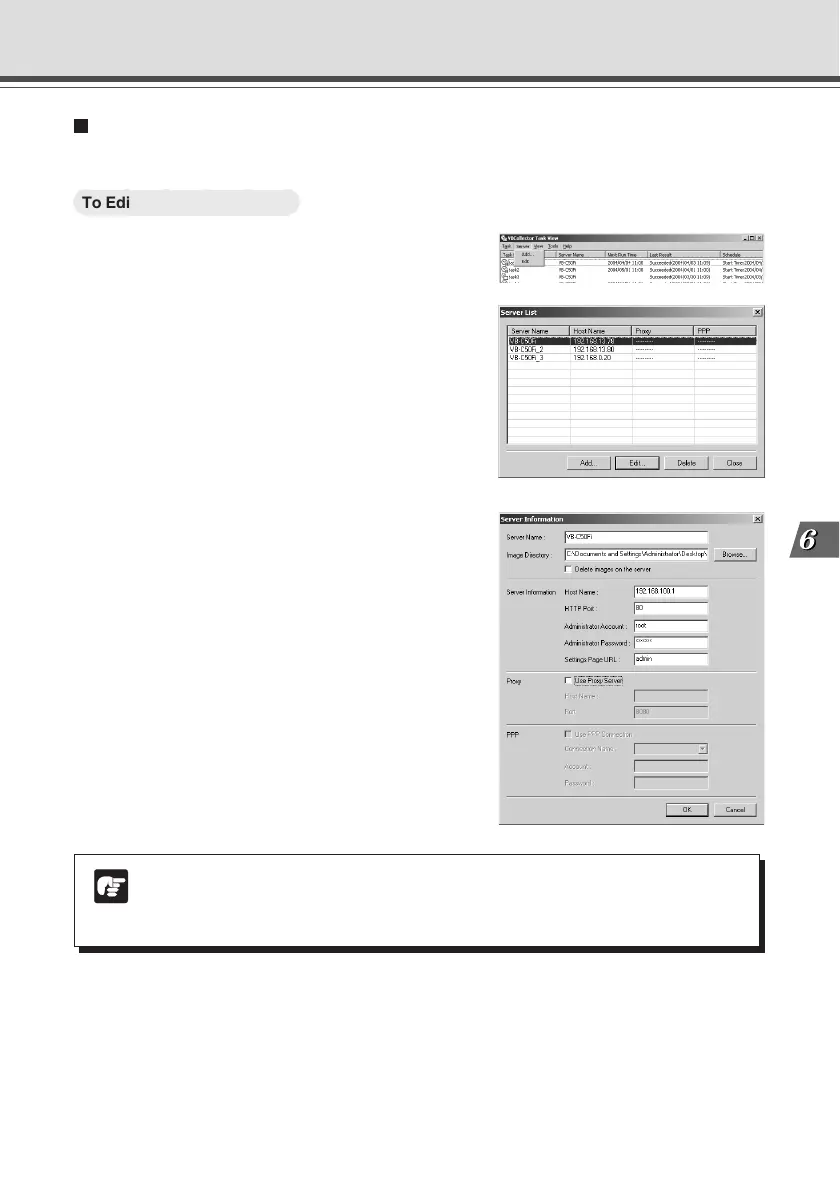
Editing Server Information
Content of the registered server information can be edited.
○○○○○○
To Edit Server Information...
1. Choose “Edit” from the “Server” menu bar,
and when the Server List dialog box appears,
select the server name to be edited and click
the “Edit” button.
To delete a registered server, click the “Delete” button.
2. As with the procedure for adding servers,
change all desired items and click the “OK”
button.
Using VBCollector



 To Next Page