6-23
Using the Picture Recording Function
Animate Images
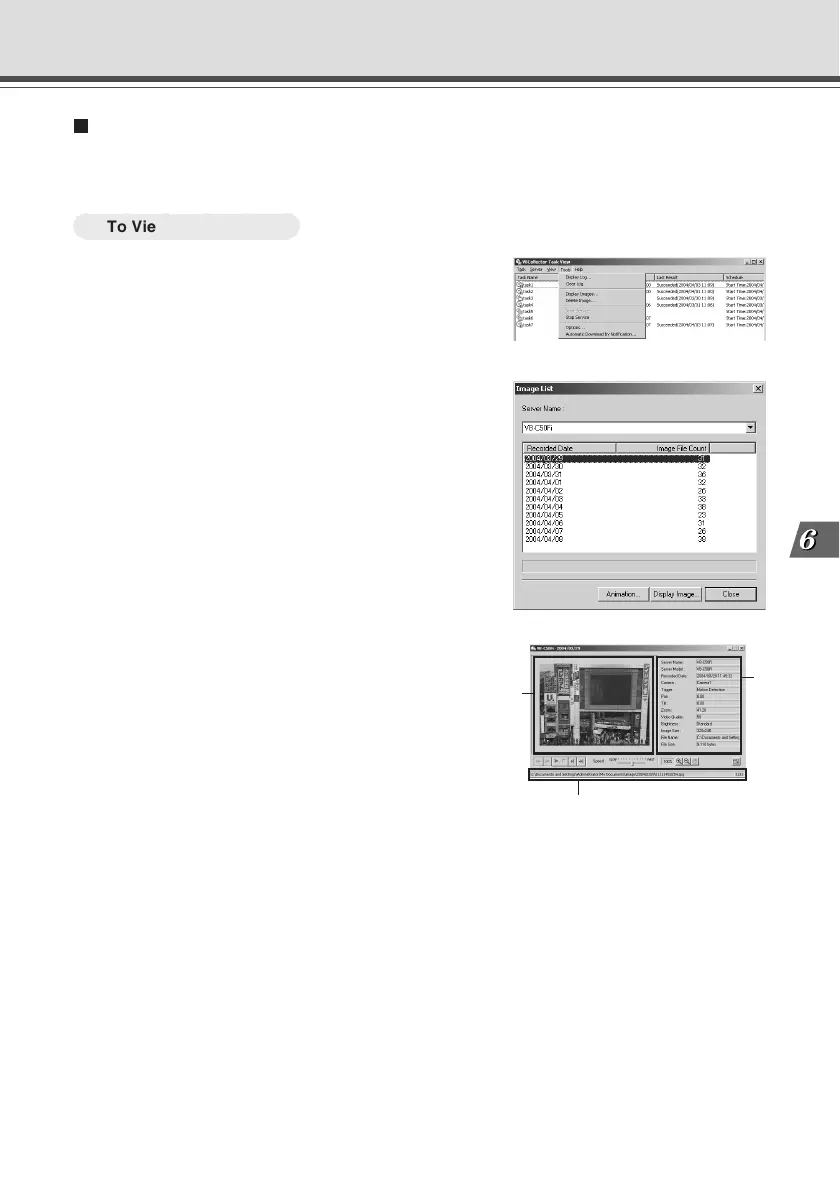
Downloaded images can be selected using the server name and date to be animated (consecutive
display). The images can also be shown in detail or zoomed in/out.
○○○○○○
To View Animation...
1. Choose “Display Images” from the “Tools”
menu bar.
2. Select the name of the server where you want
to browse and click to select the date of any
image to be animated. Then, click the
“Animation” button.
3. As dialog size, large or normal size is
available and is automatically selected
depending on the original image size.
q Image display area
Shows any image of the selected recording date. If
the image size is greater than the display area, the
image display position can be moved with the scroll
bar.
w Image data display area
Shows details of the image.
e Status bar
Shows the image file name and “Current image
number/total number of images”.
Using VBCollector
q
w
e



 To Next Page