3-16
Camera Server
1
2
3
4
5
6
7
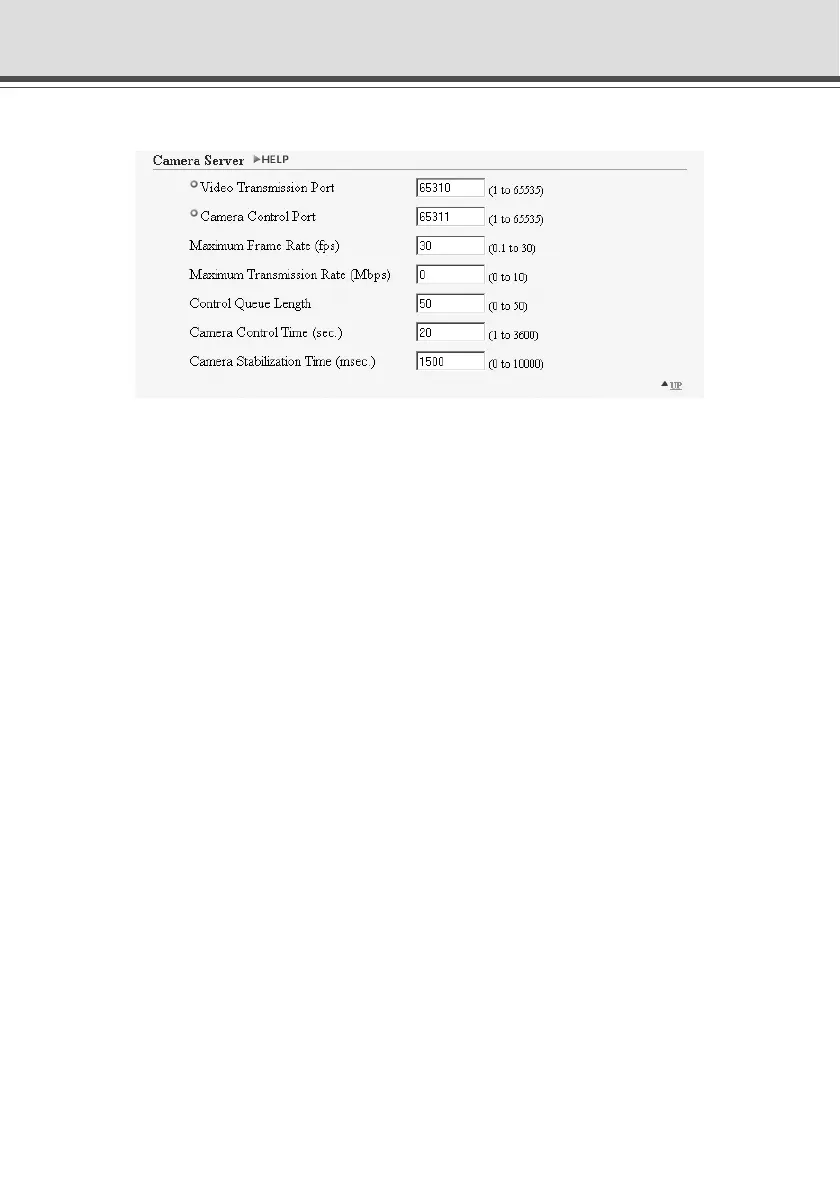
Setting Up the HTTP and Camera Servers (Server)
1 “Video Transmission Port”
Sets the TCP port number for the video transmission protocol. Enter a value between 1 and
65535. The default setting is 65310. Normally, there is no need to change this setting.
2 “Camera Control Port”
Sets the TCP port number for the camera control protocol. Enter a value between 1 and 65535.
The default setting is 65311. Normally, there is no need to change this setting.
3 “Maximum Frame Rate (fps)”
Sets the maximum number of frames captured per second. The maximum frame rate is 30.0
fps (NTSC)/25.0 fps (PAL) and enter a number between 0.1 and 30.0 (NTSC)/25.0 (PAL).
*Please refer to P.1-9 to confirm whether your VB-C50Fi is PAL model or NTSC model.
4 “Maximum Transmission Rate (Mbps)”
Sets the upper limit of the volume of data to be transmitted in one second. This function is used
to reduce the load on the network. The maximum is 10Mbps and enter an integer of 0 to
10Mbps. 0 is limitless.
5 “Control Queue Length”
Sets the length of the queue when multiple clients are waiting for control privileges under the
viewer.
Enter a value between 0 and 50. The maximum number is 50. When set to “0”, only the Admin
Viewer is permitted to control the camera.
6 “Camera Control Time (sec.)”
Sets the maximum time for which camera control privileges can be maintained under the viewer.
Enter a value between 1 and 3600.
7 “Camera Stabilization Time (msec.)”
When the GetStillImage command (→ P.5-25) has been requested, this setting specifies the
delay to allow the camera to stabilize before a still picture is captured. Enter a value between
0 and 10000. The maximum delay is 10000 milliseconds.



 To Next Page