EasyManua.ls Logo

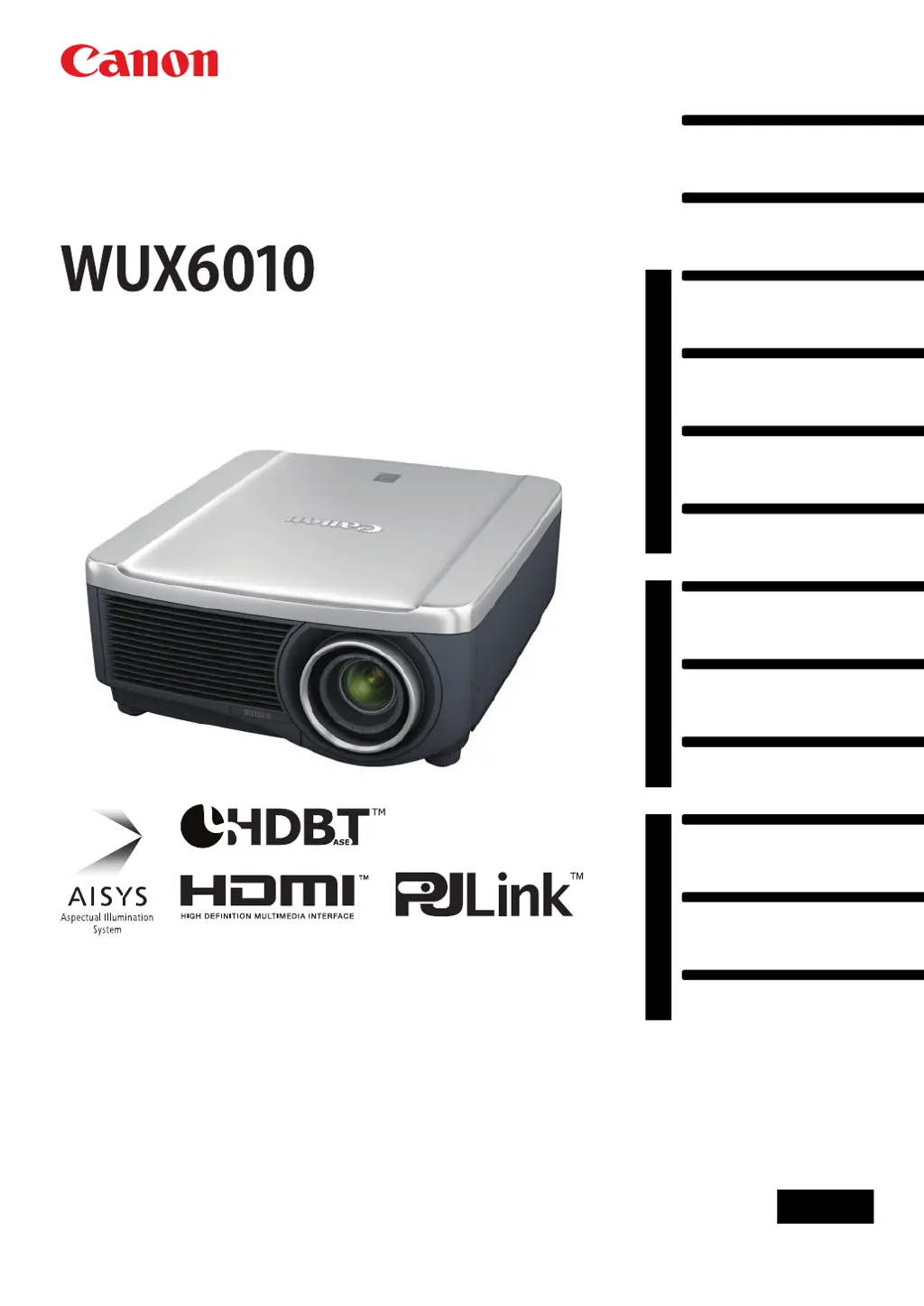
Canon WUX6010 - User Manual

Canon WUX6010
200 pages
Print Icon
To Next Page IconTo Next Page
Loading...
Safety Instructions
Before Use
Basic Guide
Installation Procedure
Connection Procedure
Projection Procedure
Convenient Features
Advanced Guide
Using Menus
Menu Description
Advanced Projection
Other Information
Maintenance
Product Specifications
Troubleshooting
ENG
MULTIMEDIA PROJECTOR
Users Manual

Table of Contents

Questions and Answers

  • M
    melissa07Aug 1, 2025
    Why does my Canon WUX6010 Projector show a temperature abnormality?
    • N
      Nicole PalmerAug 1, 2025
      If the Canon Projector shows a temperature abnormality, it could be due to the internal temperature being too high or the external air temperature exceeding the operating range. Ensure the projector is properly installed and operating normally. Unplug the projector to allow it to cool down before restarting. Check for and remove any obstructions from the air intake or exhaust vent. Clean or replace the air filter if it's clogged. If the issue persists, it may indicate a malfunction.
  • Z
    zwilliamsAug 6, 2025
    What to do if my Canon WUX6010 says faulty lamp cover?
    • K
      Kathryn GarciaAug 6, 2025
      If your Canon Projector indicates a faulty lamp cover, unplug the projector and ensure the lamp cover is correctly installed before turning it on again. If the lamp cover is properly installed and the error persists, there may be a malfunction in the lamp cover detection switch.
  • E
    Evelyn WilliamsAug 11, 2025
    What to do if Canon WUX6010 Projector says faulty power supply?
    • D
      Diane PittmanAug 11, 2025
      If your Canon Projector displays a faulty power supply warning, it may be due to abnormal voltage or another failure. Unplug the projector, plug it back in, and turn it on again. If the problem continues, there may be a more serious issue.
  • J
    Justin JacksonAug 15, 2025
    What to do if my Canon Projector shows filter error?
    • A
      alexander37Aug 15, 2025
      If the Canon Projector indicates a filter error, the air filter might not be installed correctly. Check the air filter and make sure it is correctly installed.
  • L
    Lawrence RodriguezAug 21, 2025
    What to do if my Canon WUX6010 Projector shows faulty cooling fan?
    • I
      iblackwellAug 21, 2025
      If the Canon Projector displays a faulty cooling fan warning, it could indicate a malfunction in the cooling fan or another component. Try unplugging the projector, then plugging it back in and turning it on again. If the warning persists, it may indicate a more serious problem.
  • B
    Brandon RamosAug 26, 2025
    What to do if my Canon WUX6010 shows faulty lens connector?
    • J
      Justin EvansAug 26, 2025
      If your Canon Projector shows a faulty lens connector, the lens cable may not be correctly connected to the lens unit. Unplug the projector, ensure the lens cable is properly connected to the lens unit, and then plug the projector back in.

Summary

Safety Instructions

Safety Precautions

General warnings and precautions for safe operation and handling of the projector.

Precautions for Use

Important safety-related information for correct and safe projector usage.

Installation and Handling Precautions

Safety guidelines for installing and handling the projector to prevent hazards.

Precautions on the Lamp

Safety advice and characteristics of the high-pressure mercury lamp used in the projector.

Basic Guide

Installation Procedure

Step-by-step guide for setting up and installing the projector correctly.

Connection Procedure

Instructions on connecting computers and AV equipment to the projector.

Plugging the Projector In

Steps for connecting the projector to a power source and plugging it in.

Projection Procedure

Step-by-step guide to turn on the projector and start projection.

Focusing, Resizing, or Moving the Image

How to adjust focus, image size (zoom), and position (lens shift).

Advanced Guide

Network settings

Configuration for network connections, security, and IP settings.

Other Information

Maintenance

Procedures for cleaning the projector, air filter, and replacing components.

Troubleshooting

Solutions for common projector issues, LED indicators, and error messages.

Symptoms and Solutions

Lists common causes and countermeasures for projector issues.

Canon WUX6010 Specifications

General IconGeneral
Brightness6000 lumens
Native ResolutionWUXGA (1920 x 1200)
Contrast Ratio2000:1
Lamp Life (Normal Mode)3000 hours
Lamp Life (Eco Mode)5000 Hours
Noise Level (Standard Mode)40 dB
Lens ShiftVertical: ±60%, Horizontal: ±10%
Keystone CorrectionVertical: ± 30°
Input TerminalsHDMI, DVI-D, VGA, USB
Output TerminalsVGA
Projection Size40 - 300 inches

Related product manuals