Need help?
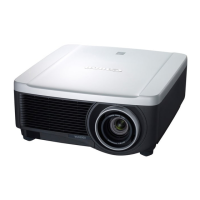
Do you have a question about the Canon WUX7000Z and is the answer not in the manual?
General safety measures and warnings for operating the projector, including electrical hazards and environmental considerations.
Details and safety warnings concerning the projector's laser light source, parameters, and handling.
Step-by-step instructions for safely installing and removing the projector lens unit.
Information on connecting various external equipment and devices to the projector.
Diagrams and instructions for connecting HDMI, DVI-I, DisplayPort, and analog signals.
Overview of network connection methods, including wired LAN and wireless Wi-Fi.
Step-by-step guide for configuring network settings on Windows and Mac OS.
Settings for aspect ratio, resolution, and USB flash drive projection.
Settings for adjusting image quality parameters like brightness, contrast, and sharpness.
Settings for projection adjustment based on screen type and installation method.
Customization options for projector operation, beeping, and display details.
Configuration for wired and wireless network connections, passwords, and advanced settings.
Procedures for cleaning the projector and replacing the air filter.
Detailed technical specifications for the projector and its components.
List of supported analog PC, digital PC, and video signal types and resolutions.
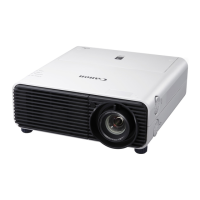
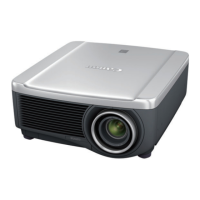
Technical specifications for the projector models, including display, optical, and light source details.
Guidance on diagnosing and resolving common projector issues and errors.
Explanation of projector status indicated by LED lights and their meanings.
Common projector problems and their corresponding countermeasures for resolution.
Solutions for problems preventing the projector from powering on.
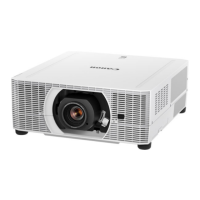
 General
| Brightness | 7000 lumens |
|---|---|
| Resolution | WUXGA (1920 x 1200) |
| Display Technology | 3LCD |
| Contrast Ratio | 2000:1 |
| Light Source | Laser |
| Lens Shift | Vertical: ±60% |
| Connectivity | HDMI, DVI-D, VGA, Component, USB, LAN, RS-232C |
| Lens | Optional lens |
| Projection Size | 40" - 600" |
| Output Terminals | Audio Out |

 To Next Page