EasyManua.ls Logo

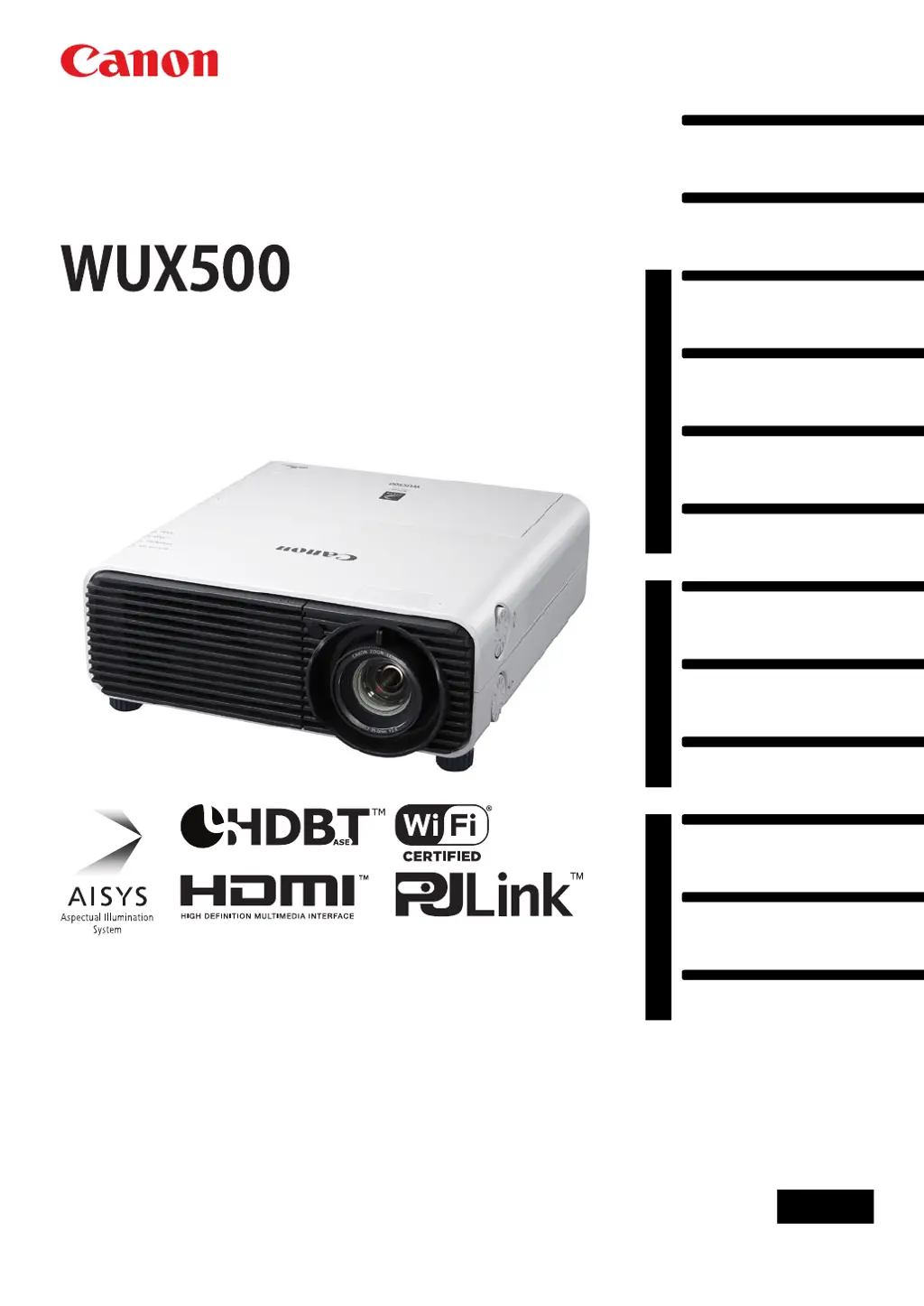
Canon WUX500 - User Manual

Canon WUX500
190 pages
Print Icon
To Next Page IconTo Next Page
Loading...
Safety Instructions
Before Use
Basic Guide
Installation Procedure
Connection Procedure
Projection Procedure
Convenient Features
Advanced Guide
Using Menus
Menu Description
Advanced Projection
Other Information
Maintenance
Product Specifications
Troubleshooting
ENG
MULTIMEDIA PROJECTOR
Users Manual

Table of Contents

Questions and Answers

Summary

Safety Instructions

Safety Precautions

General warnings and precautions for safe operation and handling of the projector.

AC Power Cord Requirement

Specifications and safety notes for the AC power cord for proper usage.

Federal Communication Commission Notice

FCC compliance statement and interference guidelines for the device's operation.

Precautions for Use

Important safety guidelines and warnings related to projector operation and user interaction.

Installation and Handling Precautions

Safety measures and guidelines for installing and handling the projector unit.

Precautions on the Lamp

Specific safety warnings and handling instructions for the projector lamp.

Precautions for the Batteries of the Remote Control

Safety guidelines for handling and replacing remote control batteries.

Before Use

Projector Highlights

Overview of key features and technical specifications of the projector.

Included Accessories

List of all items included in the projector package upon purchase.

Part Names

Identification of the projector's physical components and their locations.

LED Indicators

Explanation of the status indicated by the projector's LED lights.

Input Terminal

Description of available input ports for connecting external audio-visual devices.

Remote Control

Explanation of the remote control buttons and their specific functions.

Preparing the Remote Control

Instructions for installing batteries and initial setup of the remote control.

Basic Guide

Installation Procedure

Step-by-step guide and guidelines for properly installing the projector unit.

Connection Procedure

Instructions for connecting the projector to various external audio-visual equipment.

Projection Procedure

Step-by-step guide for powering on the projector and projecting an image.

Convenient Features

Description of features that enhance presentation quality and user convenience.

Advanced Guide

Using Menus

Overview of the projector's menu structure and navigation for detailed settings.

Menu Description

Detailed explanation of projector settings and options available within the menus.

Advanced Projection

Features and procedures for advanced projection methods like USB or multi-projector setups.

Other Information

Maintenance

Instructions for cleaning, replacing parts, and general upkeep of the projector.

Product Specifications

Technical details, supported signals, physical dimensions, and performance specifications.

Troubleshooting

Solutions for common projector problems, error indicators, and symptoms.

Summary

Safety Instructions

Safety Precautions

General warnings and precautions for safe operation and handling of the projector.

AC Power Cord Requirement

Specifications and safety notes for the AC power cord for proper usage.

Federal Communication Commission Notice

FCC compliance statement and interference guidelines for the device's operation.

Precautions for Use

Important safety guidelines and warnings related to projector operation and user interaction.

Installation and Handling Precautions

Safety measures and guidelines for installing and handling the projector unit.

Precautions on the Lamp

Specific safety warnings and handling instructions for the projector lamp.

Precautions for the Batteries of the Remote Control

Safety guidelines for handling and replacing remote control batteries.

Before Use

Projector Highlights

Overview of key features and technical specifications of the projector.

Included Accessories

List of all items included in the projector package upon purchase.

Part Names

Identification of the projector's physical components and their locations.

LED Indicators

Explanation of the status indicated by the projector's LED lights.

Input Terminal

Description of available input ports for connecting external audio-visual devices.

Remote Control

Explanation of the remote control buttons and their specific functions.

Preparing the Remote Control

Instructions for installing batteries and initial setup of the remote control.

Basic Guide

Installation Procedure

Step-by-step guide and guidelines for properly installing the projector unit.

Connection Procedure

Instructions for connecting the projector to various external audio-visual equipment.

Projection Procedure

Step-by-step guide for powering on the projector and projecting an image.

Convenient Features

Description of features that enhance presentation quality and user convenience.

Advanced Guide

Using Menus

Overview of the projector's menu structure and navigation for detailed settings.

Menu Description

Detailed explanation of projector settings and options available within the menus.

Advanced Projection

Features and procedures for advanced projection methods like USB or multi-projector setups.

Other Information

Maintenance

Instructions for cleaning, replacing parts, and general upkeep of the projector.

Product Specifications

Technical details, supported signals, physical dimensions, and performance specifications.

Troubleshooting

Solutions for common projector problems, error indicators, and symptoms.

Canon WUX500 Specifications

General IconGeneral
BrandCanon
ModelWUX500
CategoryProjector
LanguageEnglish

Related product manuals