Introduction
6
E
: Reference page numbers
: Functions that can be operated from the
body of the camcorder
: Functions that can be operated from the
wireless controller
: Supplementary notes for camcorder
operation
` : Operation confirmation beeps ( 37)
Capital letters are used to refer to settings
displayed in the menus and buttons labelled on
the camcorder itself (e.g. Press the MENU
button).
• When connecting the camcorder to a PC, use
the optional CV-150F or CV-250F DV cable.
When the PC is equipped with a USB
terminal, use the supplied IFC-300PCU USB
cable.
Thank You For Choosing a Canon
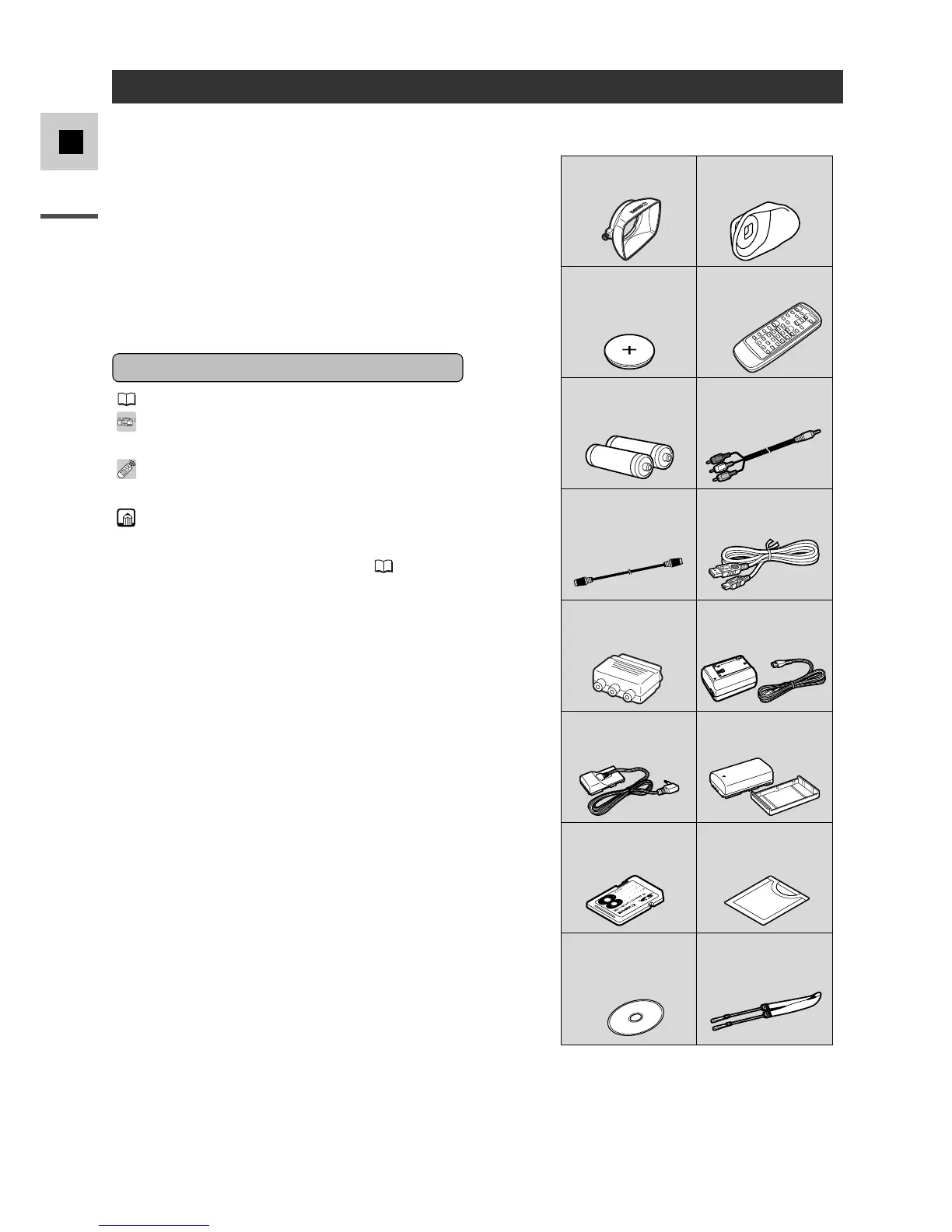
Your camcorder is supplied with the following
accessories:
WL-D74 Wireless
Controller
Two AA batteries
SS-600 Shoulder Strap Lens cap and lens cap
cord
S-150 S-video Cable
STV-250 Stereo Video
Cable
Lithium button battery
CA-560 Compact Power
Adapter (including AC
power cable)
BP-511 Battery Pack
First, we’d like to thank you for purchasing this
Canon camcorder. Its advanced technology
makes it very easy to use — you will soon be
making high-quality videos which will give you
pleasure for years to come.
To get the most out of your new camcorder, we
recommend that you read this manual
thoroughly — there are many sophisticated
features which will add to your recording
enjoyment.
Symbols Used in This Manual
Lens Hood Large Eye Cup
Lithium Button Battery
CR2025
WL-D77 Wireless
Controller
Two AAA Batteries
STV-250N Stereo Video
Cable
S-150 S-video Cable
PC-A10 SCART
Adapter (Europe,
Asia)
IFC-300PCU USB
Cable*
SS-650 Shoulder
Strap
CA-920 Compact
Power Adapter
(incl. AC Power Cord)
DC-920 DC Coupler BP-915 Battery Pack
SDC-8M SD Memory
Card
Soft Case for SD Memory
Card
Software CD-ROM
Digital Video Solution
Disk*
* Required for transferring still images from a
memory card to your computer. Please refer
to the Software Instruction Manual for further
details.



 To Next Page