Service Manual – endoSTORE® neo & one-click page 9 of 28 Version 01 Revision 06
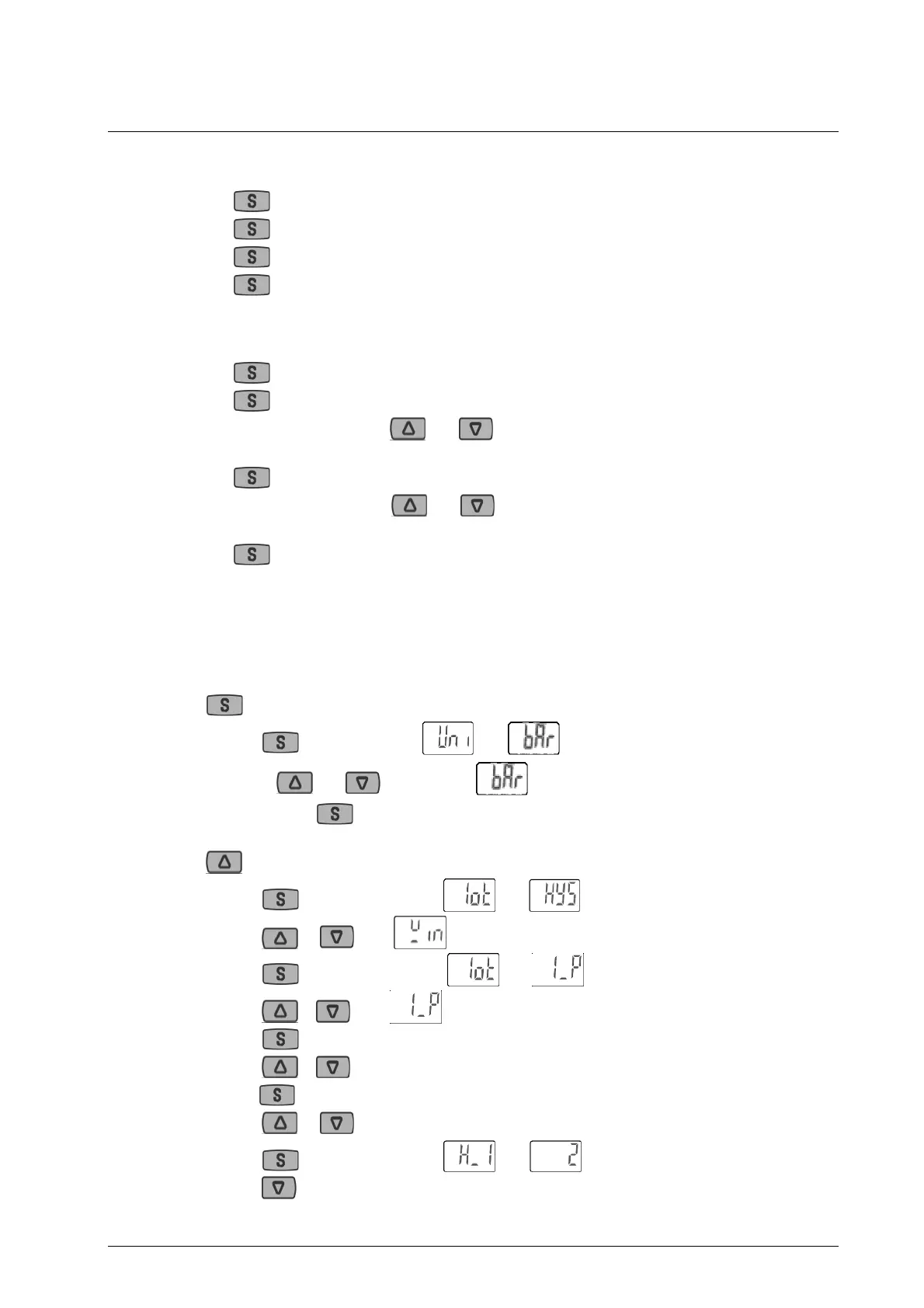
2.5.3.1 Displaying of the adjusted pressure threshold
1. Press displaying of the current pressure.
2. Press 2
nd
time “P1L” appears (lower threshold)
3. Press 3
rd
time “P1H” appears (upper threshold)
4. Press 4
th
time current pressure is displayed
2.5.3.2 Adjust Pressure of threshold
1. Press current pressure is displayed
2. Press 2
nd
time “P1L” appears
3. Adjust lower threshold with and ,
or continue to step 4
4. Press 3
rd
time “P1H” appears
5. Adjust upper threshold with and ,
or finish with Step 6
6. Press 4
th
time current pressure is displayed
2.5.3.3 Completing adjustment of the pressure regulator
In case that the pressure regulator needs to be exchanged or restored to factory settings, the following
steps will adjust the settings of the pressure regulator:
Press for a long time F0 (adjustment of the entity)
Press change between and
Or take and to change to
Confirm with and go back to menu
Press F1 (adjustment of the ouput)
Press change between and
Press or until is displayed.
Press for change between and
Press or until is displayed.
Press for change between [P1L] and 3.00
Press or until the desired number (e. g. 2.00)
Press for change between [P1H] and 6.00
Press or until the desired number (e. g. 10.00)
Press change between and
Press until 0.00 is displayed


 To Next Page