-19-
Operation 4
5332M-0401-120E
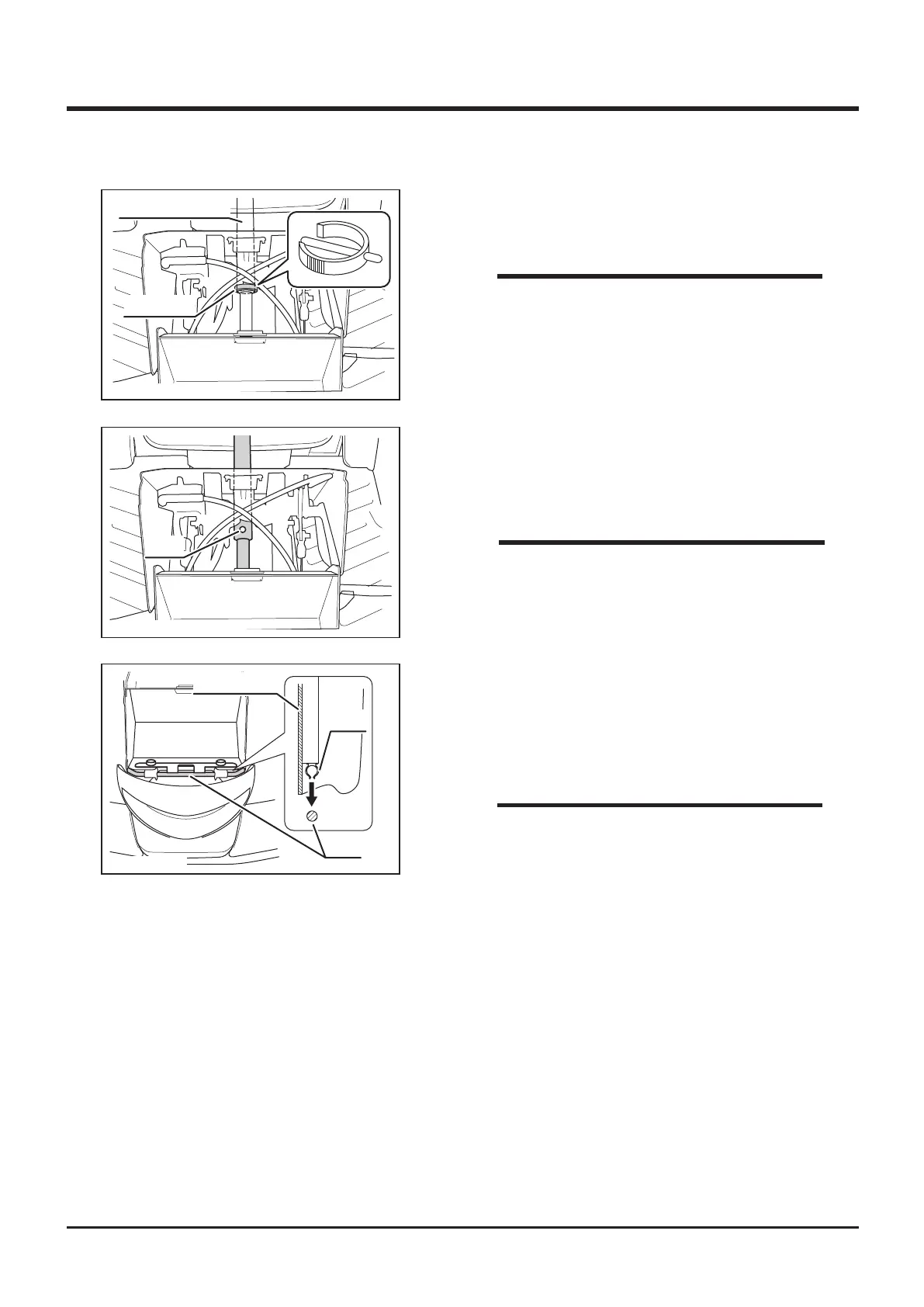
Fixing Pin
Steering Column
3. Remove fixing pin from steering column in
the front of machine.
• If fixing ping is in the difficult direction to
remove, steer the steering wheel to change
direction of the pin so that the pin can be
easily removed.
NOTE
5332M-0401-130E
Hole
4. Adjust steering wheel height in prefered
position. Line up holes on steering shafts and
insert pin.
• Move steering wheel up and down to check
if the steering wheel is xed securely.
5332M-0401-140E
Front Cover
Clip
Rod
5. Raise steering wheel angle.
6. Fit clip on back side of front cover into the
rod.
7. Latch top edge of the front cover.
• Pay attention not to catch the front cover by
the plate on both sides when installing front
cover.
NOTE
NOTE



 To Next Page