-51-
Maintenance 5
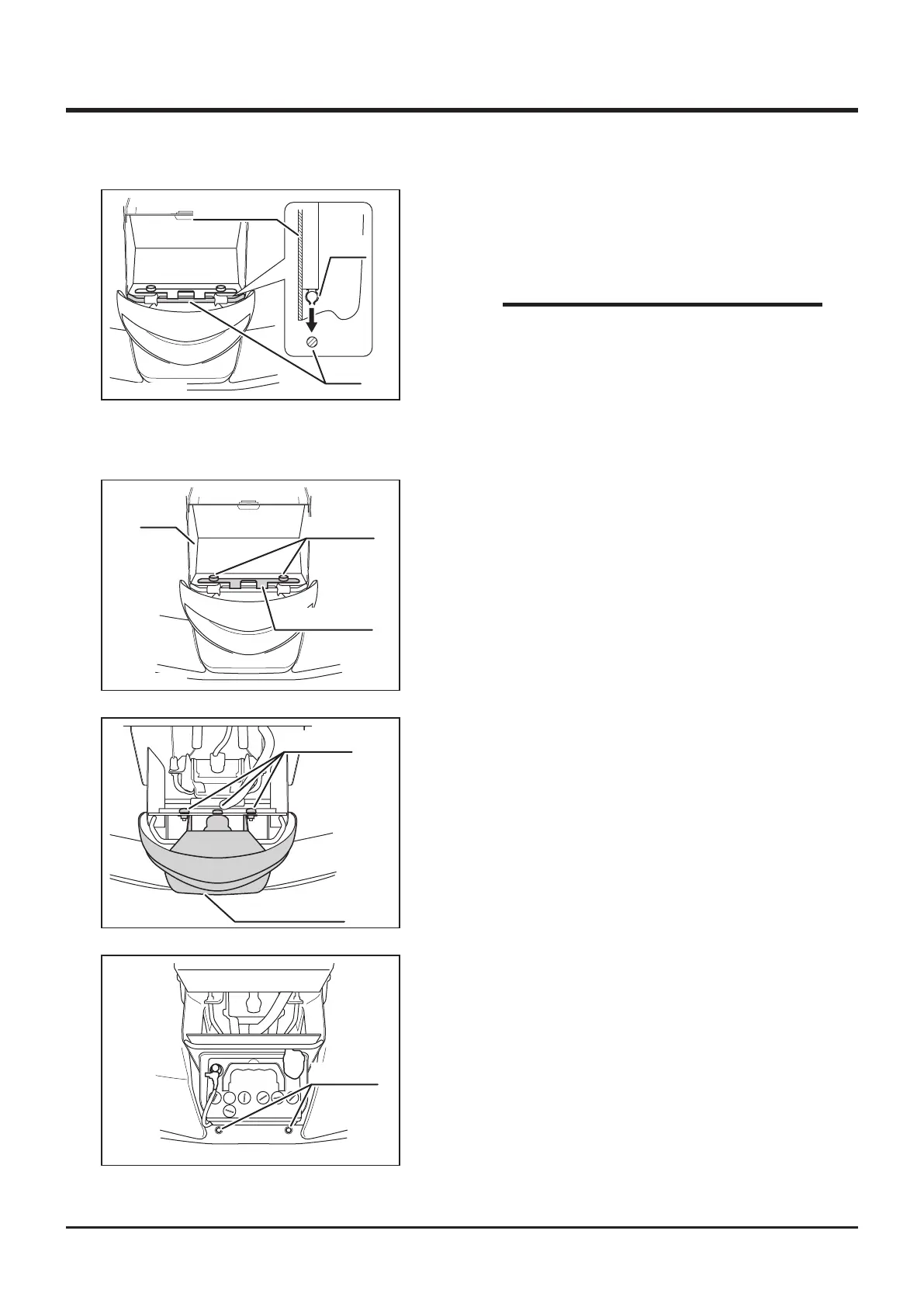
Head Lamp
Tray
Knob Bolt
Fixing Bracket
5332M-0509-030E
1. Remove front cover.
2. Remove 2 knob bolts xing the tray.
3. Remove xing bracket and lift tray.
Knob Bolt
Head Lamp Unit
5332M-0509-040E
4. Remove 3 knob bolts xing head lamp unit to
remove head lamp unit.
Grommet
5332M-0509-060E
5. Insert projections at the bottom of head lamp
unit into holes of grommet on bumper and
install adversely.
5332M-0401-140E
Front Cover
Clip
Rod
3. Raise steering wheel to the maximum angle
and t clip on the back of front cover to rods.
4. Fit upper part of front cover.
• Beware not to catch front cover by the
plates on both sides when you installing
front cover.
NOTE



 To Next Page