-75-
Maintenance 5
After Use Care
Cutting System
• Never place any part of body under cutting blade shield when cutting blade is
rotating.
• Do not allow bystanders to come near machine when cutting blade is rotating.
• Always stay on machine when performing this opeartion
• Never attempt to clean cutting system with cutting blade shield open. Stones or
rocks can be thrown and cause damage to surrounding properties or persons.
• Turn cutting rotary clutch to [ON] only when cleaning. Keep it in [OFF] position
all the other times.
• Do not set cutting height too low. It may hit ground.
NOTE
6. Move cutting rotary clutch lever to [ON] to rotate cutting blade to clean.
7. When cleaning is done, move cutting rotary clutch lever to [OFF] to stop cutting blade.
8. Move cutting height adjust lever to [150] for CMX227 and CM226, [130] for CMX186 and
CM 185.
9. Turn throttle lever to [ (slow)] to lower engine speed.
10. Stop machine and remove hose.
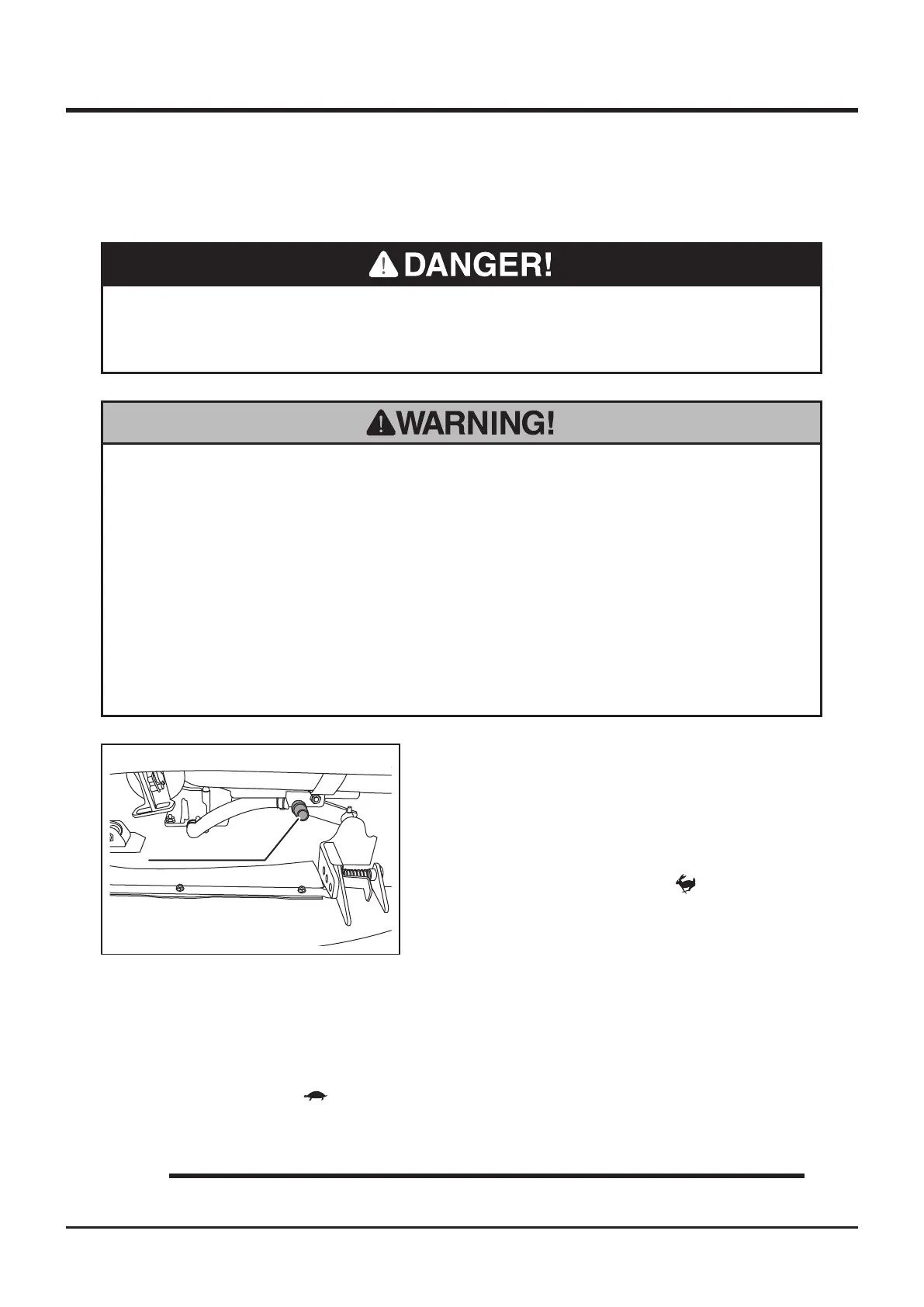
Hose Connection
5335M-0510-010E
1. Park machine.
2. Set cutting height to about 50mm.
3. Connect hose to hose connection. Run
water through hose.
4. Start engine.
5. Turn throttle lever to [ (fast)] to raise
engine speed.



 To Next Page