Maintenance
-74-
5
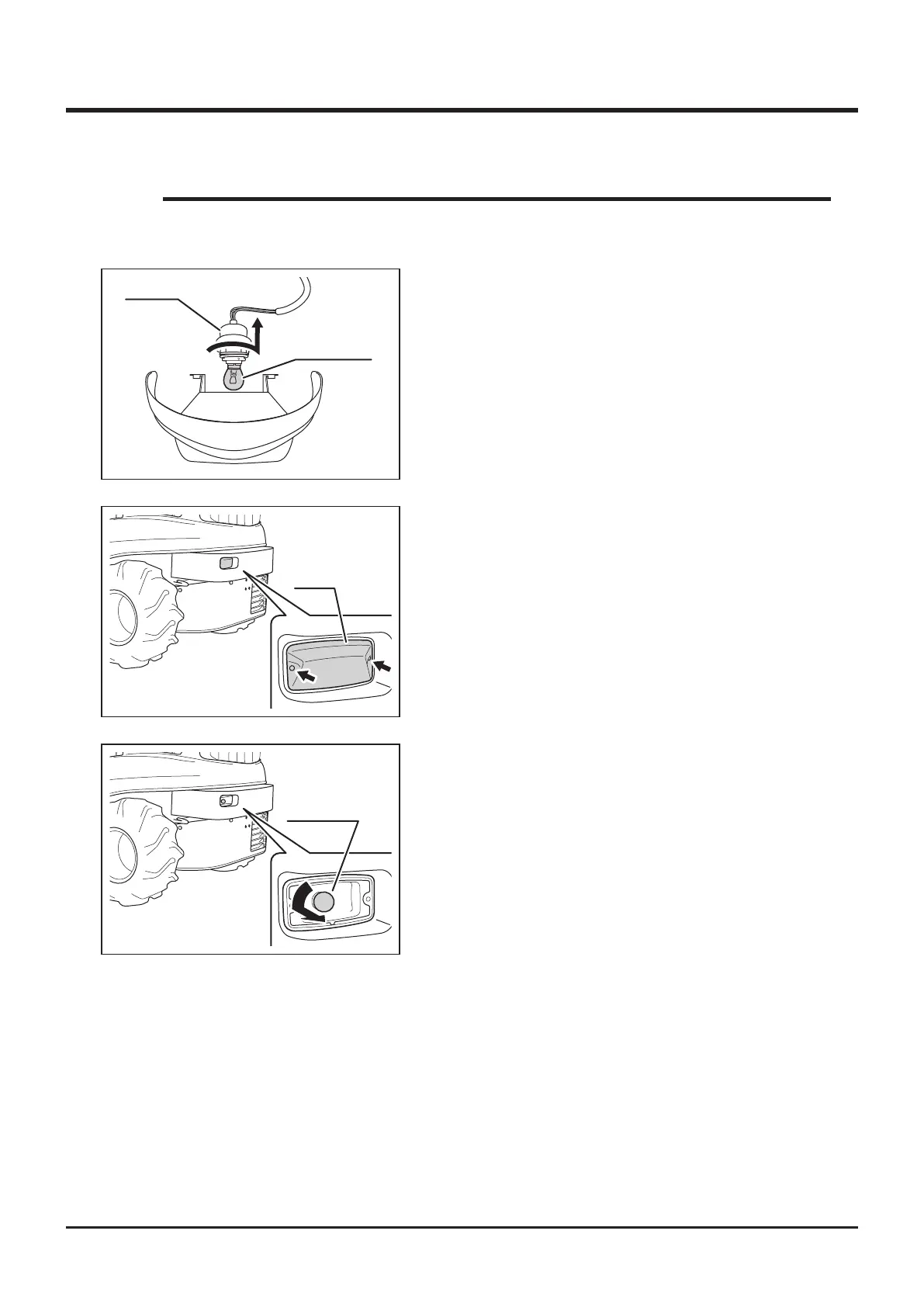
1. Remove 2 screws and remove lens.
Rear Lamp (CMX227)
5332M-0509-070E
Lens
5332M-0509-080E
Light Bulb
2. Replace with a new light bulb.
3. Install lens back in place.
• Light Bulbs to use: Page 48.
NOTE
Head Lamp
Socket
Light Bulb
5332M-0508-050E
1. Remove front cover and head lamp unit.
2. Turn socket to remove.
3. Replace with new light bulb.
4. Install socket.
5. Install head lamp and front cover.



 To Next Page