-69-
Maintenance 5
5335M-0508-010E
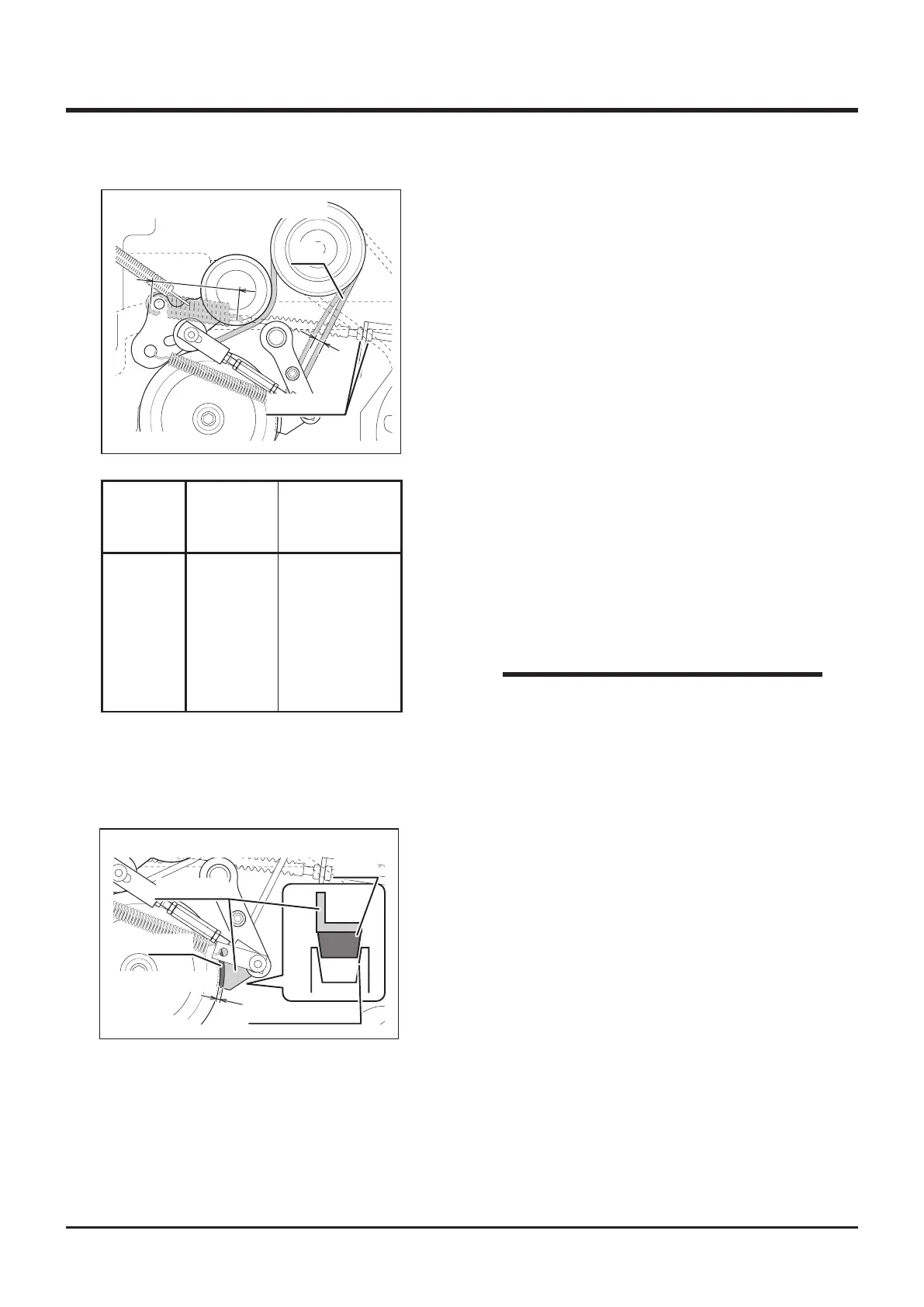
A
B
Belt
Cutting Rotary Clutch Lever: [ON]
Adjust Nuts
1. Removeenginehood,lowerrearcoverand
rearbumper.
2. Turncuttingrotaryclutchleverto[ON].
3. Inspectthe condition of V-belt to be free
of damages orwear.Replaceif damaged
o r w o r n . C o n t a c t y o u r C A N Y C O M
representativeforreplacement.
Inspecting and Adjusting
6. Makesurebrakeliningisnottouchinggroove
onpulleyforlining.Alsomakesurethegap
betweentheedgeofpulleyandliningback
platetobelessthan5mm.
Less than 5mm
Lining
Lining
Groove for Lining
Back Plate
5335M-0508-020E
Cutting Rotary Clutch Lever: [ON]
• If the V-belt's deection cannot be adjusted
within the specified range, it needs to
be replaced. Contact your CANYCOM
representative for replacement.
NOTE
Deection
A
SpringLength
(insidehooks)
B
CMX227
CM226
CMX186
CM185
10-15mm 112-113mm
4. InspecttheV-belttension.Pushthemiddle
ofV-belttoseeiftheamountofdeflection
(slack)Atobewithintherangespecifiedin
thetableontheleft.
5. Ifthetensionisnotcorrect(deectionisnot
withintherange),adjustitwithadjustnuts.



 To Next Page